
Process map · Any company
Plan to produce, step by step
Plan to produce is everything between knowing what you have to make and seeing it on the finished goods shelf. It usually hurts in three places: materials that turn out to be short on the morning of the run, a shop floor nobody can see into, and a product cost that is known only at year end. In ERPNext the plan, the work order, the material issue and the job cards are linked, so the planner sees shortages before the run and the owner sees the real cost after it.
The full map is free
15 steps, 3 decisions, 3 roads into other maps. Sign in once to open every approval and branch, larger ERPNext screens and a printable sheet.
Select a step to see who does it, the document and the ERPNext screen.
Step by step
-
The planner pulls open sales orders into a Production Plan, or adds items to make for stock from a forecast. ERPNext opens up each bill of materials, sub-assemblies included, and lists every raw material the plan needs beside what is in the store.
- Who does it
- Production planner
- Document that comes out
- Production Plan
ERPNext then does this by itself
- Quantities from several orders for the same item are added together
- Raw material needs are compared with stock in the warehouses you choose
- Work orders for the products and their sub-assemblies are created from the plan
Without an ERP
The week's plan is a whiteboard. Two orders for the same product are run separately, and the missing component is found when the machine is already set up.
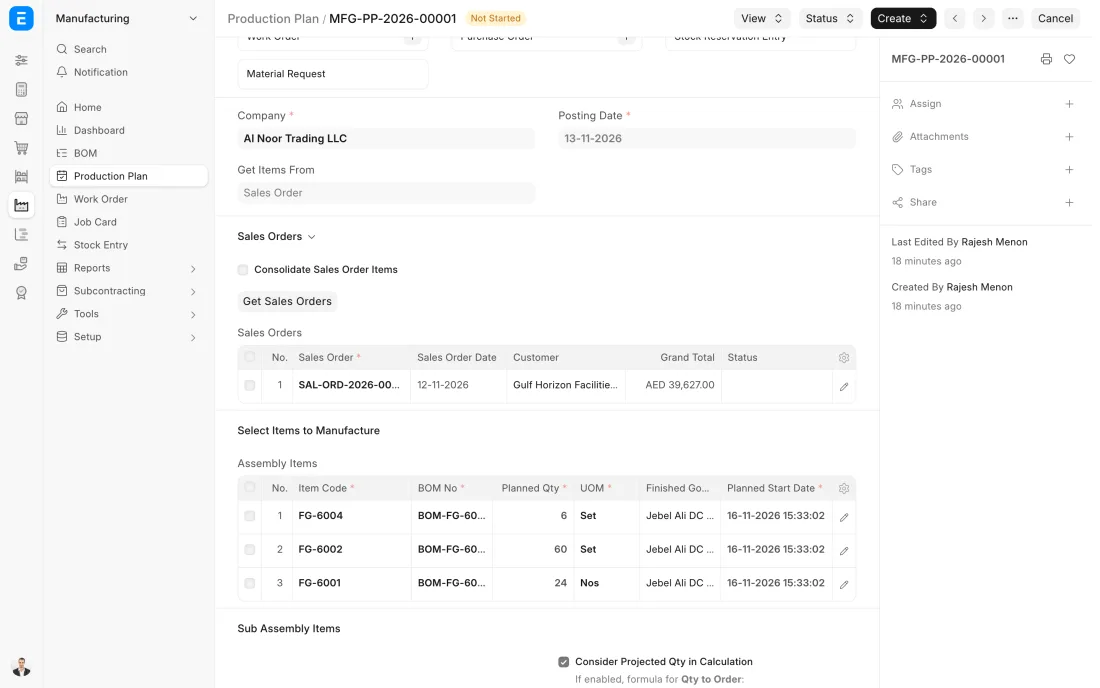
ERPNext 16 · Production Plan -
Each product in the plan gets a Work Order: what to make, how many, from which bill of materials, by when, and which stores the materials come from and the goods go to. Submitting it releases the job to the floor.
- Who does it
- Production planner
- Document that comes out
- Work Order
ERPNext then does this by itself
- A Job Card is created for every operation in the bill of materials
- The materials the job needs are listed on the order
- The order moves from Not Started to In Process to Completed by itself
Without an ERP
The floor gets a verbal instruction. Quantities change in a corridor conversation, and at the end of the week nobody can say which jobs are started, half done or forgotten.
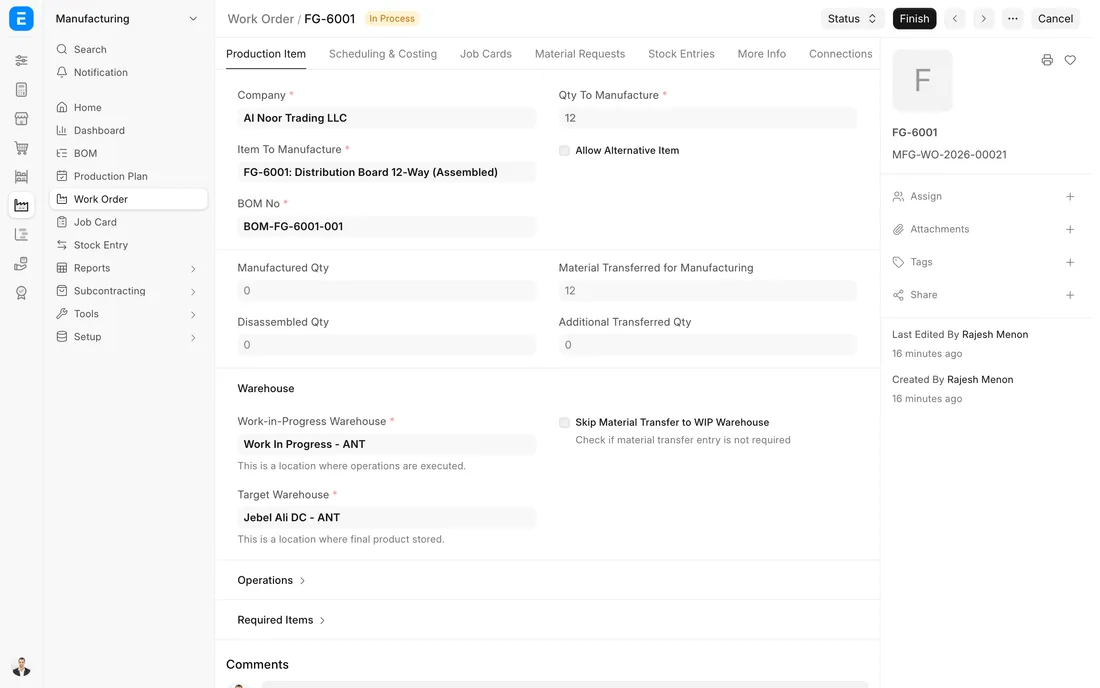
ERPNext 16 · Work Order in process -
Pressing Start on the Work Order prepares a Stock Entry of type Material Transfer for Manufacture with exactly what the job needs. The storekeeper moves the materials from the raw material store to the work in progress store, by batch where batches are used.
- Who does it
- Storekeeper
- Document that comes out
- Stock Entry (Material Transfer for Manufacture)
ERPNext then does this by itself
- Raw material stock goes down and work in progress stock goes up
- The Work Order shows how much material has been transferred
- A part transfer is allowed, and the balance stays open
Without an ERP
Workers help themselves from the store. Material used on one job is booked to another or to none, and the stock sheet is wrong by Thursday.
-
Each operation has a Job Card at its workstation: cutting, welding, painting, assembly. The operator starts and stops the card, often on a tablet on the floor, and enters the quantity completed. The supervisor sees every job's position without walking the floor.
- Who does it
- Machine operator
- Document that comes out
- Job Card
ERPNext then does this by itself
- Actual time per operation is recorded beside the planned time
- Operating cost is worked out from the workstation's hour rate
- The Work Order shows which operations are done
Without an ERP
Progress is whatever the supervisor remembers. A job waits two days in front of a busy machine, and nobody knows until the customer asks where the order is.
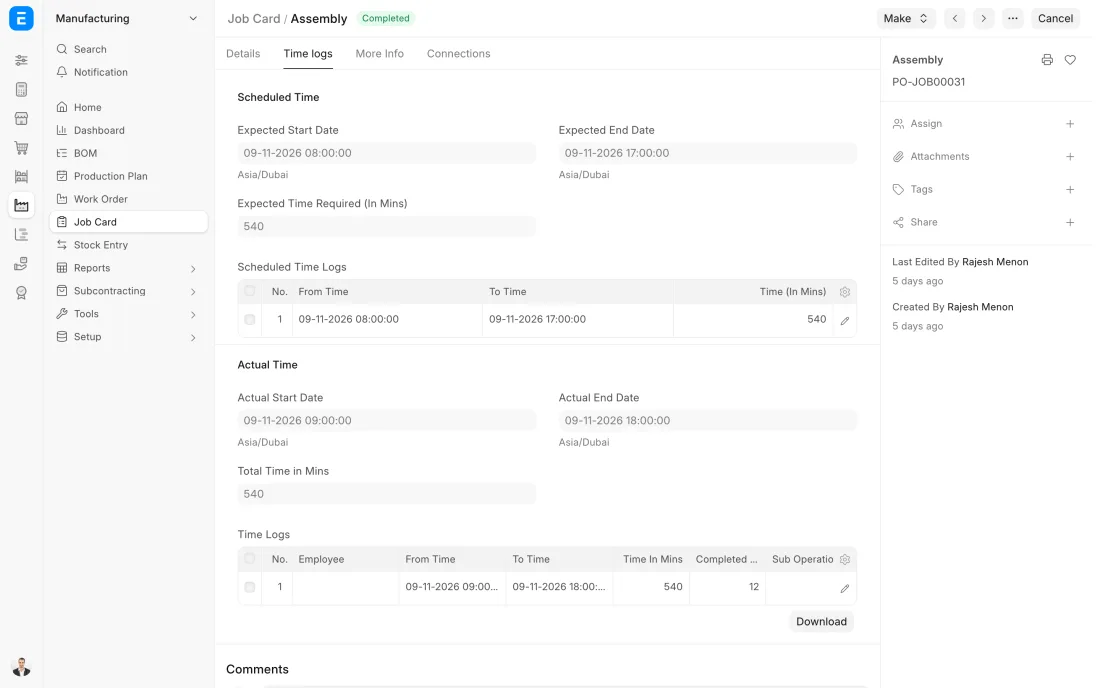
ERPNext 16 · Job Card -
The inspector checks the goods against the product's inspection template: the measurements, finish or tests you have defined, with the allowed range for each. It can be done in process against a Job Card, or as a final check before the goods are booked in.
- Who does it
- Quality inspector
- Document that comes out
- Quality Inspection
ERPNext then does this by itself
- A reading outside its allowed range marks the inspection as rejected
- When the bill of materials asks for an inspection, goods cannot be booked in without one
- Every result is kept with its batch
Without an ERP
The check is a tick on a paper traveller. A whole shift is made out of tolerance before anyone measures, and the fault is found by the customer.
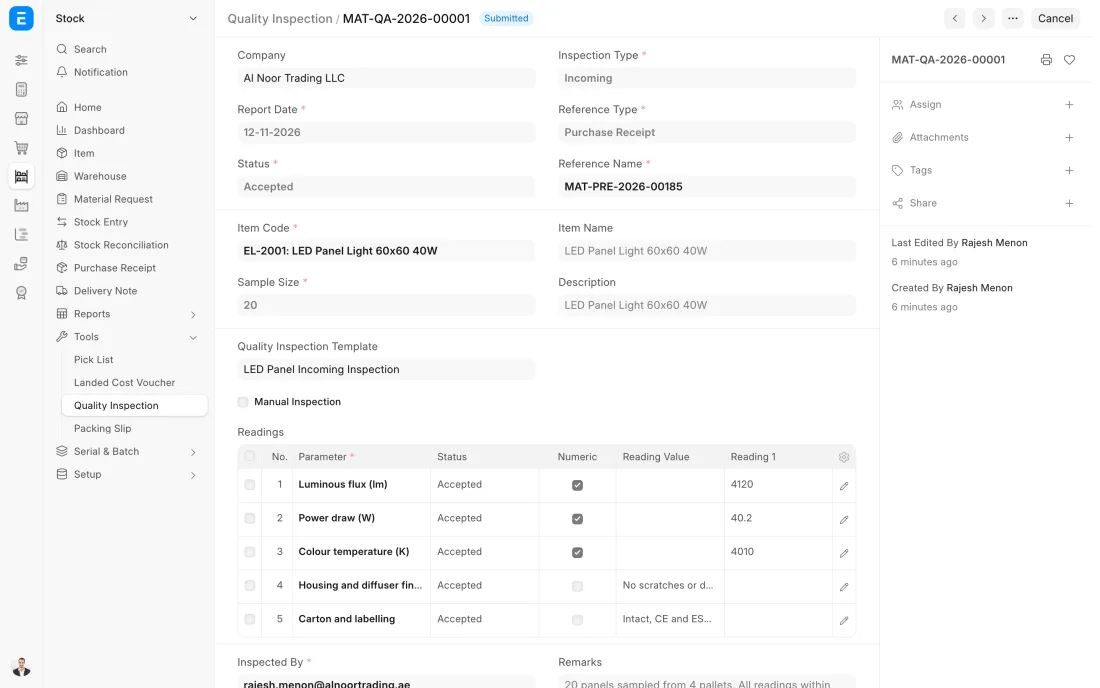
ERPNext 16 · Quality Inspection -
The supervisor presses Finish on the Work Order for the quantity made. One Stock Entry of type Manufacture takes the raw materials used out of work in progress and puts the finished goods into the store, with a batch or serial number where the item uses them.
- Who does it
- Production supervisor and storekeeper
- Document that comes out
- Stock Entry (Manufacture)
ERPNext then does this by itself
- Raw materials are consumed and finished stock is added in the same entry
- The finished goods are valued at material cost plus operating cost
- The Work Order is completed when the full quantity is made
Without an ERP
Production is reported on a daily sheet and stock is updated later, if at all. Sales cannot see what is ready, and raw material balances are a guess until the next count.
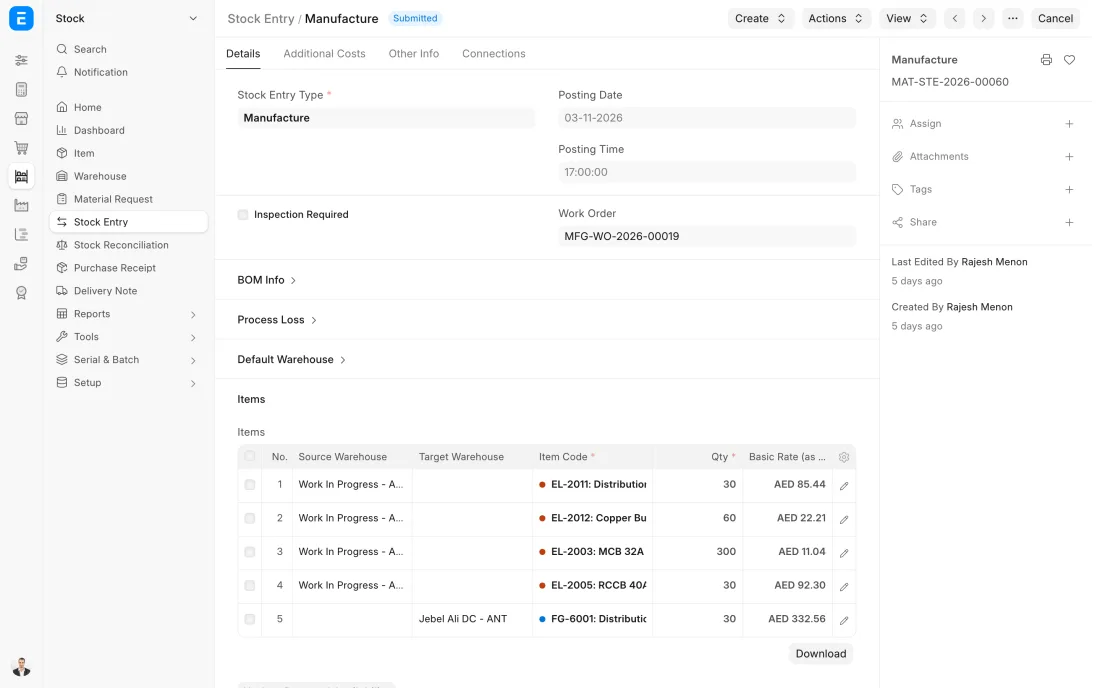
ERPNext 16 · Stock Entry (Manufacture)
The Full map adds 9 more steps: the approvals, checks and branches between these.
A factory has orders for 300 steel cabinets. The plan shows the sheet metal is in stock but the hinges are 400 short, purchasing orders them the same day, and each work order is costed the moment the cabinets are booked into the store.
Where this map leads
Processes feed each other. Follow the work into the next map.
Free tool
Build your company's map
Pick your industry and the processes you run. Get one printable document with every map and step, ready to show your team or your ERP partner.
- Plan to produce
- Order to cash
- Purchase to pay
- Project to bill
- Patient to payment
Questions about plan to produce
Ask us anything elseWhat is the plan to produce process?
What is the difference between a Production Plan and a Work Order in ERPNext?
Do we need Job Cards, or is a Work Order enough?
How does ERPNext work out the cost of a finished product?
Can ERPNext plan production for stock, not only for customer orders?
How does ERPNext handle scrap and process loss?
See this process run on your own data
A 45-minute ERPNext demo that follows this map with an example from your business.