
Process map · Any company
Order to cash, step by step
Order to cash is everything between a customer asking for a price and their payment landing in your bank. In most companies it crosses three departments, and the delays hide in the hand-overs between them. In ERPNext each document is made from the one before it, so the order is typed once and nobody has to chase the next department.
The full map is free
13 steps, 2 decisions, 1 road into another map. Sign in once to open every approval and branch, larger ERPNext screens and a printable sheet.
Select a step to see who does it, the document and the ERPNext screen.
Step by step
-
The salesperson picks the items and ERPNext fills in the customer's price list, discounts and VAT. The quotation goes out as a PDF by email, straight from the screen.
- Who does it
- Salesperson
- Document that comes out
- Quotation
ERPNext then does this by itself
- Prices and discounts come from the customer's price list
- VAT is worked out line by line
- Quotations that were not answered show up for follow-up
Without an ERP
Each salesperson quotes from their own spreadsheet, so two customers get two different prices for the same item and nobody knows which quotations are still open.
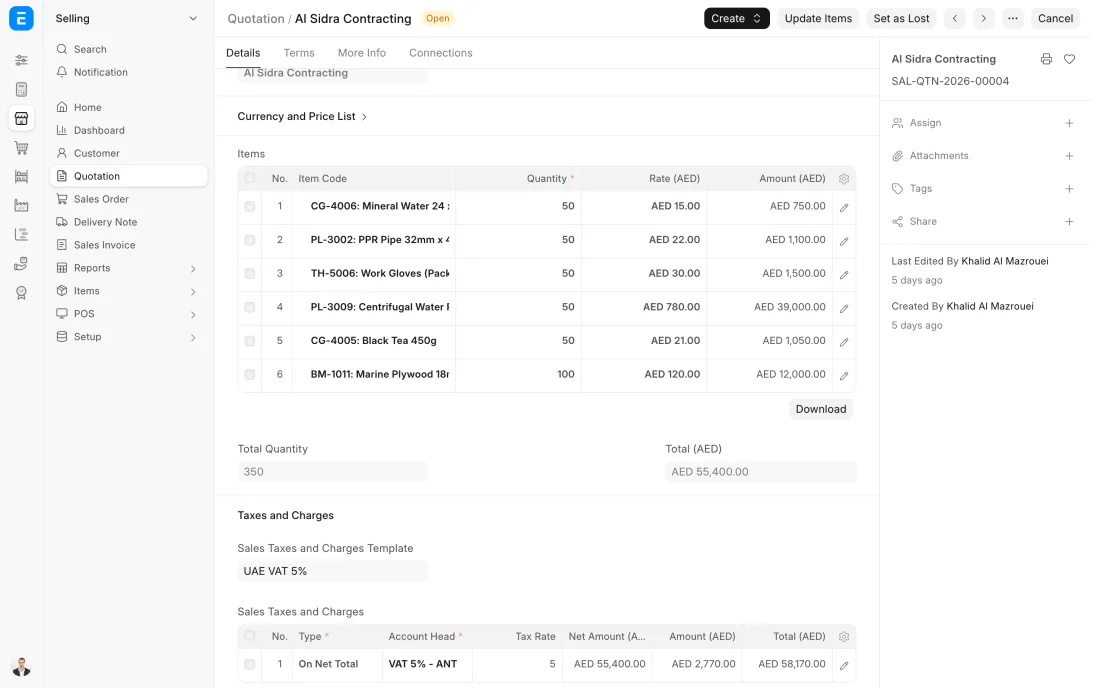
ERPNext 16 · Quotation -
When the customer confirms, the quotation becomes a Sales Order with one click. Nothing is typed again: items, prices and terms carry over, and a delivery date is promised.
- Who does it
- Salesperson
- Document that comes out
- Sales Order
ERPNext then does this by itself
- The ordered quantity counts as promised in the stock figures, and can be set up to be reserved for this order
- The store sees the order in its own list at once
- The order shows how much is delivered and billed so far
Without an ERP
The confirmed order is retyped from an email into another sheet. A wrong quantity or an old price slips in, and the mistake is found only when the customer complains.
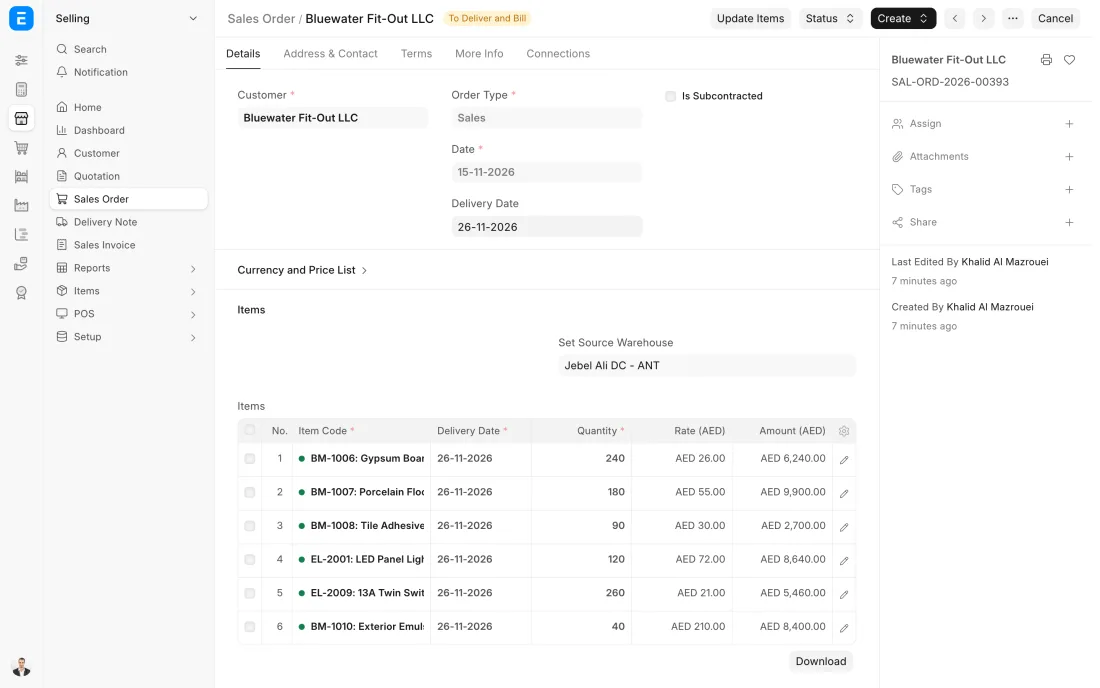
ERPNext 16 · Sales Order -
The Delivery Note is made from the Sales Order, so it always matches what was ordered. The driver takes a printed copy and the customer signs it.
- Who does it
- Storekeeper
- Document that comes out
- Delivery Note
ERPNext then does this by itself
- Stock goes down the moment the note is submitted
- The cost of the goods is posted to the accounts
- The order is marked ready to bill
Without an ERP
Goods leave on a handwritten note. Stock on the sheet is wrong until someone updates it, and some deliveries are never invoiced at all.
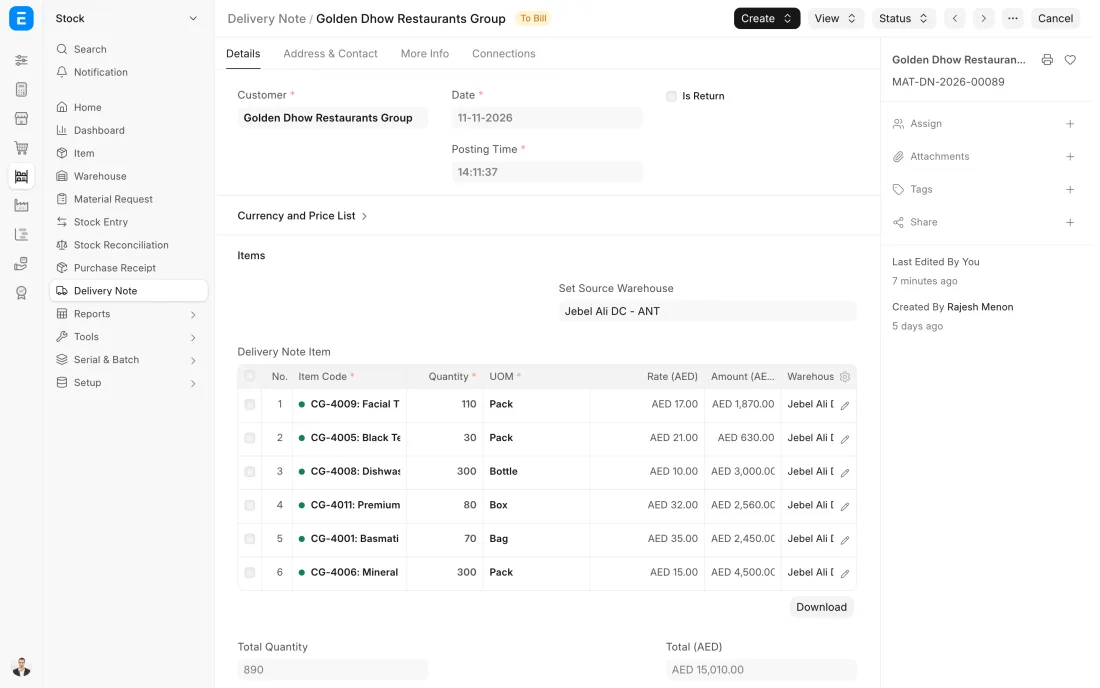
ERPNext 16 · Delivery Note -
The tax invoice is made from the Delivery Note with the same items, prices and VAT. It is emailed to the customer and the amount appears in what they owe.
- Who does it
- Accountant
- Document that comes out
- Sales Invoice
ERPNext then does this by itself
- Ledger entries for sales, VAT and receivables are posted
- The due date is set from the customer's payment terms
- The invoice prints your TRN and the customer's
Without an ERP
Accounts types the invoice again from the delivery note, days later. Every day of delay is a day added to when the customer pays.
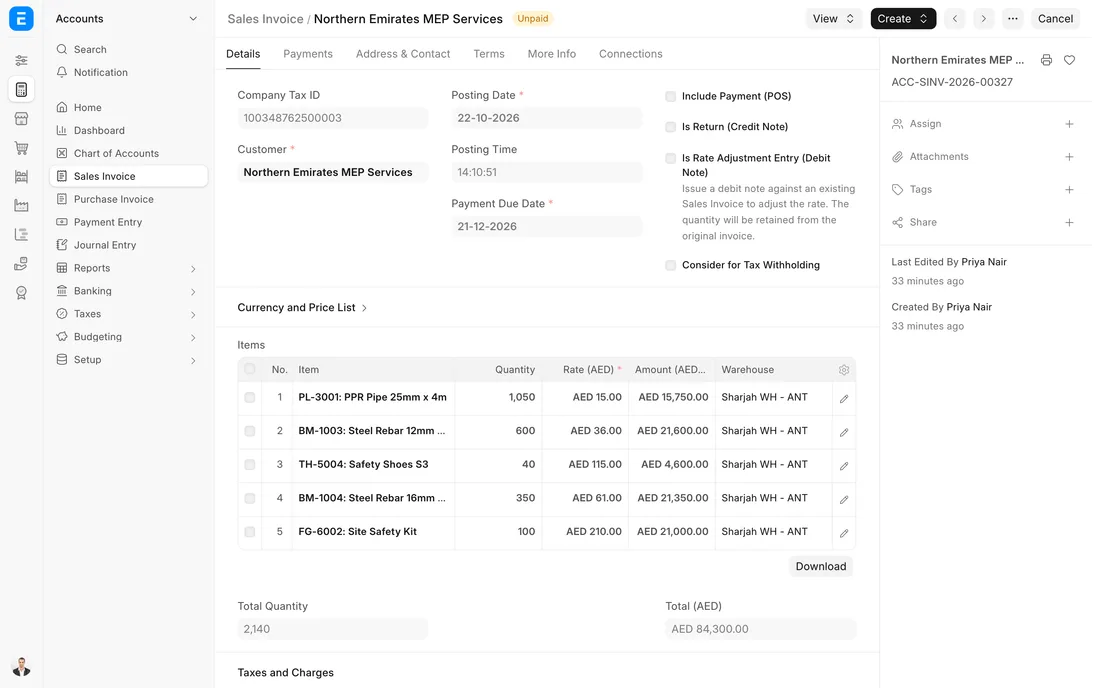
ERPNext 16 · Sales Invoice (UAE VAT) -
When the customer pays by transfer, cheque or card, a Payment Entry is recorded against the invoices it covers. Part payments and advances are handled the same way.
- Who does it
- Accountant
- Document that comes out
- Payment Entry
ERPNext then does this by itself
- The invoice is marked paid or part paid
- The customer's balance and credit room update at once
- Bank and receivable ledgers are posted
Without an ERP
A payment arrives with no reference, sits in the bank unallocated, and the customer gets a reminder for an invoice they already paid.
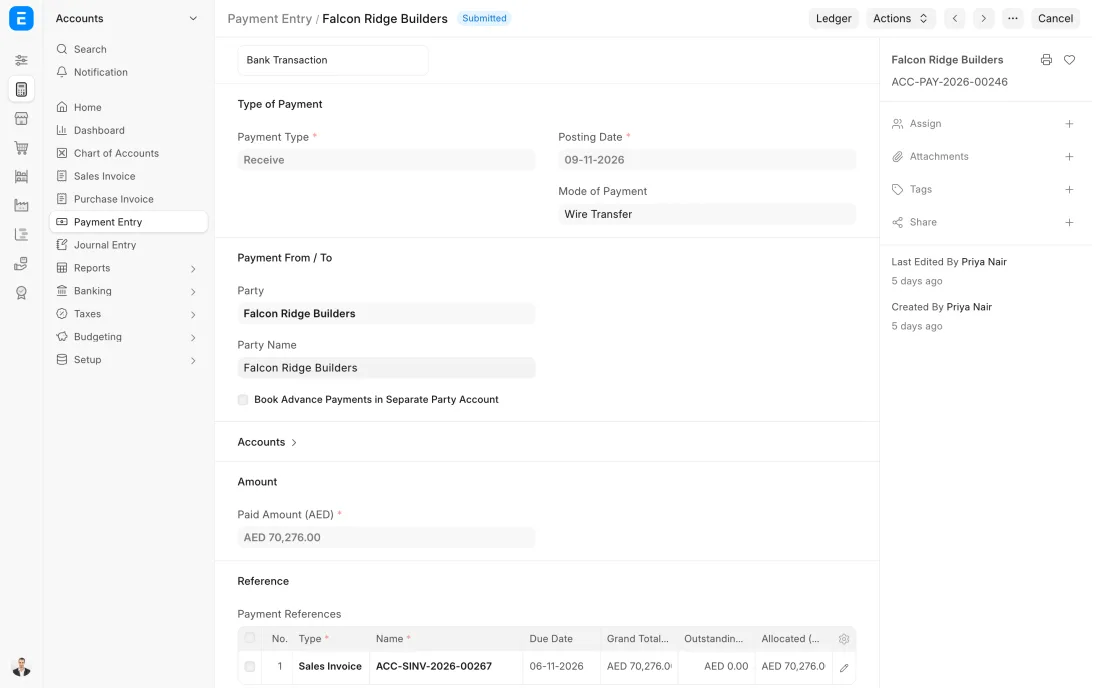
ERPNext 16 · Payment Entry (Receive)
The Full map adds 8 more steps: the approvals, checks and branches between these.
A customer asks for 20 fire hoses. Sales quotes, the customer confirms, the store delivers the next morning, and the invoice is in the customer's inbox before the truck is back.
Where this map leads
Processes feed each other. Follow the work into the next map.
Free tool
Build your company's map
Pick your industry and the processes you run. Get one printable document with every map and step, ready to show your team or your ERP partner.
- Order to cash
- Purchase to pay
- Plan to produce
- Project to bill
- Patient to payment
Questions about order to cash
Ask us anything elseWhat is the order to cash process?
Which ERPNext documents make up order to cash?
Can we invoice before we deliver?
How does ERPNext stop us selling to customers who do not pay?
See this process run on your own data
A 45-minute ERPNext demo that follows this map with an example from your business.