
Process map · Any company
Hire to retire, step by step
Hire to retire is the whole working life of an employee in your company: the vacancy, the offer, the first day, every month's attendance, leave and salary, and the final settlement when they go. In most companies it lives in folders, spreadsheets and one HR officer's memory, so visa dates are missed and payroll is rebuilt by hand each month. In ERPNext with Frappe HR each step feeds the next: the offer becomes the employee record, attendance and leave feed the payslip, and the payslip feeds the accounts.
The full map is free
15 steps, 1 decision, 1 road into another map. Sign in once to open every approval and branch, larger ERPNext screens and a printable sheet.
Select a step to see who does it, the document and the ERPNext screen.
Step by step
-
The chosen applicant gets a Job Offer with the designation, salary and terms, printed on your letterhead from a template. The offer is marked accepted or rejected when the candidate answers.
- Who does it
- HR officer
- Document that comes out
- Job Offer
ERPNext then does this by itself
- The offer letter is filled in from the applicant and the offer terms
- An accepted offer carries into onboarding and the employee record
- Offers still waiting for an answer are listed
Without an ERP
The offer letter is last year's file with the name changed. The old salary is still in paragraph three, and the candidate signs it.
-
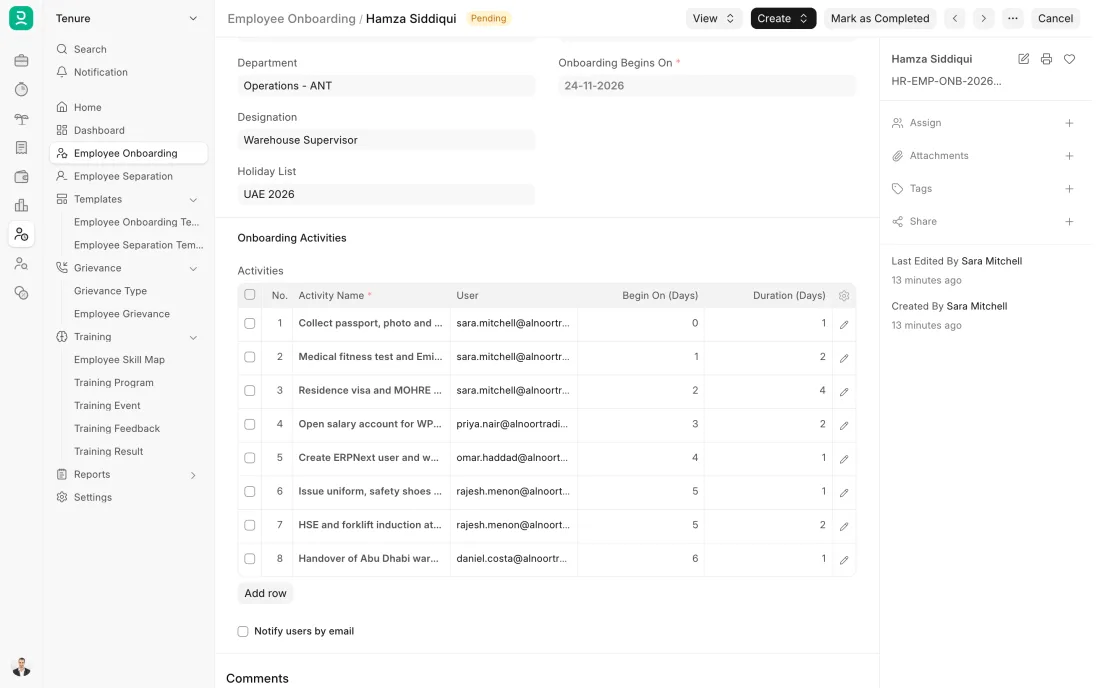
An Employee Onboarding lists what a joiner needs, from a template: contract, laptop, email account, induction. The Employee record is created with the joining date and department, and a Salary Structure Assignment gives them their pay. Passport details are standard fields; visa, Emirates ID and labour card expiry dates can be set up as fields, with a reminder before each one runs out.
- Who does it
- HR officer
- Document that comes out
- Employee Onboarding, Employee
ERPNext then does this by itself
- Each onboarding activity becomes a task for the person or team responsible
- Onboarding shows as complete when the tasks are done
- The salary structure assigned to the employee is what payroll uses
Without an ERP
The new joiner arrives and there is no desk, no laptop and no email. Six months later nobody has noticed that their visa paperwork was never finished.
ERPNext 16 · Employee Onboarding -
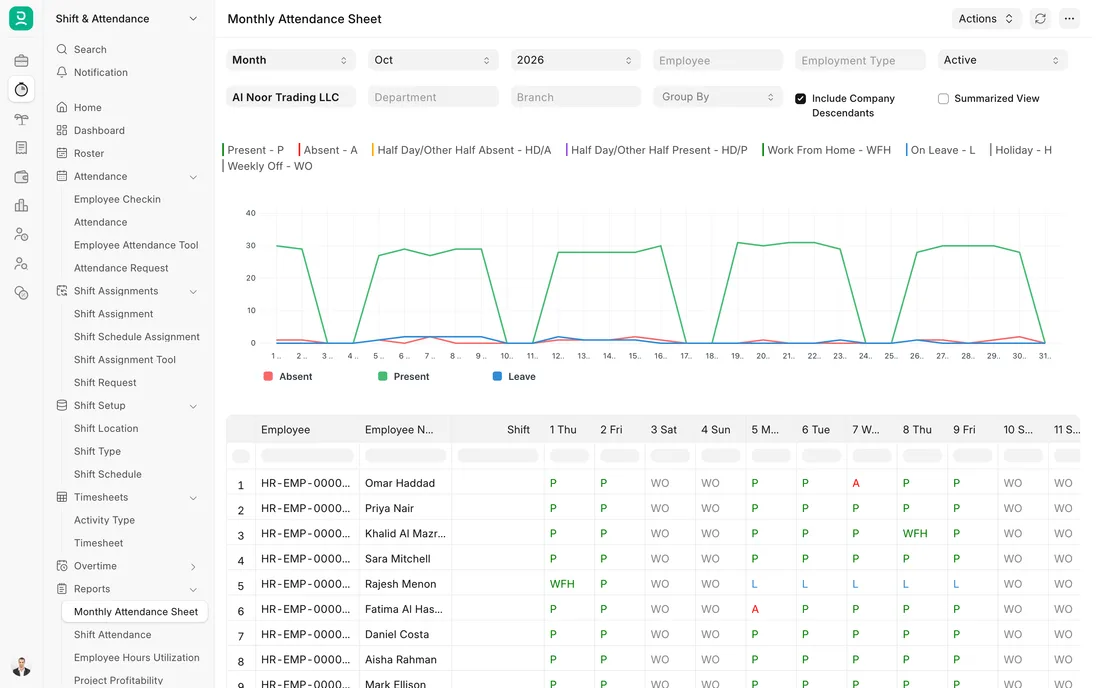
Employees check in and out on the Frappe HR mobile app, on a device at the door or on the web. ERPNext turns the check-ins into attendance by the rules of each person's shift. A missed check-in is corrected with an Attendance Request that the manager approves.
- Who does it
- Employee
- Document that comes out
- Employee Checkin, Attendance
ERPNext then does this by itself
- Check-ins become present, half day or absent by the shift's rules
- Late arrivals and early exits are flagged
- The month's attendance is ready for payroll
Without an ERP
Attendance is a paper register that HR types into a sheet at month end. Missing days are filled in from memory, and salary is paid for days nobody worked.
ERPNext 16 · Monthly attendance sheet -
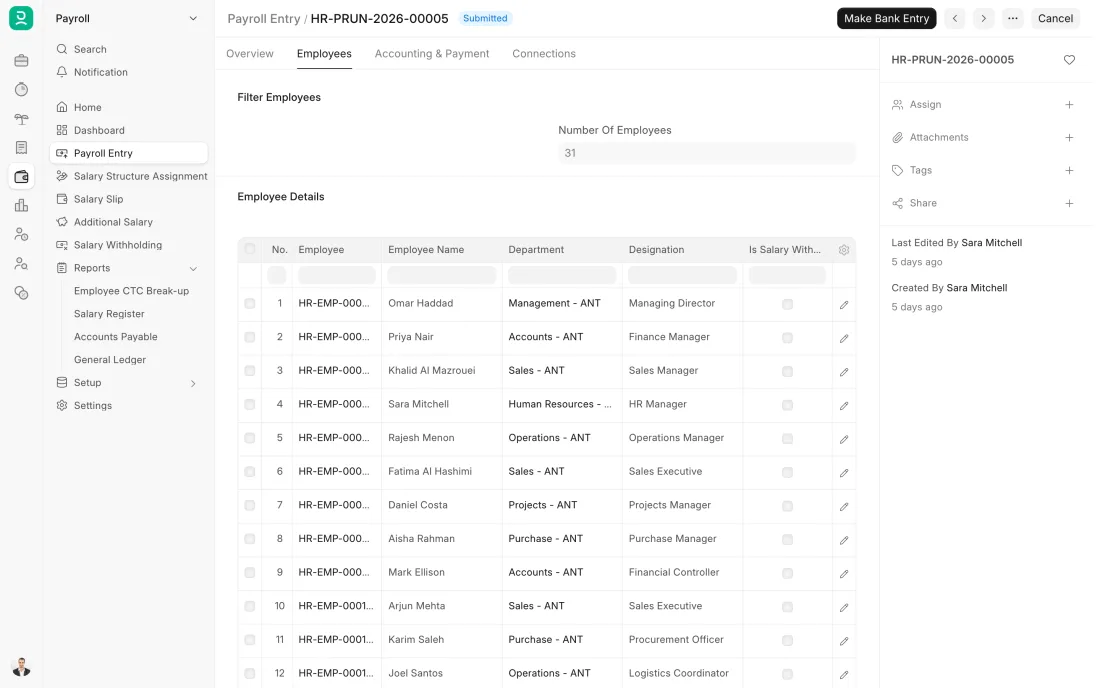
One Payroll Entry for the month picks up every active employee and creates a Salary Slip for each: basic pay, allowances and deductions from their salary structure, less unpaid leave and absences. One-off amounts such as a bonus are added as Additional Salary. The slips are checked, then submitted together.
- Who does it
- Payroll officer
- Document that comes out
- Payroll Entry, Salary Slip
ERPNext then does this by itself
- Payment days are worked out from attendance or leave
- An accrual entry posts the salary cost to the accounts
- Each employee can be emailed their payslip
Without an ERP
Payroll is a spreadsheet copied from last month. A leaver is still on it, a joiner is missing, and a formula dragged one row too far pays someone else's allowance.
ERPNext 16 · Payroll Entry -
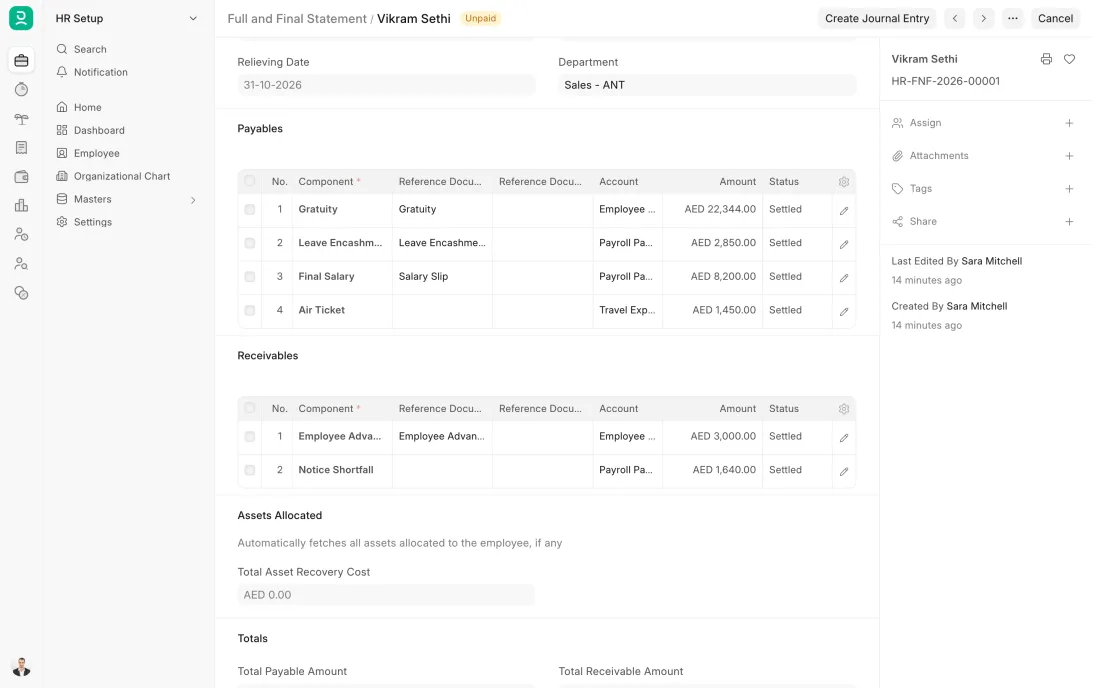
A Full and Final Statement gathers what the company owes, such as the last salary, leave not taken and end of service gratuity, and what the employee owes, such as an advance. Gratuity is worked out on a Gratuity document from the length of service, the salary and the rule you have set up. Gratuity rules depend on the contract and the place of work, so have the rule checked first.
- Who does it
- HR officer
- Document that comes out
- Full and Final Statement, Gratuity
ERPNext then does this by itself
- Company assets still held by the employee are listed
- Gratuity is worked out from the length of service and the rule
- Paying the settlement posts it to the accounts
Without an ERP
The final settlement is worked out by hand from three files. The gratuity is disputed, the advance is forgotten, and the employee waits weeks for money they are owed.
ERPNext 16 · Full and Final Statement
The Full map adds 10 more steps: the approvals, checks and branches between these.
A trading company hires a sales coordinator. The offer she accepts becomes her employee record, her leave in March is approved on a phone, her salary is in each month's WPS file, and three years later her final settlement is worked out from the same record.
Where this map leads
Processes feed each other. Follow the work into the next map.
Free tool
Build your company's map
Pick your industry and the processes you run. Get one printable document with every map and step, ready to show your team or your ERP partner.
- Hire to retire
- Order to cash
- Purchase to pay
- Plan to produce
- Project to bill
Questions about hire to retire
Ask us anything elseWhat is the hire to retire process?
Does ERPNext include HR and payroll?
Can ERPNext produce the WPS salary file?
How does ERPNext work out end of service gratuity?
Can ERPNext remind us before a visa or passport expires?
See this process run on your own data
A 45-minute ERPNext demo that follows this map with an example from your business.