
Process map · Construction
Hire to retire in a construction company
A contractor's workforce moves with the work. Dozens of workers are hired for a project, mobilised to site, moved to the next site when a phase ends and sent home when the job is done. The two questions that matter are where each worker is today and which project is paying for them. This map follows hire to retire for a site labour force.
The full map is free
17 steps, 1 decision, 2 roads into other maps. Sign in once to open every approval and branch, larger ERPNext screens and a printable sheet.
Select a step to see who does it, the document and the ERPNext screen.
Step by step
-
The chosen applicant gets a Job Offer with the designation, salary and terms, printed on your letterhead from a template. The offer is marked accepted or rejected when the candidate answers.
- Who does it
- HR officer
- Document that comes out
- Job Offer
ERPNext then does this by itself
- The offer letter is filled in from the applicant and the offer terms
- An accepted offer carries into onboarding and the employee record
- Offers still waiting for an answer are listed
Without an ERP
The offer letter is last year's file with the name changed. The old salary is still in paragraph three, and the candidate signs it.
-
An Employee Onboarding lists what a joiner needs, from a template: contract, laptop, email account, induction. The Employee record is created with the joining date and department, and a Salary Structure Assignment gives them their pay. Passport details are standard fields; visa, Emirates ID and labour card expiry dates can be set up as fields, with a reminder before each one runs out.
- Who does it
- HR officer
- Document that comes out
- Employee Onboarding, Employee
ERPNext then does this by itself
- Each onboarding activity becomes a task for the person or team responsible
- Onboarding shows as complete when the tasks are done
- The salary structure assigned to the employee is what payroll uses
Without an ERP
The new joiner arrives and there is no desk, no laptop and no email. Six months later nobody has noticed that their visa paperwork was never finished.
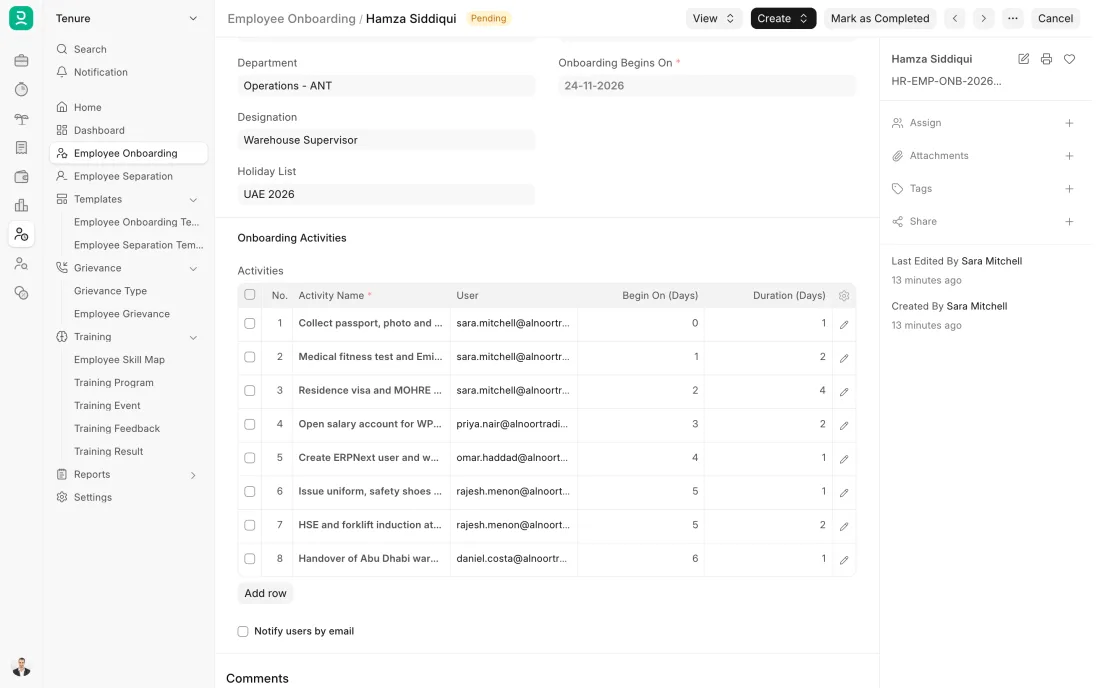
ERPNext 16 · Employee Onboarding -
The timekeeper marks the gang present or absent each day with the Employee Attendance Tool, or workers check in on a device at the site gate. Attendance is kept by named worker and date, so head office sees the same picture as the site on the same day.
- Who does it
- Site timekeeper
- Document that comes out
- Employee Checkin, Attendance
ERPNext then does this by itself
- Attendance is saved for each worker and day at once
- A day with neither attendance nor leave shows as a gap in the monthly sheet
- The month's attendance is ready for payroll
Without an ERP
Each foreman keeps a muster book. The books reach head office at month end, names are spelt three ways, and workers who left in week two are paid to the end of the month.
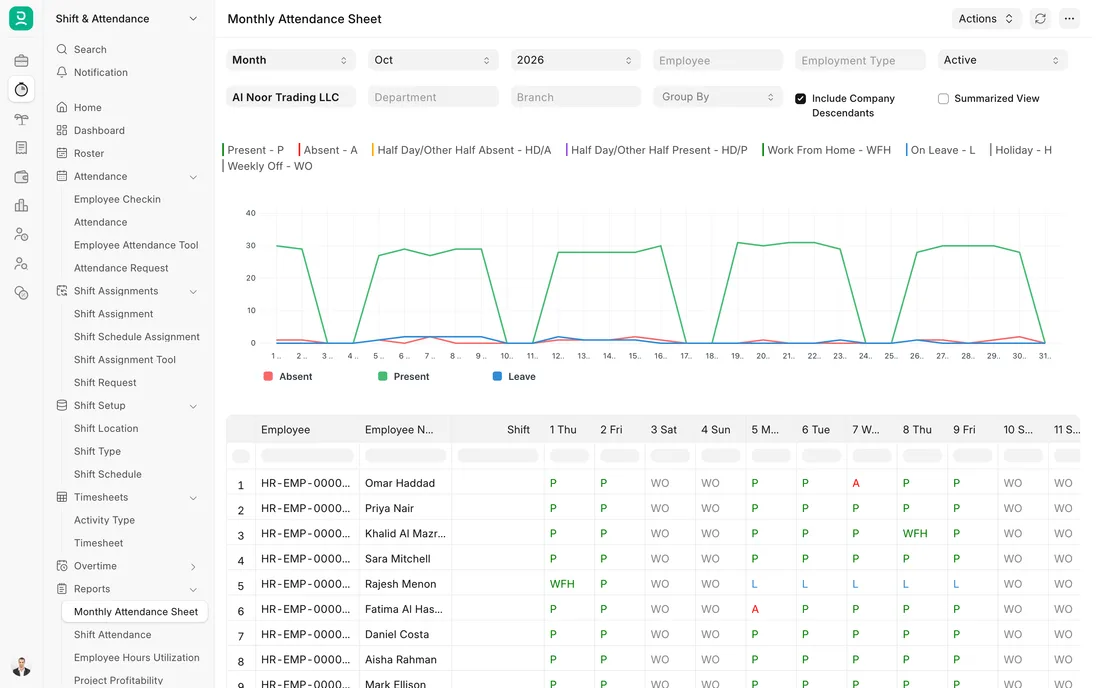
ERPNext 16 · Monthly attendance sheet -
One Payroll Entry for the month creates a Salary Slip for every worker, with payment days from site attendance. It can be run site by site. Each worker's pay can be charged to the project's cost centre through their Salary Structure Assignment, so the wage bill is split by project without a spreadsheet.
- Who does it
- Payroll officer
- Document that comes out
- Payroll Entry, Salary Slip
ERPNext then does this by itself
- Days absent without leave reduce the pay
- Salary cost is posted to the cost centre of each worker's project
- An accrual entry posts the salary cost to the accounts
Without an ERP
Wages for four sites are paid from one sheet. At month end the accountant guesses the split between projects, and every project looks a little better or worse than it is.
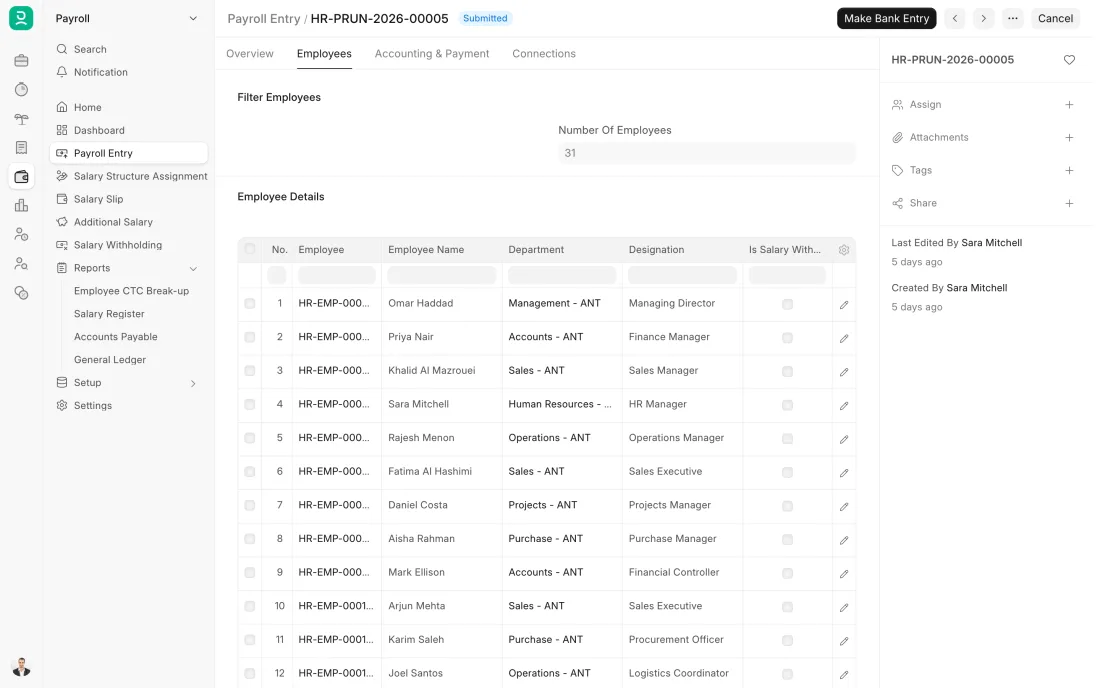
ERPNext 16 · Payroll Entry -
For a worker who is leaving, a Full and Final Statement gathers the last wages, leave not taken and end of service gratuity, less any advance. Other dues in your contracts, such as a ticket home, can be added as lines. Gratuity is worked out on a Gratuity document from the length of service, the salary and the rule you have set up.
- Who does it
- HR officer
- Document that comes out
- Full and Final Statement, Gratuity
ERPNext then does this by itself
- Company assets still held by the employee are listed
- Gratuity is worked out from the length of service and the rule
- Paying the settlement posts it to the accounts
Without an ERP
Forty workers are released in one week. Their settlements are worked out by hand at night, the amounts are argued over at the camp gate, and the flights are already booked.
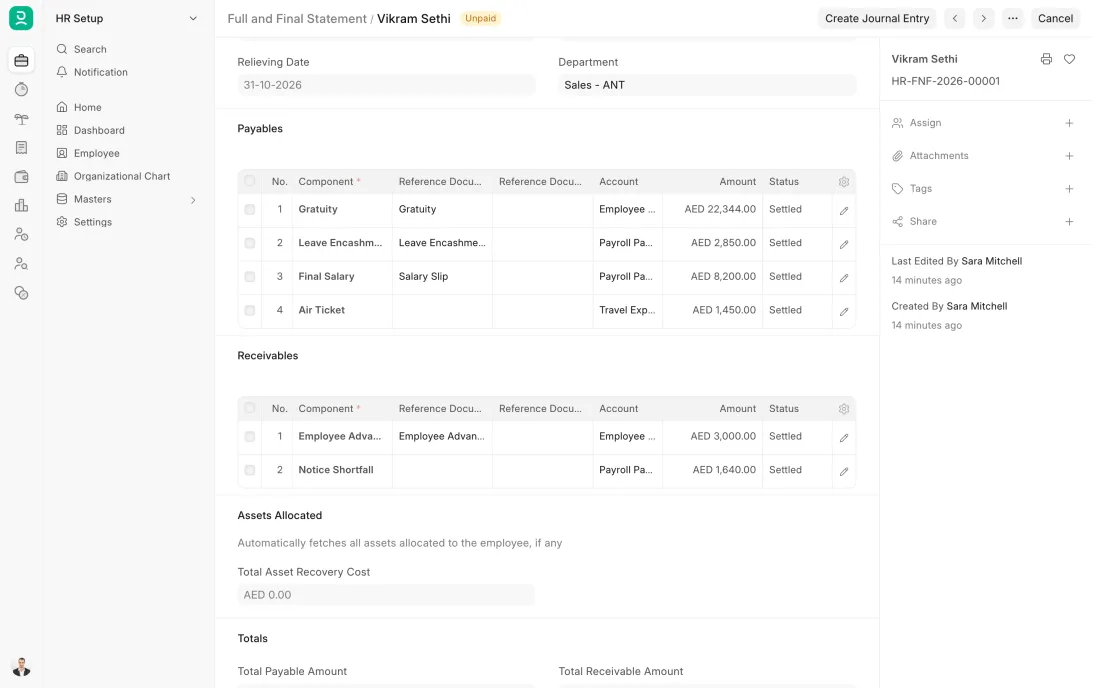
ERPNext 16 · Full and Final Statement
The Full map adds 12 more steps: the approvals, checks and branches between these.
A contractor wins a villa project and needs 40 masons and helpers. They are hired against one approved requisition and assigned to the site, their hours are booked to the project on timesheets, and when the structure is finished half move to the next site and half are settled and released.
What changes in a construction company. The same process, the steps this industry really uses.
-
Hiring is by headcount, for a project
One requisition covers many positions of the same trade. It shows how many were approved, so HR can see when the number is reached.
-
Every worker has a site
The site is recorded on the employee, as a branch or as a field that can be set up. Camp and transport details can be set up as fields in the same way, so one list answers who is where.
-
Labour cost lands on the project
Timesheets book each worker's hours to a project and a task. The project shows its labour cost beside materials and subcontractors.
-
People move when the phase ends
At the end of a job each worker is transferred to another site or released, and the record keeps the date of every move.
Where this map leads
Processes feed each other. Follow the work into the next map.
Free tool
Build your company's map
Pick your industry and the processes you run. Get one printable document with every map and step, ready to show your team or your ERP partner.
- Hire to retire
- Purchase to pay
- Project to bill
- Inventory management
- Month-end close
Questions about hire to retire
Ask us anything elseHow do we charge labour cost to a project in ERPNext?
Can ERPNext track which site each worker is at?
Can ERPNext manage labour camps and transport?
See this process run on your own data
A 45-minute ERPNext demo that follows this map with an example from your business.