
Process map · Construction
Month-end close in a construction company
A contractor's month does not close account by account: it closes project by project. For every live job the question is the same: what has it cost so far, how much of the work done has been billed, and what is being held back as retention. This map follows that version, where stock matters less and the project ledger matters most.
The full map is free
18 steps, 2 decisions, 2 roads into other maps. Sign in once to open every approval and branch, larger ERPNext screens and a printable sheet.
Select a step to see who does it, the document and the ERPNext screen.
Step by step
-
The accountant checks that every site's paperwork for the month is in: materials issued to projects, timesheets, expense claims and supplier invoices, each tagged with its project. Progress invoices for work certified in the month are submitted with a date inside it.
- Who does it
- Accountant
ERPNext then does this by itself
- Each document posts to the month of its posting date
- Goods delivered but not billed, and received but not billed, show in their own reports
Without an ERP
Site delivery notes reach head office in a bundle three weeks later. Each project's cost for the month is short by an amount nobody can estimate.
-
The statement of each bank account is imported and matched line by line with the payments and receipts in the books, up to the last day of the month. Bank charges and interest that appear only on the statement are entered from the same screen.
- Who does it
- Accountant
- Document that comes out
- Reconciled bank accounts
ERPNext then does this by itself
- Likely matches are suggested by amount, date and reference
- The balance in the books shows beside the balance on the statement
- Matched payments get their clearance date
Without an ERP
The cash figure in the balance sheet is the ledger's balance, not the bank's. Uncleared cheques and missed bank charges hide inside it for months.
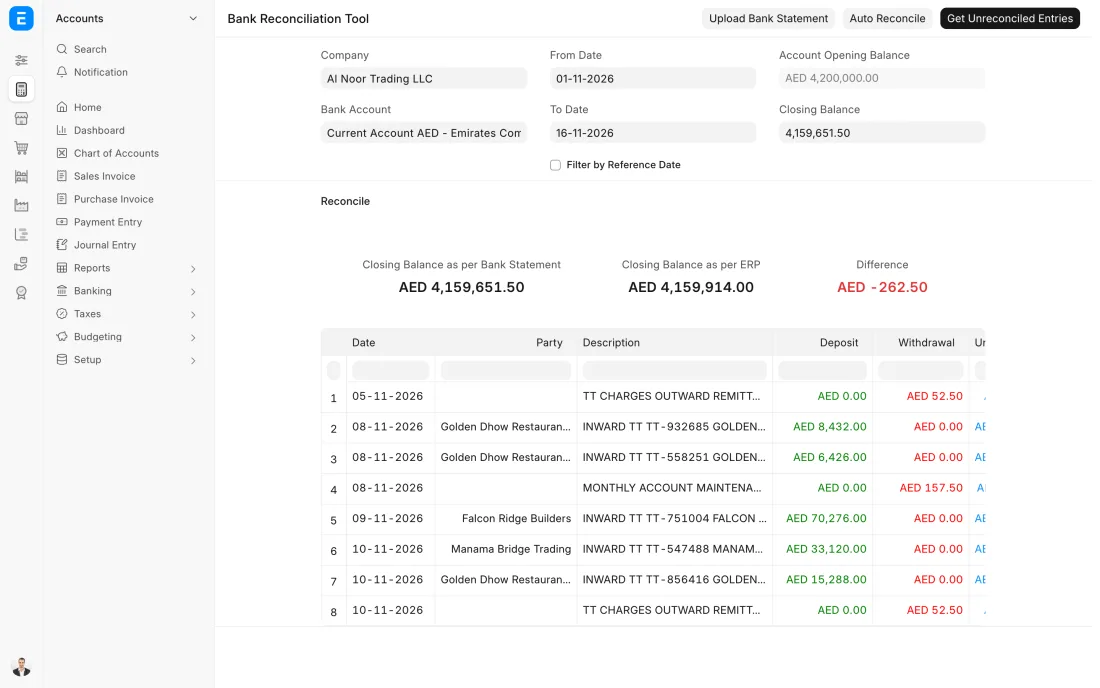
ERPNext 16 · Bank Reconciliation Tool -
Work that subcontractors finished in the month but have not invoiced is accrued by Journal Entry against each project, from the site's measurement or the purchase order. Other accruals and prepayments are posted the same way. The entries are reversed next month when the real invoices arrive.
- Who does it
- Accountant
- Document that comes out
- Journal Entry
ERPNext then does this by itself
- A repeating entry can be set up to be created every month
- An accrual can be reversed in the next month from the entry itself
- Each entry keeps who posted it and when
Without an ERP
A subcontractor invoices three months of work in one go. The project looked profitable for a quarter and then loses the whole margin in a single month.
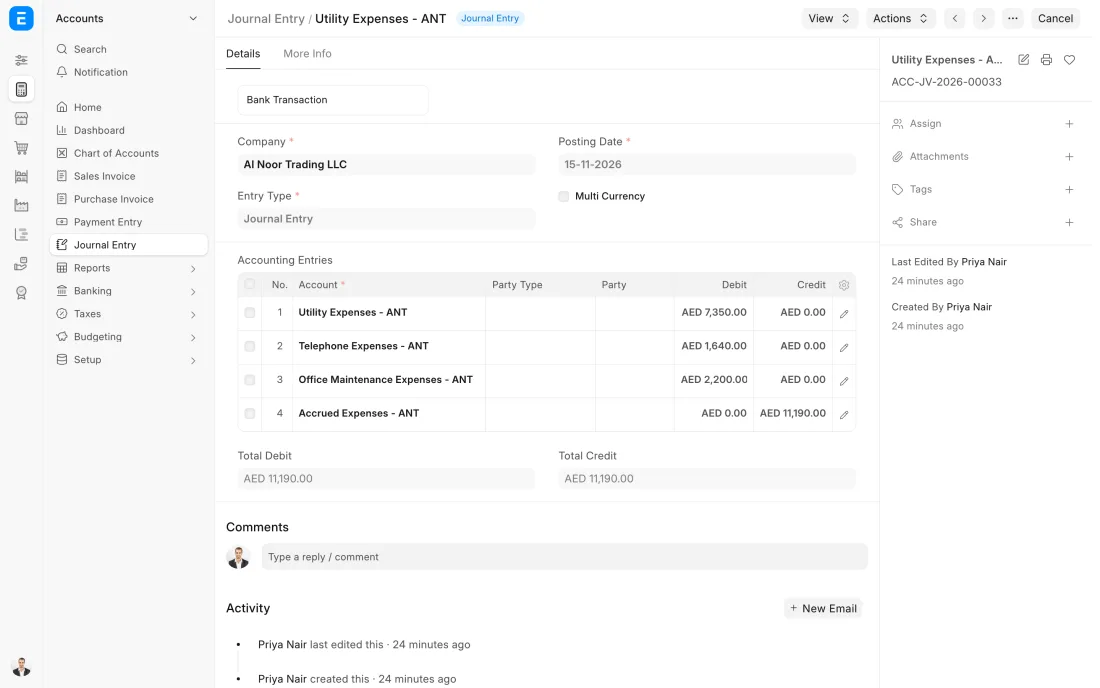
ERPNext 16 · Journal Entry -
The Trial Balance for the month is read line by line against the month before. The accountant looks for balances on the wrong side, suspense and clearing accounts that should be nil, and expense lines that jumped or vanished. Any figure opens into the entries behind it.
- Who does it
- Accountant
- Document that comes out
- Trial Balance
ERPNext then does this by itself
- Opening balance, movement and closing balance show for every account
- Debits always equal credits, because every entry is posted in pairs
Without an ERP
The trial balance is assembled in a spreadsheet from exported ledgers. A formula misses a row, and the difference is pushed into a suspense account to make it balance.
-
Once the figures are agreed, the month is closed with an Accounting Period, which stops new sales, purchase, payment and journal documents being dated inside it. The accounts can also be frozen up to a date, so only one trusted role can post earlier. At the end of the financial year, a Period Closing Voucher moves the year's profit or loss to retained earnings.
- Who does it
- Finance manager
- Document that comes out
- Accounting Period
ERPNext then does this by itself
- A document dated inside a closed period is refused with a message
- Only the role you name can post before the frozen date
Without an ERP
Someone back-dates an invoice into a month that was already reported. The figures the owner saw no longer match the system, and nobody notices until the audit.
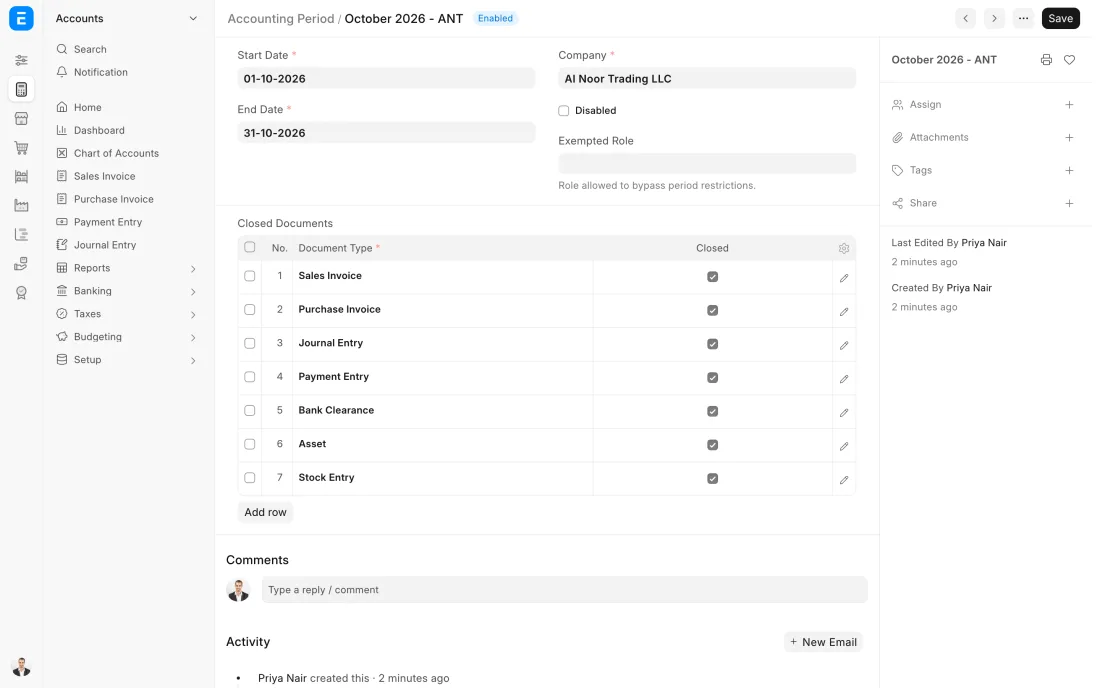
ERPNext 16 · Accounting Period (closed) -
Besides the company's Profit and Loss, Balance Sheet and Cash Flow, each project gets its own result: income, cost and margin to date against the budget. The Budget Variance report can be run by project, and the projects that are slipping are discussed while there is still work left to correct.
- Who does it
- Finance manager
- Document that comes out
- Profit and Loss, Balance Sheet and Cash Flow
ERPNext then does this by itself
- All reports are built from the same ledger, so they agree with each other
- Any figure opens into the accounts and entries behind it
- A report can be set up to be emailed on a schedule
Without an ERP
The company's profit looks fine, so nobody sees that two jobs are carrying a third. The loss is discovered at the final account, when it can no longer be recovered.
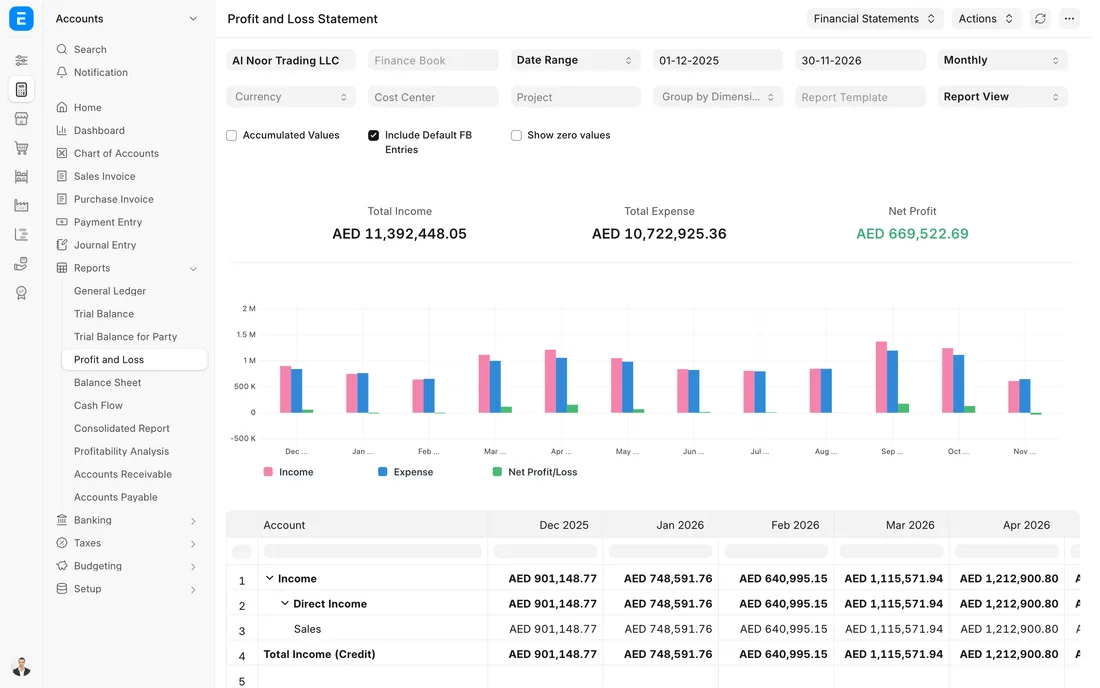
ERPNext 16 · Profit and Loss report
The Full map adds 12 more steps: the approvals, checks and branches between these.
A fit-out job is 60% built but only 45% invoiced, and a subcontractor has finished work that has not been billed yet. At month end both are brought into the figures, so the project shows its real margin and not a loss that is only timing.
What changes in a construction company. The same process, the steps this industry really uses.
-
The close runs project by project
Every cost and every invoice carries a project. The month-end review opens each live project and compares cost to date with its budget.
-
Work done and work billed are different numbers
Work in progress and unbilled revenue are brought into the month by Journal Entry against the project, under the company's accounting policy.
-
Retention is tracked both ways
Retention held by clients and retention held from subcontractors are listed with their release dates, so neither is forgotten when a job ends.
-
Subcontractor work is accrued
Work a subcontractor has finished but not invoiced is a cost of this month. It is accrued against the project and reversed when the invoice arrives.
Where this map leads
Processes feed each other. Follow the work into the next map.
Free tool
Build your company's map
Pick your industry and the processes you run. Get one printable document with every map and step, ready to show your team or your ERP partner.
- Month-end close
- Purchase to pay
- Project to bill
- Hire to retire
- Inventory management
Questions about month-end close
Ask us anything elseWhat do we check on each project before closing the month?
How do we account for work done but not yet invoiced?
How do we know how much retention is outstanding at month end?
See this process run on your own data
A 45-minute ERPNext demo that follows this map with an example from your business.