
Process map · Construction
Purchase to pay in a construction company
On a construction job, purchasing happens far from the office. Site engineers ask for materials against a project, deliveries go straight to site, and a large part of the spend is subcontractors' work, not goods. This map follows purchasing where every dirham has to land on the right project and stay within its budget.
The full map is free
15 steps, 3 decisions, 2 roads into other maps. Sign in once to open every approval and branch, larger ERPNext screens and a printable sheet.
Select a step to see who does it, the document and the ERPNext screen.
Step by step
-
The site engineer raises a Material Request from the site, naming the project, the items and the day they are needed. Requests for the same material from several sites reach purchasing together, so they can be bought in one order.
- Who does it
- Site engineer
- Document that comes out
- Material Request
ERPNext then does this by itself
- The request is tied to its project
- Purchasing sees the requests of every site in one list
Without an ERP
The engineer calls a supplier he knows, and the invoice turns up at head office a month later. Nobody approved it and nobody knows which project it belongs to.
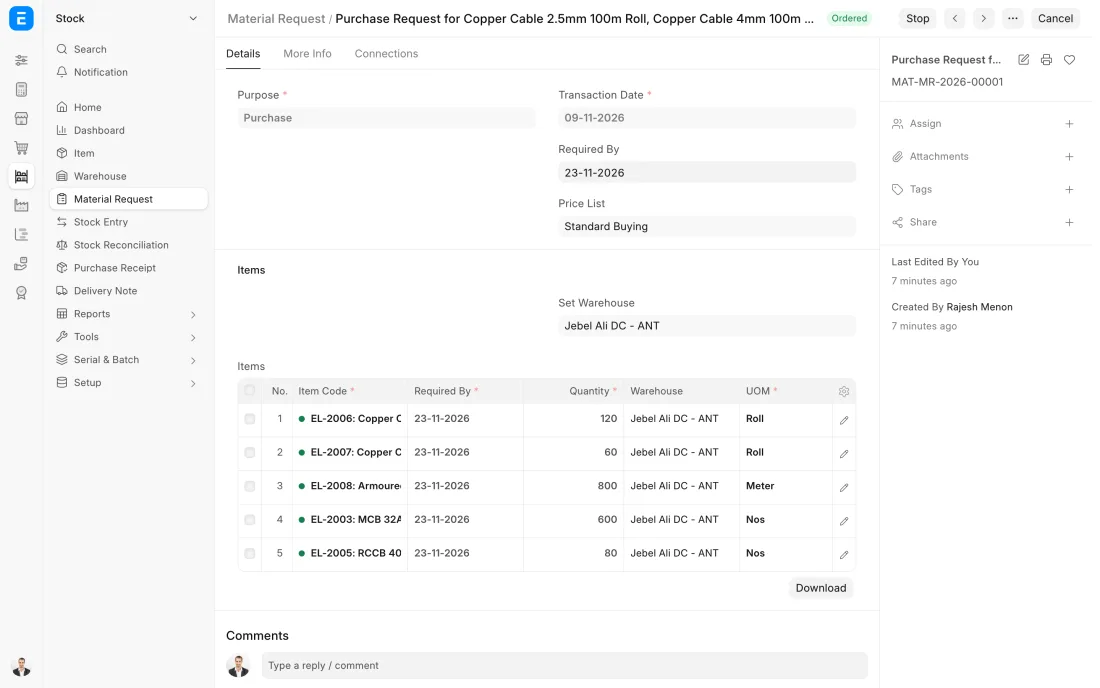
ERPNext 16 · Material Request -
The order names the project and has the site as its delivery address. Materials are ordered as items. Subcontract work is ordered as a service, with the agreed scope and value.
- Who does it
- Buyer
- Document that comes out
- Purchase Order
ERPNext then does this by itself
- The site sees what is due to arrive and when
- The order tracks how much is received and billed
- Open orders count against the project's budget
Without an ERP
Materials are ordered by phone from the site. The price on the invoice is higher than the one the office negotiated, and there is no order to hold the supplier to.
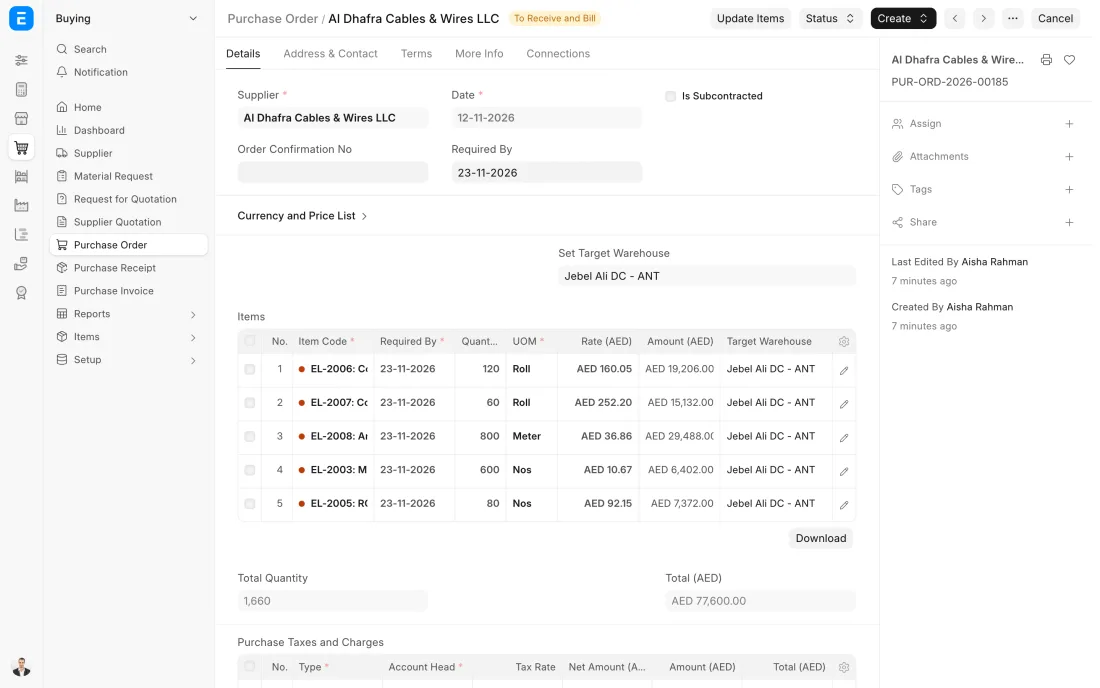
ERPNext 16 · Purchase Order -
The delivery arrives at site, and the site storekeeper records what came against the order, into that site's own warehouse. It can be done on a phone at the gate, with a photo of the supplier's delivery note attached.
- Who does it
- Site storekeeper
- Document that comes out
- Purchase Receipt
ERPNext then does this by itself
- Stock at the site goes up at once
- The order is marked part or fully received
- Head office sees the delivery without waiting for paper
Without an ERP
Delivery notes are signed by whoever is near the gate and reach the office in a carrier bag at month end. Half are missing when the supplier's invoice has to be checked.
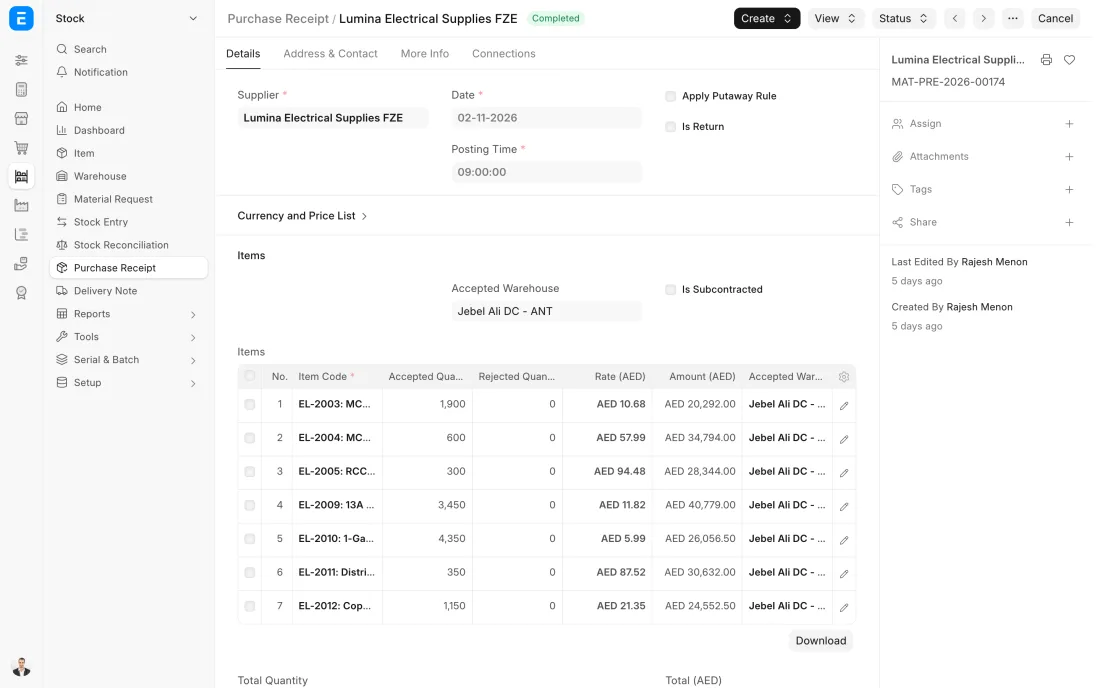
ERPNext 16 · Purchase Receipt -
The supplier's invoice is entered against the receipt, or against the order for certified subcontract work, with the project on every line. This is the three-way match, and it is also the moment the cost is counted on the project.
- Who does it
- Accountant
- Document that comes out
- Purchase Invoice
ERPNext then does this by itself
- Billing more than was ordered or received is blocked
- The project's purchase cost is updated
- Ledger entries for the cost, VAT and payables are posted
Without an ERP
Invoices are coded to projects from memory by an accountant who has never seen the sites. Job costs are wrong in both directions, and no project report can be trusted.
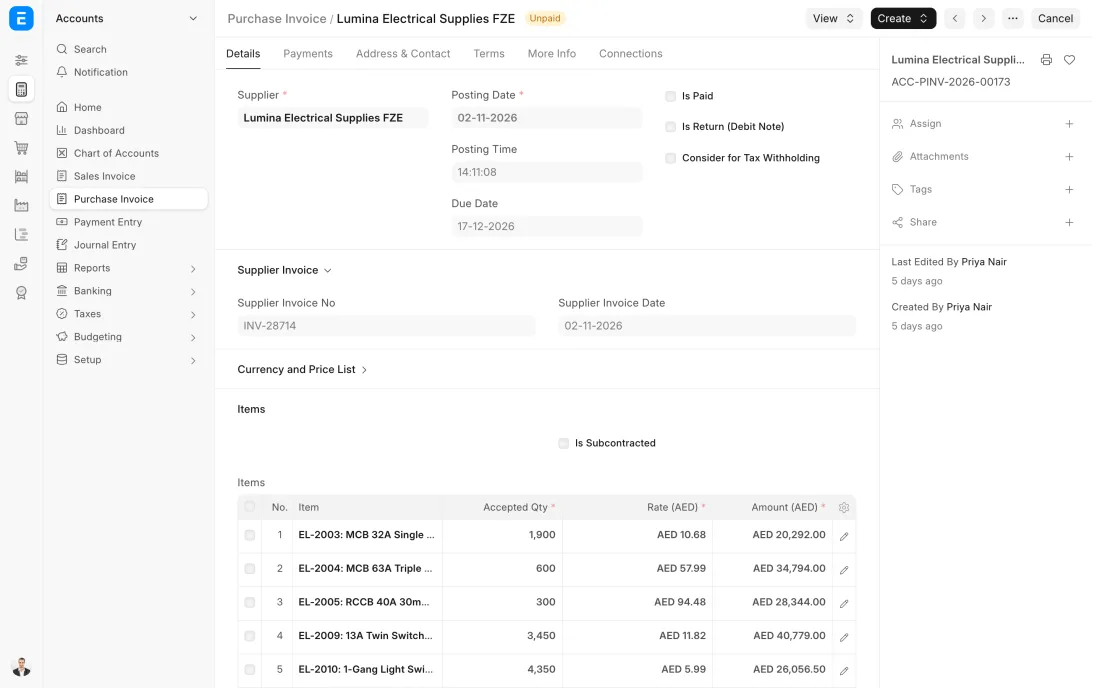
ERPNext 16 · Purchase Invoice -
On payment day accounts open the payables report, see which invoices are due and pay them together. Each Payment Entry is recorded against the invoices it covers, and advances already paid to the supplier are taken off.
- Who does it
- Accountant
- Document that comes out
- Payment Entry
ERPNext then does this by itself
- Invoices are marked paid or part paid
- Bank and payables ledgers are posted
- The supplier's balance updates at once
Without an ERP
Payments go to whoever calls loudest. A supplier who offers a discount for early payment is paid late, and one invoice is paid twice from two different emails.
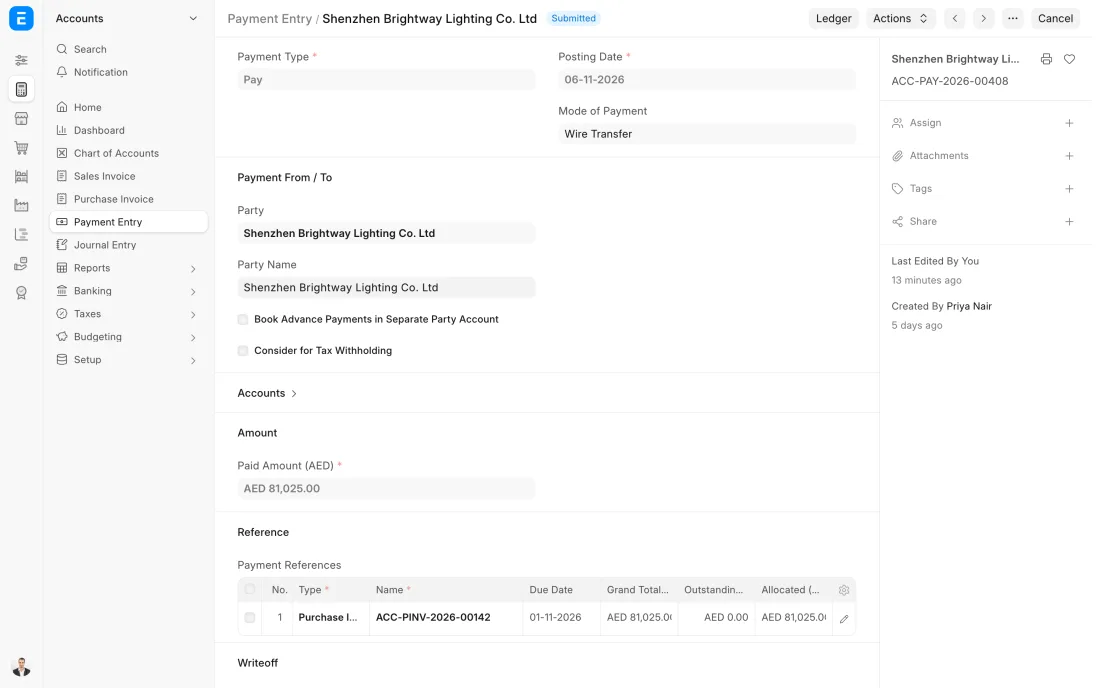
ERPNext 16 · Payment Entry (Pay)
The Full map adds 10 more steps: the approvals, checks and branches between these.
The engineer on a villa project asks for 30 cubic metres of ready-mix for Thursday. The request is checked against the project's budget, the truck delivers to site, and the cost lands on that project, not in a general pool.
What changes in a construction company. The same process, the steps this industry really uses.
-
Every request names its project
Material Requests, orders and invoices carry the project, so the cost of a job builds up as things are bought, not at the end from a pile of invoices.
-
The budget is checked before the order
A budget can be set per project. ERPNext can be set up to warn or stop when a request or an order would take spending over it.
-
Goods are received on site
Each site is its own warehouse. The site storekeeper records deliveries there on a phone or tablet, so nothing waits for paper to reach head office.
-
Subcontract work is bought like materials
A subcontract is a purchase order for a service against the project. It is invoiced only for work that has been certified, and the order shows what is left of its value.
Where this map leads
Processes feed each other. Follow the work into the next map.
Free tool
Build your company's map
Pick your industry and the processes you run. Get one printable document with every map and step, ready to show your team or your ERP partner.
- Purchase to pay
- Project to bill
- Hire to retire
- Inventory management
- Month-end close
Questions about purchase to pay
Ask us anything elseCan ERPNext track purchases against a project budget?
How do we pay a subcontractor in stages in ERPNext?
Can requests from several sites be bought on one order?
See this process run on your own data
A 45-minute ERPNext demo that follows this map with an example from your business.