
Process map · Healthcare
Purchase to pay in a clinic or hospital
A hospital or clinic buys medicines and consumables that expire, that must come from suppliers it has approved, and that it cannot run out of. Its purchase to pay records the batch and the expiry date of everything at the door. This map follows a pharmacy order from reorder to payment.
The full map is free
13 steps, 2 decisions, 2 roads into other maps. Sign in once to open every approval and branch, larger ERPNext screens and a printable sheet.
Select a step to see who does it, the document and the ERPNext screen.
Step by step
-
Each medicine and consumable has a reorder level for the pharmacy store. When stock falls to it, ERPNext raises the Material Request by itself. Wards and departments add requests for items that are not kept in stock.
- Who does it
- Pharmacist or storekeeper
- Document that comes out
- Material Request
ERPNext then does this by itself
- Items at their reorder level are requested overnight
- Stock already on order is counted before more is asked for
Without an ERP
Reordering depends on someone noticing a nearly empty shelf. A critical item runs out over a long weekend and has to be borrowed from the hospital down the road.
-
The Purchase Order is made from the chosen quotation, or straight from the request, so items, prices and terms carry over. It is emailed to the supplier as a PDF with the delivery date and the payment terms.
- Who does it
- Buyer
- Document that comes out
- Purchase Order
ERPNext then does this by itself
- The store sees what is due to arrive and when
- The order tracks how much is received and billed
- Quantities on order show in the stock reports
Without an ERP
Orders are placed by phone. When the goods and the invoice arrive, nobody can prove what price or quantity was agreed.
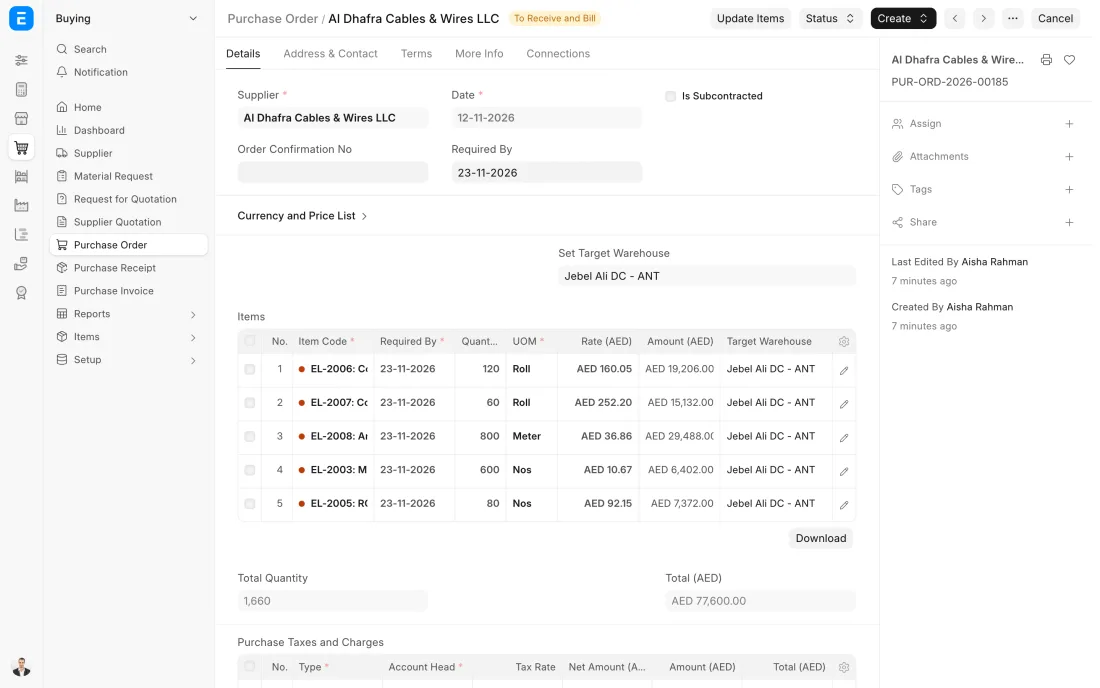
ERPNext 16 · Purchase Order -
The pharmacist receives the delivery against the order and records the batch number and expiry date printed on each pack. Items set up as batch items cannot be received without them.
- Who does it
- Pharmacist
- Document that comes out
- Purchase Receipt
ERPNext then does this by itself
- A batch record is saved with its expiry date
- Stock goes up by batch the moment the receipt is submitted
- The batch is linked to this receipt and its supplier
Without an ERP
Packs go on the shelf with no record of batch or expiry. When a manufacturer recalls a batch, staff check every box in every ward by hand.
-
The supplier's invoice is entered as a Purchase Invoice made from the receipt. This is the three-way match: the order says what was agreed, the receipt says what came, and the invoice may only bill for that.
- Who does it
- Accountant
- Document that comes out
- Purchase Invoice
ERPNext then does this by itself
- Billing more than was ordered or received is blocked
- Ledger entries for the cost, VAT and payables are posted
- The due date is set from the supplier's payment terms
Without an ERP
The invoice is paid as it arrives. It bills for 100 when 90 were delivered, at a higher price than the order, and nobody puts the three papers side by side.
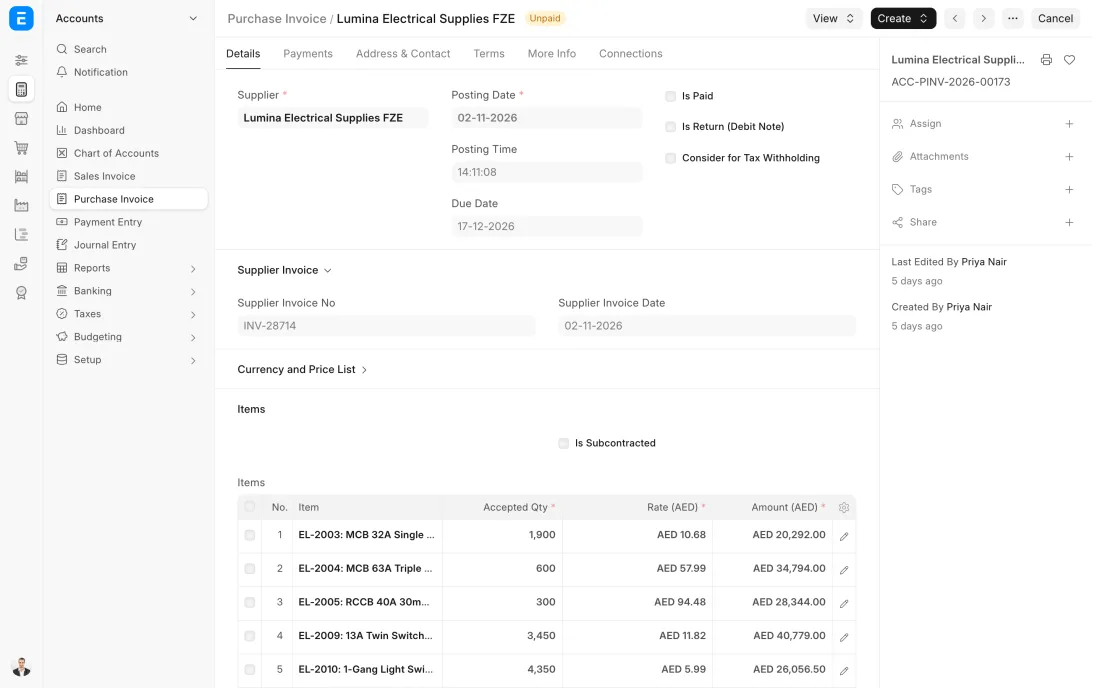
ERPNext 16 · Purchase Invoice -
On payment day accounts open the payables report, see which invoices are due and pay them together. Each Payment Entry is recorded against the invoices it covers, and advances already paid to the supplier are taken off.
- Who does it
- Accountant
- Document that comes out
- Payment Entry
ERPNext then does this by itself
- Invoices are marked paid or part paid
- Bank and payables ledgers are posted
- The supplier's balance updates at once
Without an ERP
Payments go to whoever calls loudest. A supplier who offers a discount for early payment is paid late, and one invoice is paid twice from two different emails.
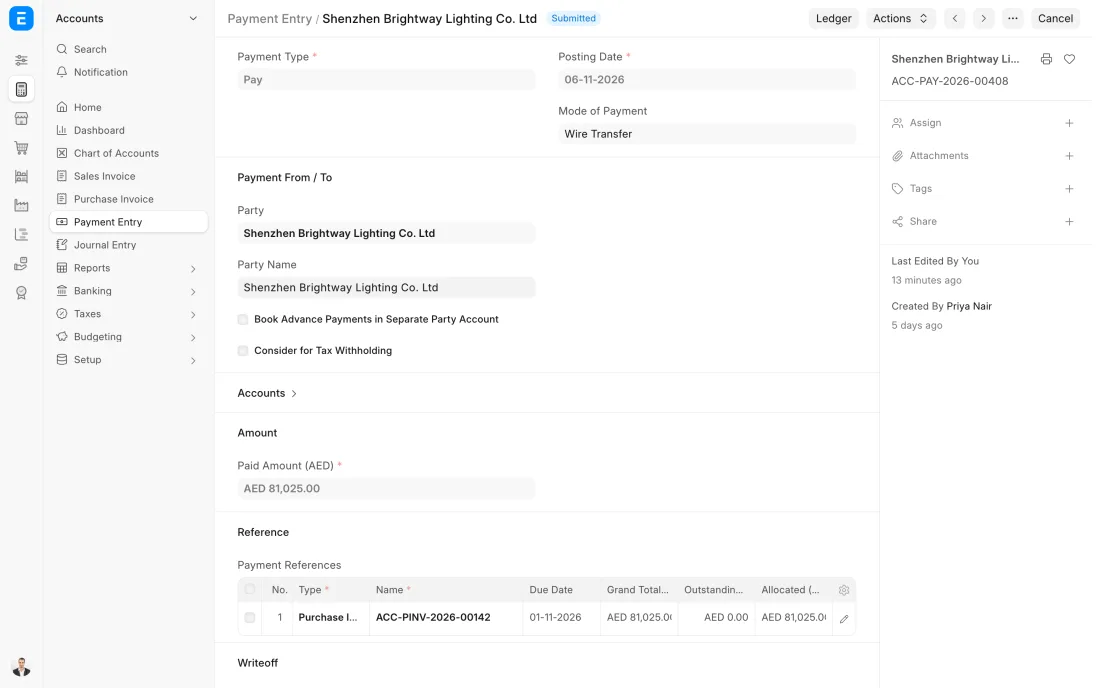
ERPNext 16 · Payment Entry (Pay)
The Full map adds 8 more steps: the approvals, checks and branches between these.
The pharmacy's stock of an antibiotic falls to its reorder level. The order goes to the approved supplier, the delivery is received with its batch number and expiry date, and a carton with too little shelf life left is refused at the door.
What changes in a clinic or hospital. The same process, the steps this industry really uses.
-
Batch and expiry are captured at receipt
Medicines and sterile consumables are set up as batch items with an expiry date. The receipt cannot be completed without them, so every pack on the shelf can be traced.
-
Only approved suppliers are used
Purchasing keeps a list of approved suppliers. A supplier who is suspended is put on hold in ERPNext, and no new order can be raised to them.
-
Short-dated stock is turned away
The check at the door includes the shelf life that is left. Stock that would expire before it can be used goes back with a debit note.
-
Reordering does not wait for a person
Each item has a reorder level for the pharmacy store, so the request is raised by the system before the shelf is empty.
Where this map leads
Processes feed each other. Follow the work into the next map.
Free tool
Build your company's map
Pick your industry and the processes you run. Get one printable document with every map and step, ready to show your team or your ERP partner.
- Purchase to pay
- Patient to payment
- Hire to retire
- Inventory management
- VAT return
Questions about purchase to pay
Ask us anything elseHow does ERPNext track the expiry dates of medicines?
Can we restrict purchasing to approved suppliers?
What happens when a batch of medicine is recalled?
See this process run on your own data
A 45-minute ERPNext demo that follows this map with an example from your business.