
Process map · Trading
Purchase to pay in a trading company
A trading company that imports buys in dollars or euros, waits weeks for a container, and pays freight, duty and clearing on top of the supplier's price. Its purchase to pay has to hold the exchange rate, the true cost of each item on the shelf and the VAT on imports in one place. This map follows an import order.
The full map is free
14 steps, 2 decisions, 2 roads into other maps. Sign in once to open every approval and branch, larger ERPNext screens and a printable sheet.
Select a step to see who does it, the document and the ERPNext screen.
Step by step
-
Most requests are raised by the system: each item has a reorder level and quantity per warehouse, and a Material Request appears when stock falls to it. Buyers add requests for new lines and for sales orders that stock cannot cover.
- Who does it
- Storekeeper or any department
- Document that comes out
- Material Request
ERPNext then does this by itself
- Items at their reorder level are requested overnight
- Stock already on order is counted before more is asked for
Without an ERP
Reorder quantities are guessed from last year's sheet. With six weeks of shipping ahead, a fast item runs out for a month while a slow one fills the warehouse.
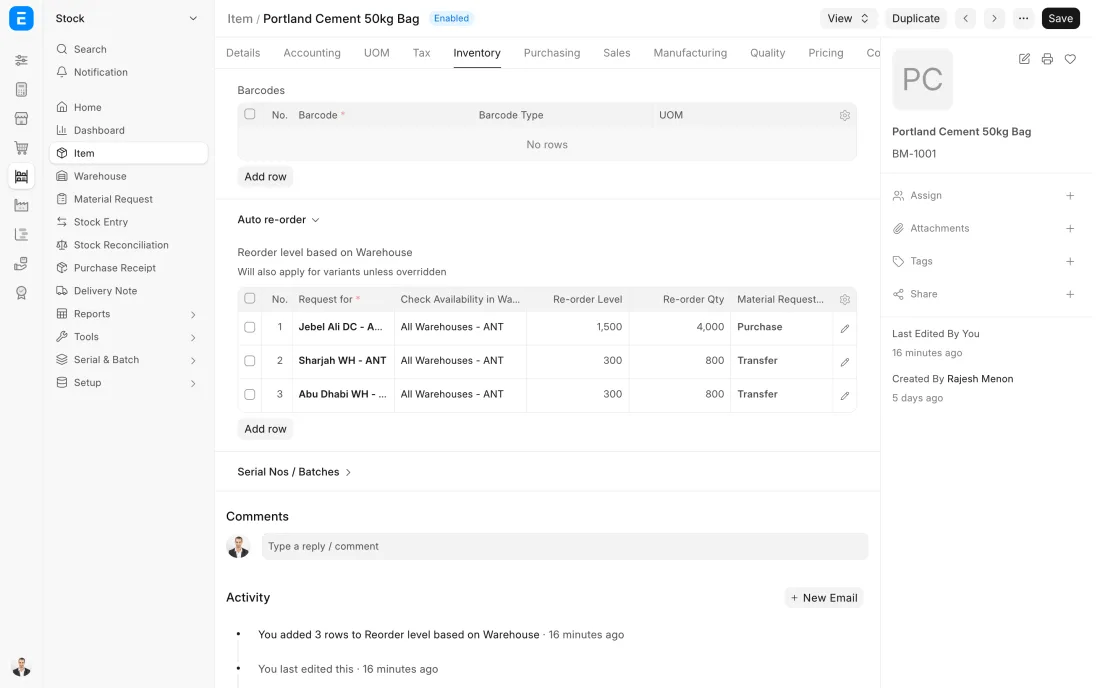
ERPNext 16 · Item auto re-order -
The order is raised in the supplier's currency at the day's exchange rate, with the shipping terms and the expected arrival date. If the supplier wants money first, the advance is paid against the order and waits there for the invoice.
- Who does it
- Buyer
- Document that comes out
- Purchase Order
ERPNext then does this by itself
- The AED value is worked out from the exchange rate
- Advances paid show on the order
- Goods on the water show as stock on order
Without an ERP
An advance is wired to the supplier and noted in a sheet. When the invoice comes it is paid in full again, and the advance is remembered only when the supplier's statement arrives.
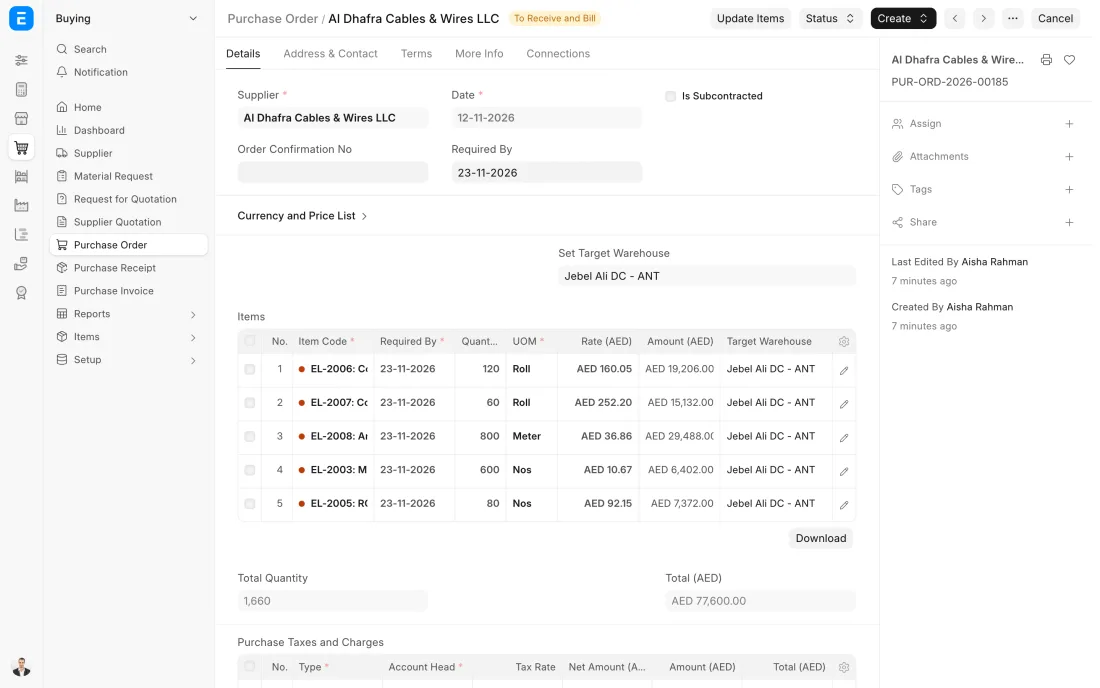
ERPNext 16 · Purchase Order -
When the container is cleared and unloaded, the store receives it against the order, carton by carton. Batch or serial numbers are recorded here, so every unit can later be traced to this shipment.
- Who does it
- Storekeeper
- Document that comes out
- Purchase Receipt
ERPNext then does this by itself
- Stock goes up at the supplier's price, converted to AED
- Batch and serial numbers are saved with the receipt
- The order is marked part or fully received
Without an ERP
The packing list is trusted and the container is not counted. Missing cartons are noticed after the time allowed for a claim on the shipper has passed.
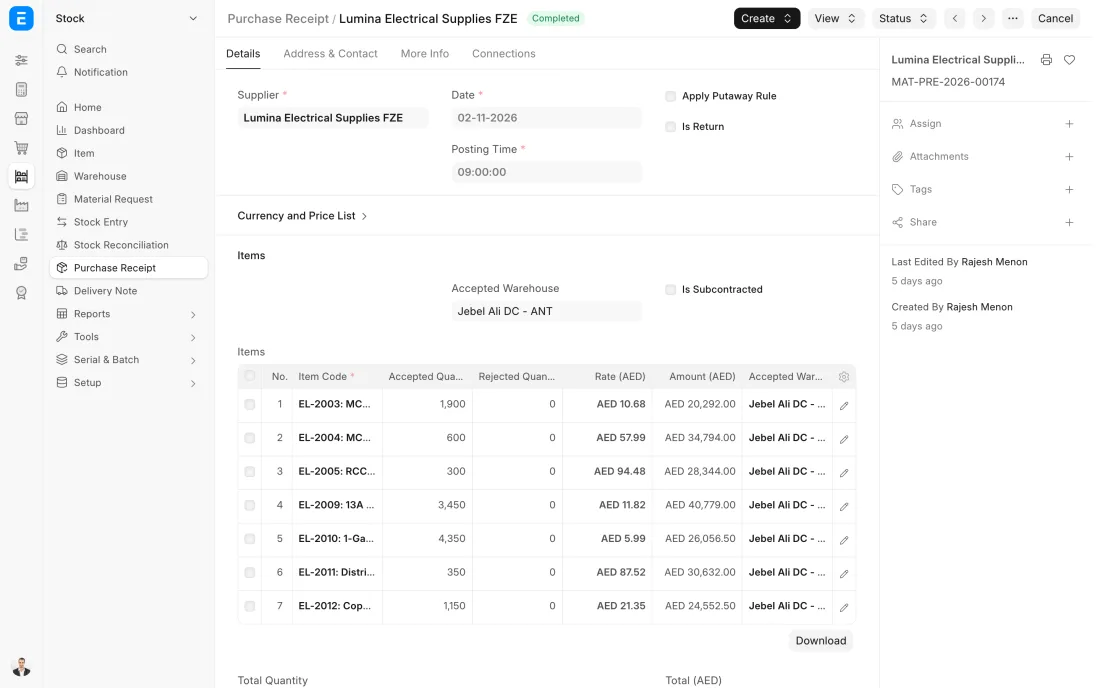
ERPNext 16 · Purchase Receipt -
The supplier's invoice is entered in their currency against the receipt. Where your tax adviser confirms the reverse charge applies, the invoice is marked Reverse Charge Applicable. How it is declared depends on how the goods were cleared, so the rule is set up once with your tax adviser.
- Who does it
- Accountant
- Document that comes out
- Purchase Invoice
ERPNext then does this by itself
- Billing more than was ordered or received is blocked
- Reverse charge amounts are picked up by the UAE VAT 201 report
- What you owe is held in the supplier's currency
Without an ERP
Import VAT is worked out by hand at the end of each quarter from a folder of customs papers, and one shipment is always missing from the folder.
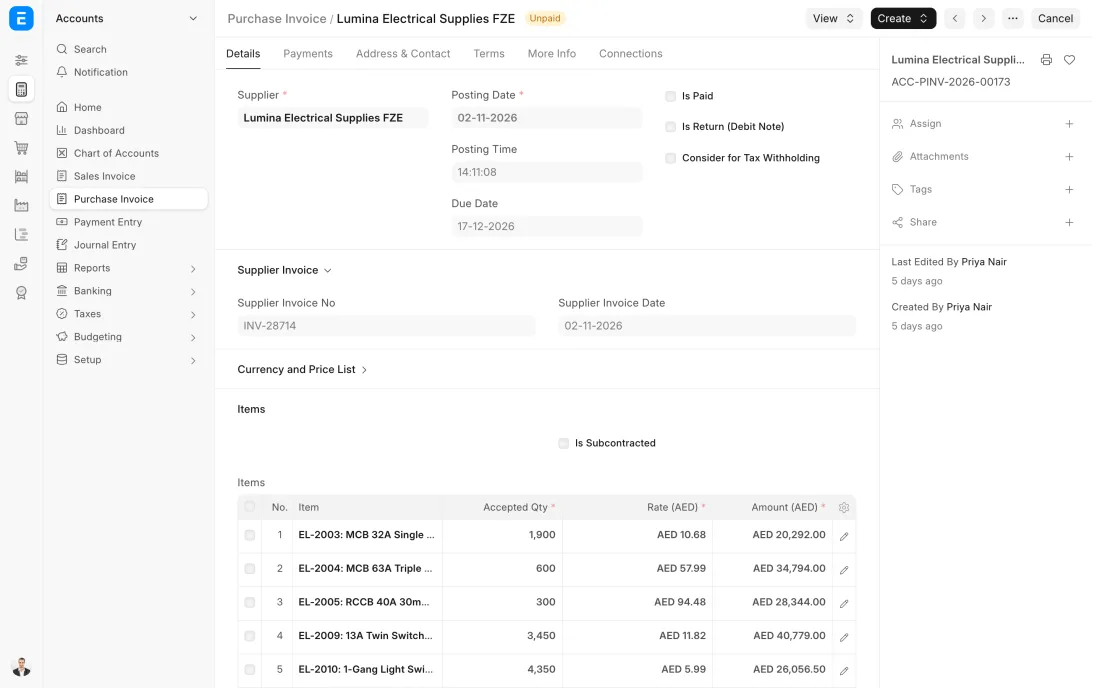
ERPNext 16 · Purchase Invoice -
Foreign suppliers are paid by bank transfer in their own currency, and the Payment Entry records the rate the bank really used. Advances paid against the order are taken off the invoice first.
- Who does it
- Accountant
- Document that comes out
- Payment Entry
ERPNext then does this by itself
- The exchange gain or loss is posted by itself
- Invoices are marked paid or part paid
- The supplier's balance updates in both currencies
Without an ERP
The exchange difference on every payment is left sitting in the supplier's account. By year end the balance is full of small amounts nobody can explain.
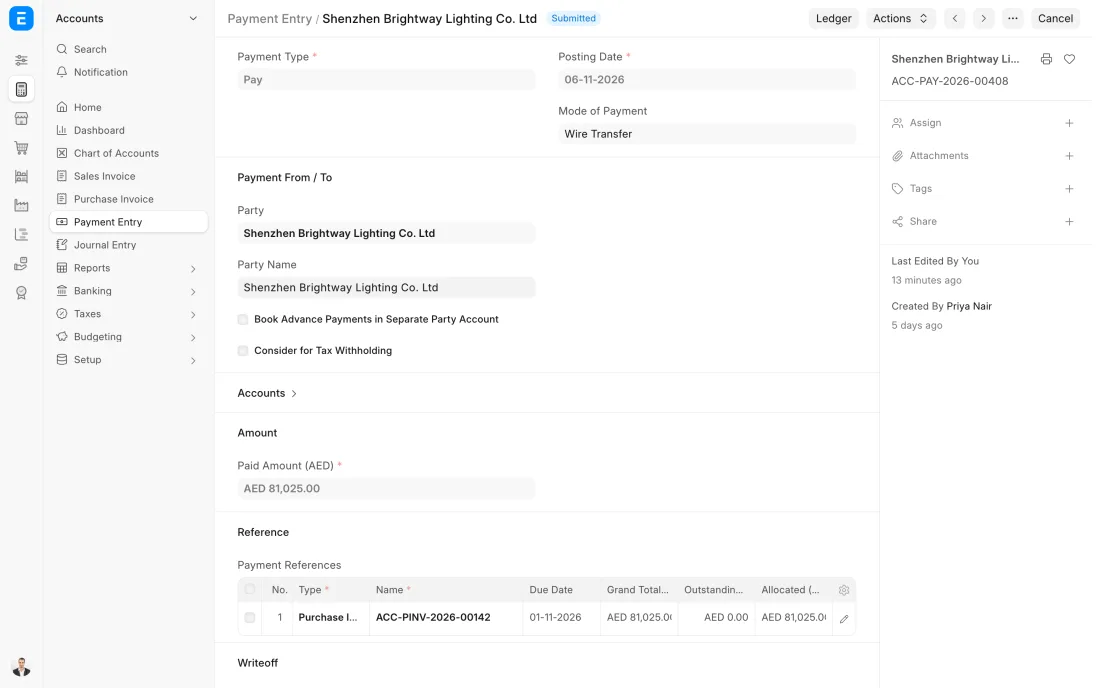
ERPNext 16 · Payment Entry (Pay)
The Full map adds 9 more steps: the approvals, checks and branches between these.
A Dubai trader orders 400 cartons of valves from a supplier in Italy, priced in euros. The freight and customs bills arrive later, are spread over the cartons, and the selling price is set from what each carton really cost.
What changes in a trading company. The same process, the steps this industry really uses.
-
Suppliers are paid in their own currency
The order, the invoice and the payment are in the supplier's currency while the books stay in AED. The gain or loss between the invoice rate and the payment rate is posted by the system.
-
An item's cost includes getting it here
Freight, insurance, customs duty and clearing charges are added to the stock value with a Landed Cost Voucher, so margins are worked out on the real cost.
-
Import VAT is marked on the invoice
A purchase invoice from an overseas supplier can be marked Reverse Charge Applicable, so the amount shows in the reverse charge lines of the UAE VAT 201 report. How your imports are declared is for your tax adviser to confirm.
-
Reordering allows for weeks at sea
Reorder levels are set per item and warehouse with the shipping time in mind, so the request is raised while there is still stock to sell.
Where this map leads
Processes feed each other. Follow the work into the next map.
Free tool
Build your company's map
Pick your industry and the processes you run. Get one printable document with every map and step, ready to show your team or your ERP partner.
- Purchase to pay
- Order to cash
- Inventory management
- Month-end close
- VAT return
Questions about purchase to pay
Ask us anything elseHow do we get the true cost of imported goods in ERPNext?
Can we follow a shipment that is still at sea in ERPNext?
Can we pay suppliers in dollars or euros and keep our books in AED?
See this process run on your own data
A 45-minute ERPNext demo that follows this map with an example from your business.