
Process map · Trading
Order to cash in a trading company
A trading company wins on speed: the right price at once, a true answer on stock, and a van out the same day. Its order to cash runs across branches and warehouses, with price lists per customer, part deliveries and, in the UAE, a lot of post-dated cheques. This map follows that version.
The full map is free
14 steps, 2 decisions, 1 road into another map. Sign in once to open every approval and branch, larger ERPNext screens and a printable sheet.
Select a step to see who does it, the document and the ERPNext screen.
Step by step
-
The salesperson picks the items and ERPNext applies the customer's own price list, then any pricing rule for quantity or promotion. The line shows the stock in its warehouse, and the item's stock in every branch is one click away.
- Who does it
- Salesperson
- Document that comes out
- Quotation
ERPNext then does this by itself
- The right price list is chosen from the customer group
- Quantity breaks and promotions apply by rule
- A price below cost or a discount above your limit can be set up to be stopped
Without an ERP
Prices live in the heads of senior salespeople. A new joiner undersells, an old customer is overcharged, and margin leaks on every quotation.
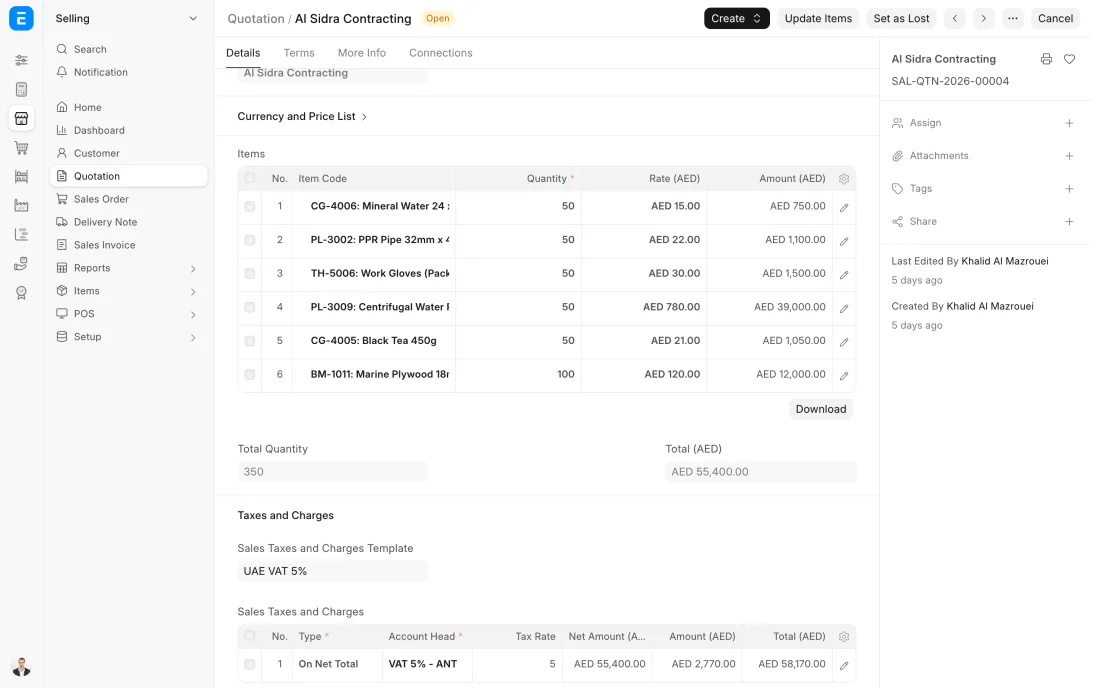
ERPNext 16 · Quotation -
When the customer confirms, the quotation becomes a Sales Order with one click. Nothing is typed again: items, prices and terms carry over, and a delivery date is promised.
- Who does it
- Salesperson
- Document that comes out
- Sales Order
ERPNext then does this by itself
- The ordered quantity counts as promised in the stock figures, and can be set up to be reserved for this order
- The store sees the order in its own list at once
- The order shows how much is delivered and billed so far
Without an ERP
The confirmed order is retyped from an email into another sheet. A wrong quantity or an old price slips in, and the mistake is found only when the customer complains.
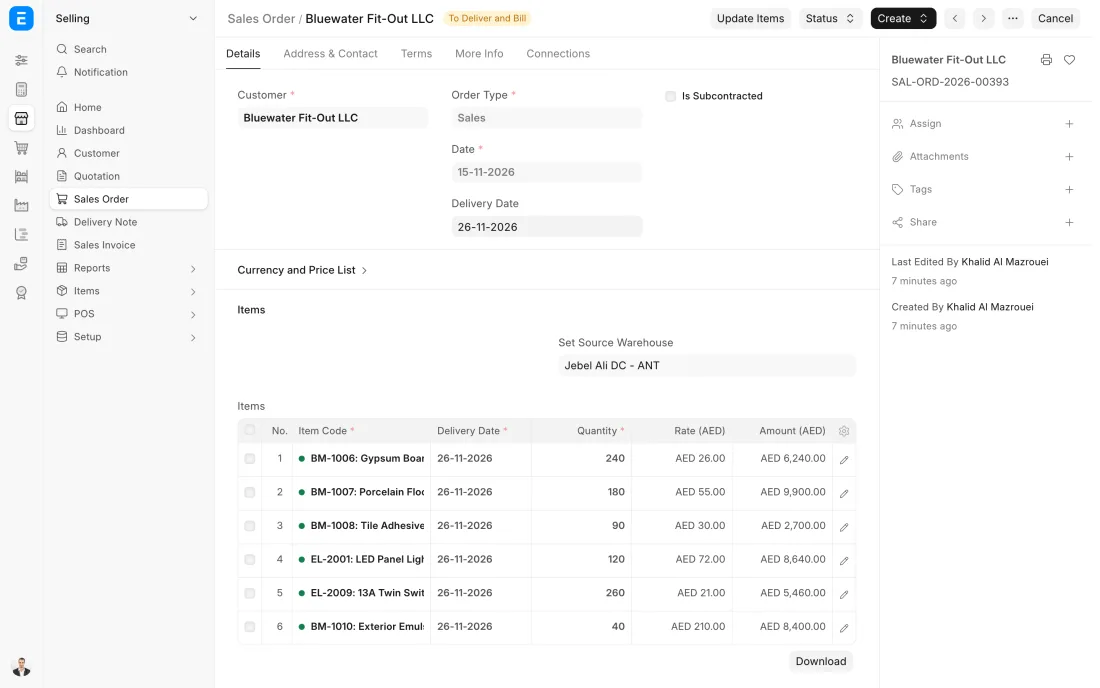
ERPNext 16 · Sales Order -
The Delivery Note is made from the Sales Order, so it always matches what was ordered. The driver takes a printed copy and the customer signs it.
- Who does it
- Storekeeper
- Document that comes out
- Delivery Note
ERPNext then does this by itself
- Stock goes down the moment the note is submitted
- The cost of the goods is posted to the accounts
- The order is marked ready to bill
Without an ERP
Goods leave on a handwritten note. Stock on the sheet is wrong until someone updates it, and some deliveries are never invoiced at all.
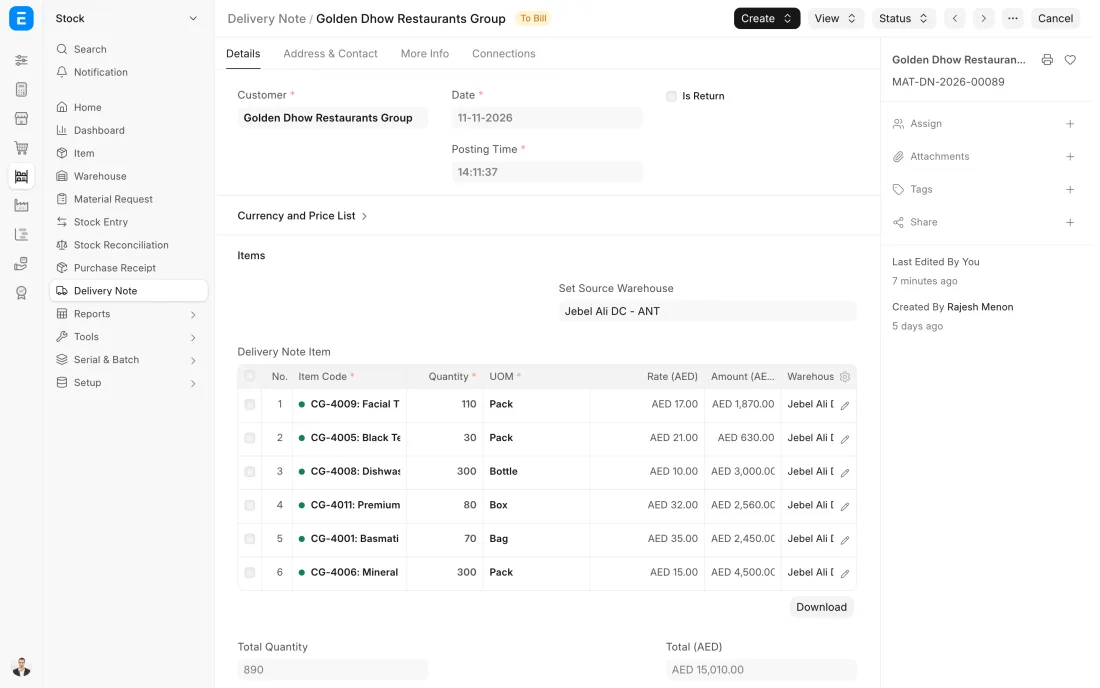
ERPNext 16 · Delivery Note -
The tax invoice is made from the Delivery Note with the same items, prices and VAT. It is emailed to the customer and the amount appears in what they owe.
- Who does it
- Accountant
- Document that comes out
- Sales Invoice
ERPNext then does this by itself
- Ledger entries for sales, VAT and receivables are posted
- The due date is set from the customer's payment terms
- The invoice prints your TRN and the customer's
Without an ERP
Accounts types the invoice again from the delivery note, days later. Every day of delay is a day added to when the customer pays.
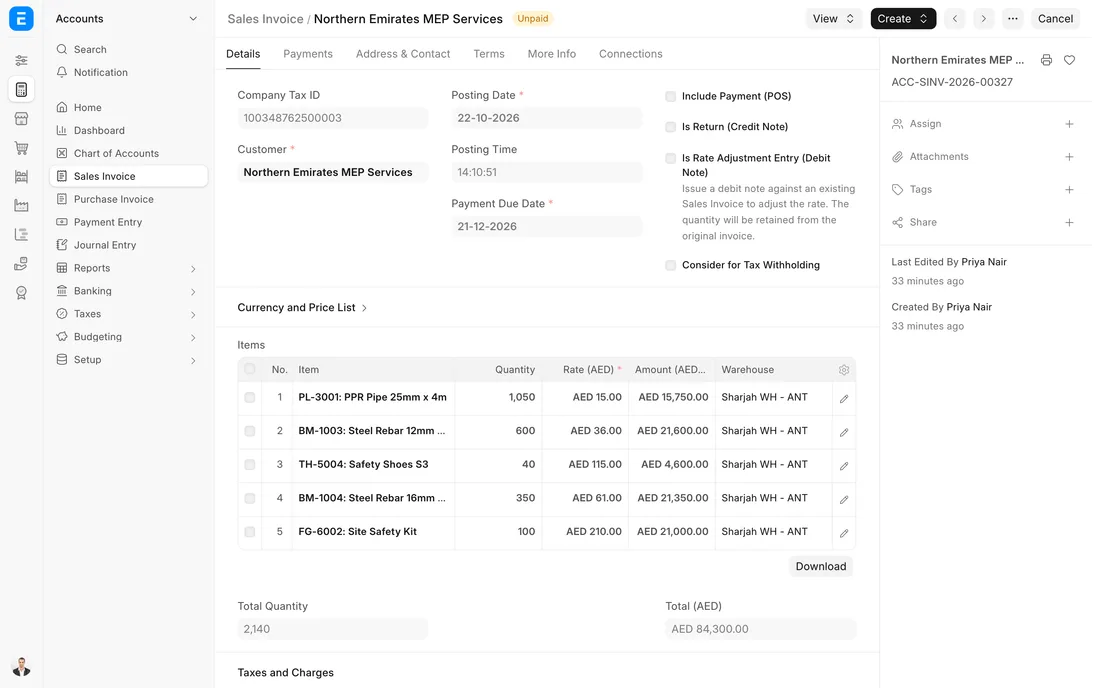
ERPNext 16 · Sales Invoice (UAE VAT) -
A transfer is recorded against its invoices at once. A post-dated cheque is recorded as a Payment Entry with its cheque number and date, and stays uncleared in the bank reconciliation until the bank statement shows it. If it bounces, the payment is cancelled, which opens the invoice again, and the bank charge is added by Journal Entry.
- Who does it
- Accountant
- Document that comes out
- Payment Entry
ERPNext then does this by itself
- Uncleared cheques are listed with their cheque dates
- Cancelling a bounced cheque opens the invoice again
- The customer's credit room updates at once
Without an ERP
Post-dated cheques sit in a drawer with a paper list. One is banked late, another bounces unnoticed, and the customer keeps buying on credit.
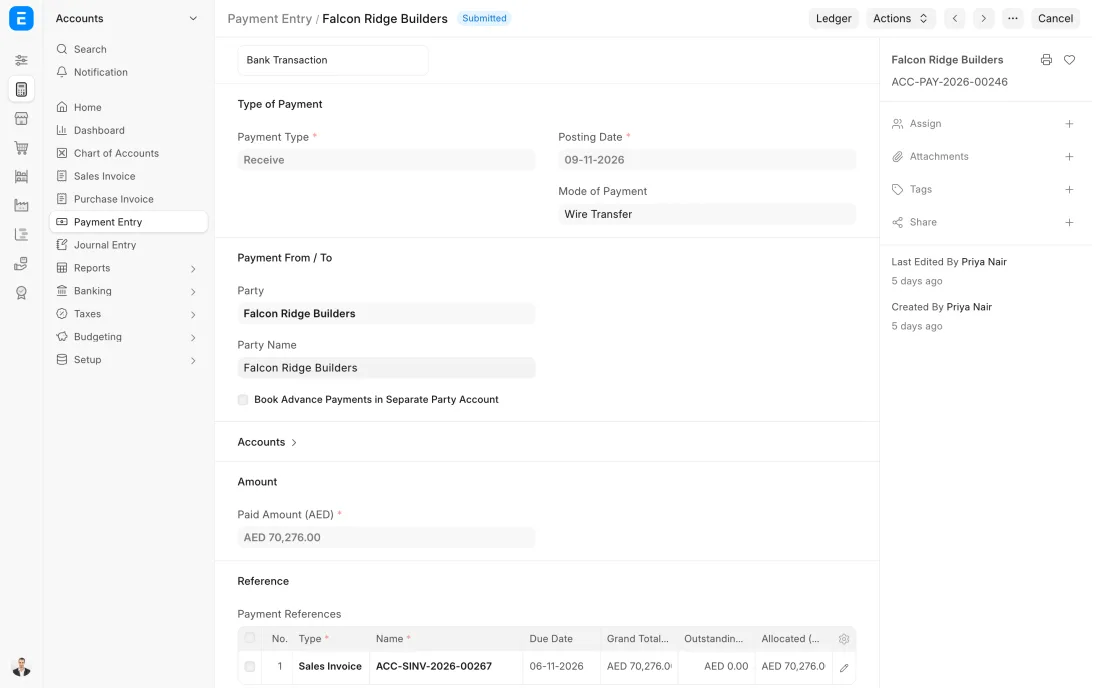
ERPNext 16 · Payment Entry (Receive)
The Full map adds 9 more steps: the approvals, checks and branches between these.
A contractor in Sharjah orders 200 cartons, of which 140 are in the Dubai warehouse. The 140 go out today on a planned route, the other 60 follow when the shipment lands, and one invoice per delivery keeps the account clean.
What changes in a trading company. The same process, the steps this industry really uses.
-
Prices are a system, not a memory
Each customer group has its own price list, and pricing rules add quantity breaks and promotions. ERPNext can be set up to stop a price below cost and to ask for approval above a discount you choose.
-
Stock is promised across branches
The order sees every warehouse. What one branch lacks can be moved from another, and what nobody has becomes a back order instead of a broken promise.
-
Deliveries are planned as routes
The day's delivery notes are grouped into trips by area and vehicle, so drivers leave with one sheet and customers can be told when to expect them.
-
Cheques are tracked until they clear
Post-dated cheques are recorded on the day they are received, with their date, and stay uncleared until the bank shows them. Keeping the invoice open until then can be set up with a cheques in hand account.
Where this map leads
Processes feed each other. Follow the work into the next map.
Free tool
Build your company's map
Pick your industry and the processes you run. Get one printable document with every map and step, ready to show your team or your ERP partner.
- Order to cash
- Purchase to pay
- Inventory management
- Month-end close
- VAT return
Questions about order to cash
Ask us anything elseCan a trading company deliver part of an order now and the rest later?
How does ERPNext handle post-dated cheques?
Can salespeople see stock in other branches?
See this process run on your own data
A 45-minute ERPNext demo that follows this map with an example from your business.