
Process map · Trading
Inventory management in a trading company
A trading company's stock is its money, spread over branches, showrooms and vans. The questions are always the same: where is it, how old is it, and can it be promised to a customer today. This map follows stock through several warehouses, with batches, expiry dates and serial numbers, transfers that spend a day on the road, and a regular hunt for stock that has stopped selling.
The full map is free
15 steps, 2 decisions, 3 roads into other maps. Sign in once to open every approval and branch, larger ERPNext screens and a printable sheet.
Select a step to see who does it, the document and the ERPNext screen.
Step by step
-
Goods arrive and are received against the Purchase Order, so the storekeeper sees what was ordered and enters what really came. Short, extra or damaged quantities are recorded at the door, and rejected goods go to a separate store.
- Who does it
- Storekeeper
- Document that comes out
- Purchase Receipt
ERPNext then does this by itself
- Stock goes up in the chosen warehouse on submit
- The Purchase Order shows how much is received and how much is still due
- The goods are valued at the purchase price
Without an ERP
Deliveries are signed for on the supplier's paper and entered at the end of the week. Shortages are noticed after the invoice is paid, and nobody can prove what arrived.
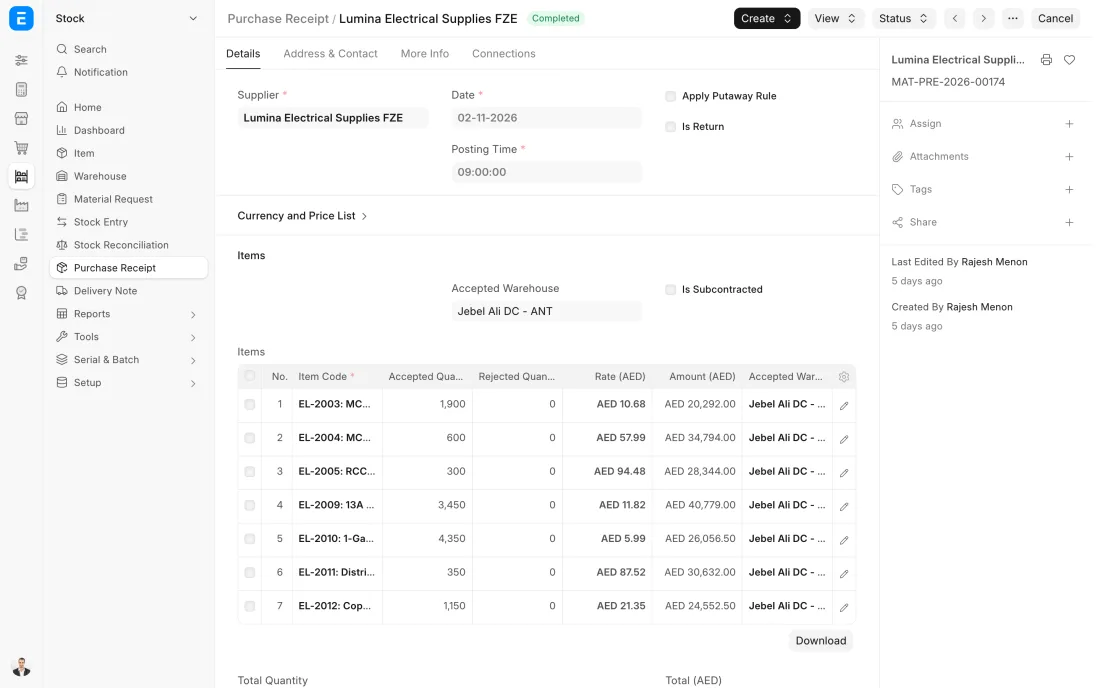
ERPNext 16 · Purchase Receipt -
The sending warehouse makes a Material Transfer marked as in transit, usually against the branch's request. The goods leave its stock and sit in a transit warehouse while they are on the van, with the batches and serial numbers that were loaded.
- Who does it
- Storekeeper
- Document that comes out
- Stock Entry (Material Transfer)
ERPNext then does this by itself
- Stock leaves the sending warehouse at once
- Goods on the road show in the in-transit warehouse with their value
- The receiving branch can see what is on its way
Without an ERP
The van leaves with a handwritten list. For a day the goods are in nobody's stock, and when two cartons are missing on arrival each branch blames the other.
-
Sales are delivered from the branch that holds the stock, on a Delivery Note made from the Sales Order. The oldest batch is offered first, or the one nearest its expiry if you set it so, and serial numbers are scanned as the goods are packed.
- Who does it
- Storekeeper
- Document that comes out
- Delivery Note or Stock Entry (Material Issue)
ERPNext then does this by itself
- Stock in that branch goes down at once
- The batch and serial numbers delivered are kept against the customer
- The cost of the goods sold is posted
Without an ERP
A salesperson promises goods the screen says are in the branch. They were moved last week, the customer waits, and the storekeeper is blamed for a sheet nobody updated.
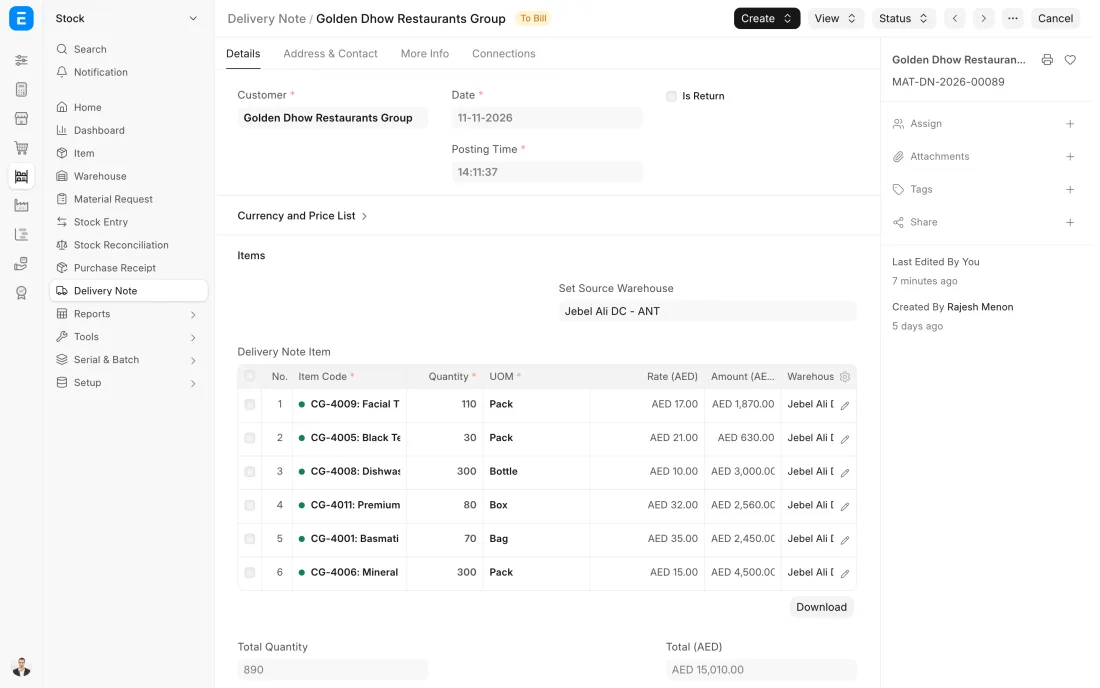
ERPNext 16 · Delivery Note -
On a schedule, part of the store is counted: fast or valuable items often, everything at least once a year. The counted quantities are entered or uploaded into a Stock Reconciliation, and ERPNext shows the difference from the system figure for each item, in quantity and in value.
- Who does it
- Storekeeper and count team
- Document that comes out
- Stock Reconciliation
ERPNext then does this by itself
- The current system quantity and value are fetched for each item
- The difference is worked out line by line
- Nothing changes in stock until the reconciliation is submitted
Without an ERP
The whole company stops for two days once a year to count. The sheets are typed up a week later, by when the stock has moved and the differences mean nothing.
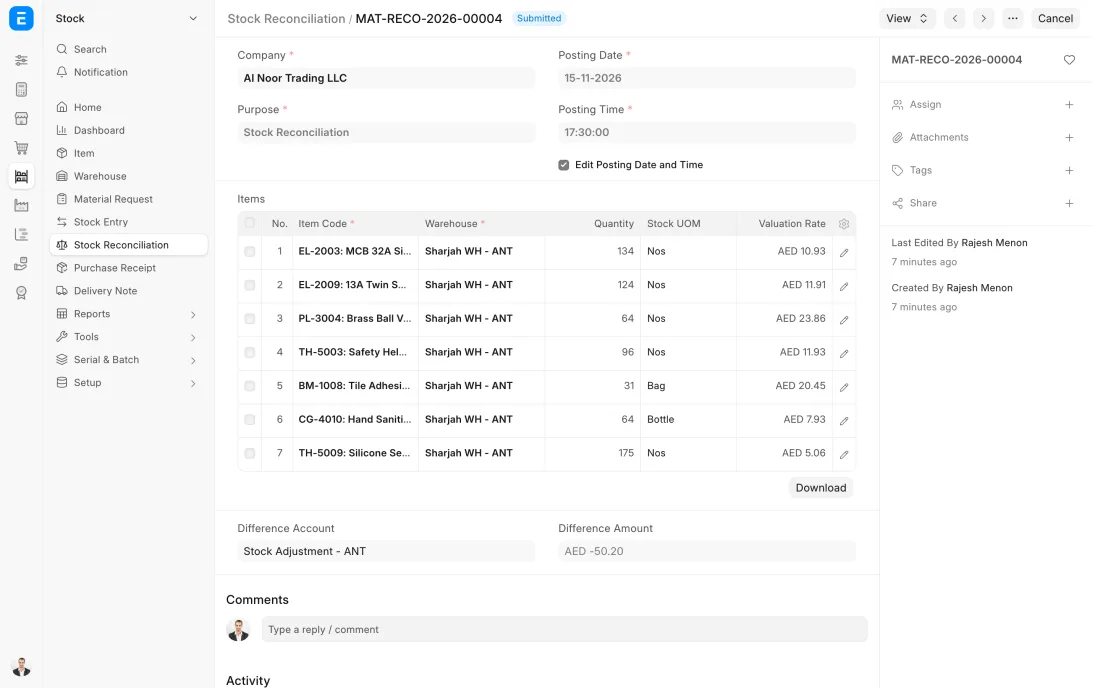
ERPNext 16 · Stock Reconciliation -
Each month the Stock Ageing report is read branch by branch, with the list of batches close to expiry beside it. Slow items are moved to a branch that sells them, put on promotion or returned to the supplier while they still have value.
- Who does it
- Store manager and accountant
- Document that comes out
- Stock Ageing report
ERPNext then does this by itself
- Age and value are shown per warehouse
- Batches are listed with their expiry dates
Without an ERP
One branch reorders an item while another has a year's supply gathering dust. Expired goods are found during the annual count and written off in one painful line.
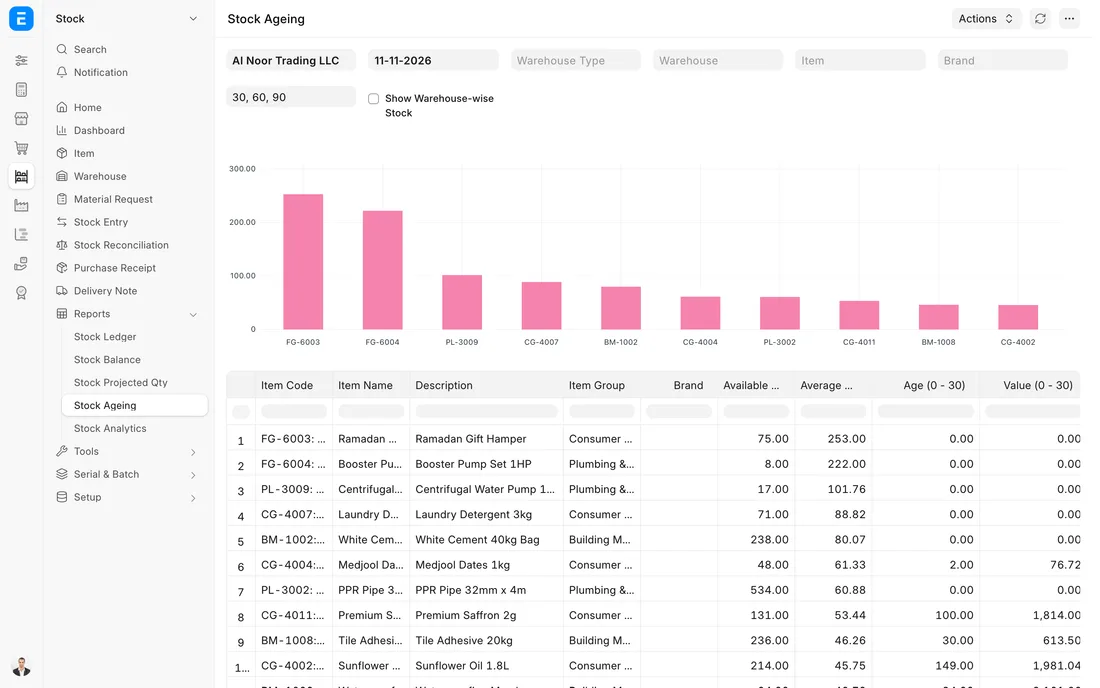
ERPNext 16 · Stock Ageing report
The Full map adds 10 more steps: the approvals, checks and branches between these.
The Abu Dhabi branch is down to its last 10 cartons of an item. A transfer request on the Dubai warehouse is raised overnight, 60 cartons leave the next morning, and they show as in transit until the branch receives them.
What changes in a trading company. The same process, the steps this industry really uses.
-
Every branch is its own warehouse
Stock is held per branch, showroom and van in a tree of warehouses. Reports show one branch or the whole company, and each branch has its own reorder levels.
-
Goods on the road are still counted
A transfer between branches leaves one store and sits in an in-transit warehouse until the other branch receives it. Nothing vanishes between two signatures.
-
Batches, expiry and serials travel with the goods
Items with a shelf life carry their batch and expiry date through every movement, and serialised items are scanned in and out one by one, so warranty and recall questions are answered from the screen.
-
Slow stock is managed, not discovered
Ageing is reviewed branch by branch every month. What does not sell in one place is moved to where it does, or cleared, before it becomes a write-off.
Where this map leads
Processes feed each other. Follow the work into the next map.
Free tool
Build your company's map
Pick your industry and the processes you run. Get one printable document with every map and step, ready to show your team or your ERP partner.
- Inventory management
- Order to cash
- Purchase to pay
- Month-end close
- VAT return
Questions about inventory management
Ask us anything elseCan ERPNext manage stock across several branches and warehouses?
How do we track goods in transit between branches?
How does ERPNext help with expiry dates in a trading business?
See this process run on your own data
A 45-minute ERPNext demo that follows this map with an example from your business.