
Process map · Manufacturing
Inventory management in a manufacturing company
A factory holds three kinds of stock: raw materials waiting to be used, work in progress on the floor and finished goods waiting to be sold. Each has its own store in ERPNext, and materials change from one kind to the next only through a document. This map follows stock into production and out again, scrap included.
The full map is free
15 steps, 2 decisions, 3 roads into other maps. Sign in once to open every approval and branch, larger ERPNext screens and a printable sheet.
Select a step to see who does it, the document and the ERPNext screen.
Step by step
-
Raw materials and packaging are received against the Purchase Order into the raw material store. Items that need it are inspected first. Only accepted quantities become usable stock, and rejects wait in their own store to be returned.
- Who does it
- Storekeeper
- Document that comes out
- Purchase Receipt
ERPNext then does this by itself
- Raw material stock and value go up on submit
- An item marked for inspection cannot be received without one
- The supplier's batch number is recorded for tracing
Without an ERP
A drum of the wrong grade is received because the label looked right. It is found when the machine jams, long after the supplier would have taken it back.
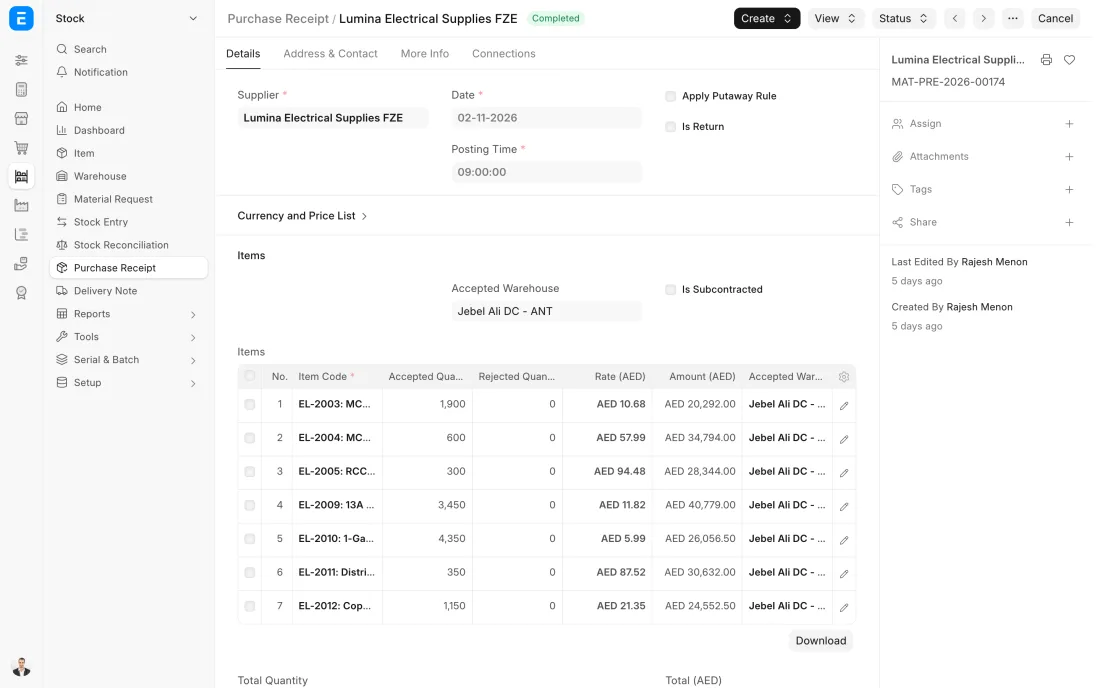
ERPNext 16 · Purchase Receipt -
For each Work Order the store moves the materials in its bill of materials from the raw material store to the work in progress store, on a Stock Entry of type Material Transfer for Manufacture. Batches are chosen here, oldest first.
- Who does it
- Storekeeper
- Document that comes out
- Stock Entry (Material Transfer for Manufacture)
ERPNext then does this by itself
- Raw material stock goes down and work in progress goes up
- The Work Order shows what has been transferred beside what it needs
- Transfers beyond the work order's need are limited by an allowance you set
Without an ERP
Operators take a full pallet when the job needs half. The rest sits on the floor, belongs to no store, and is bought again because the sheet says it is gone.
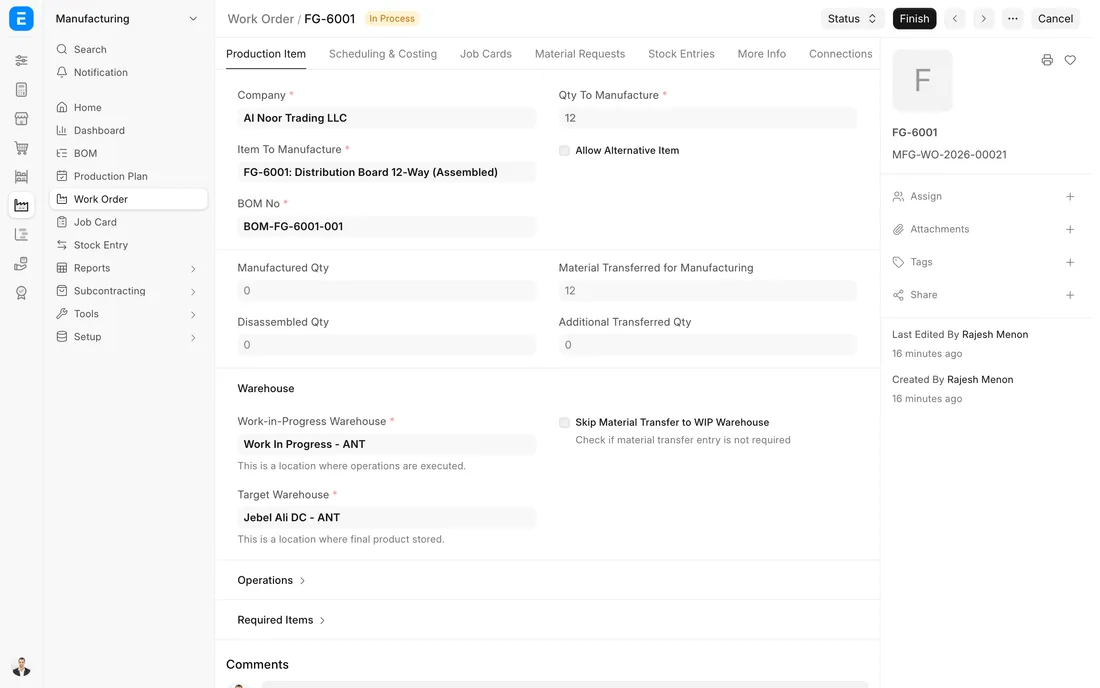
ERPNext 16 · Work Order in process -
Finished goods leave the finished goods store on a Delivery Note made from the Sales Order, with the batch from the production run. Maintenance spares and consumables used in the factory go out on a Material Issue, charged to the department that used them.
- Who does it
- Storekeeper
- Document that comes out
- Delivery Note or Stock Entry (Material Issue)
ERPNext then does this by itself
- Finished stock goes down at once
- The batch delivered is kept against the customer
- Consumables are posted as an expense of the department
Without an ERP
Spares and consumables are taken from an open cage. Nobody knows which machine eats the most, and the stock of a critical spare is found to be zero on the day of a breakdown.
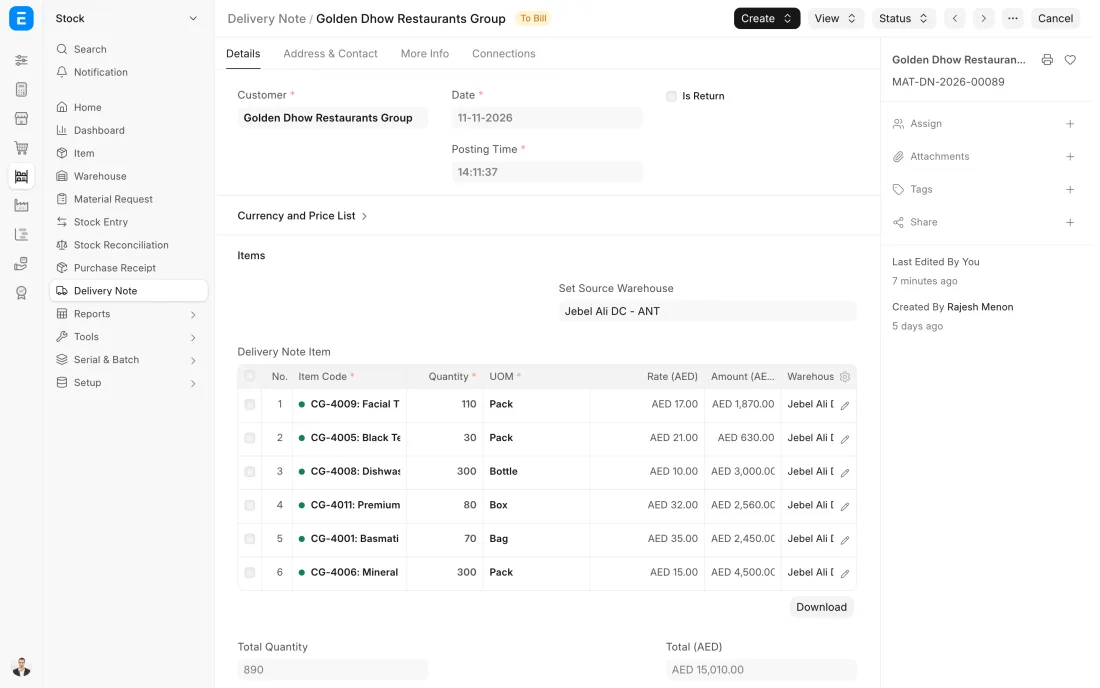
ERPNext 16 · Delivery Note -
Raw material and finished goods stores are counted on a rolling schedule. Work in progress is the hard one: it is counted when the floor is quiet and compared with the open work orders, since material on the floor should belong to one of them.
- Who does it
- Storekeeper and count team
- Document that comes out
- Stock Reconciliation
ERPNext then does this by itself
- System quantity and value are fetched for each store
- The difference is worked out line by line
- Nothing changes in stock until the reconciliation is submitted
Without an ERP
Half-used bags and part-finished pieces are everywhere at year end. Nobody can say which are stock and which were already charged to a job, so the count is negotiated, not measured.
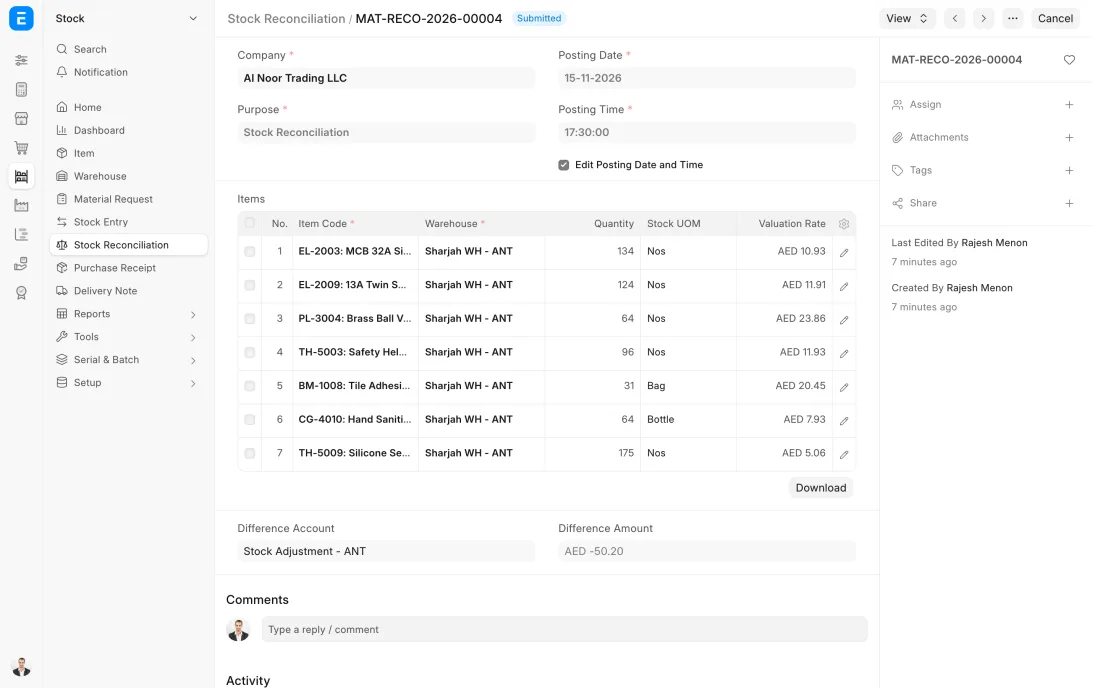
ERPNext 16 · Stock Reconciliation -
Once a month the Stock Ageing report shows how long each item has been sitting, by age band and value. Slow movers are discounted, moved to a branch that sells them or returned to the supplier, and the reorder levels of items that no longer sell are lowered or removed.
- Who does it
- Store manager and accountant
- Document that comes out
- Stock Ageing report
ERPNext then does this by itself
- Age is worked out from the date each quantity was received
- Quantity and value are shown for each age band
Without an ERP
Dead stock is found when the warehouse is full. Cash sat on the back racks for years, and the reorder sheet kept buying more of the same items.
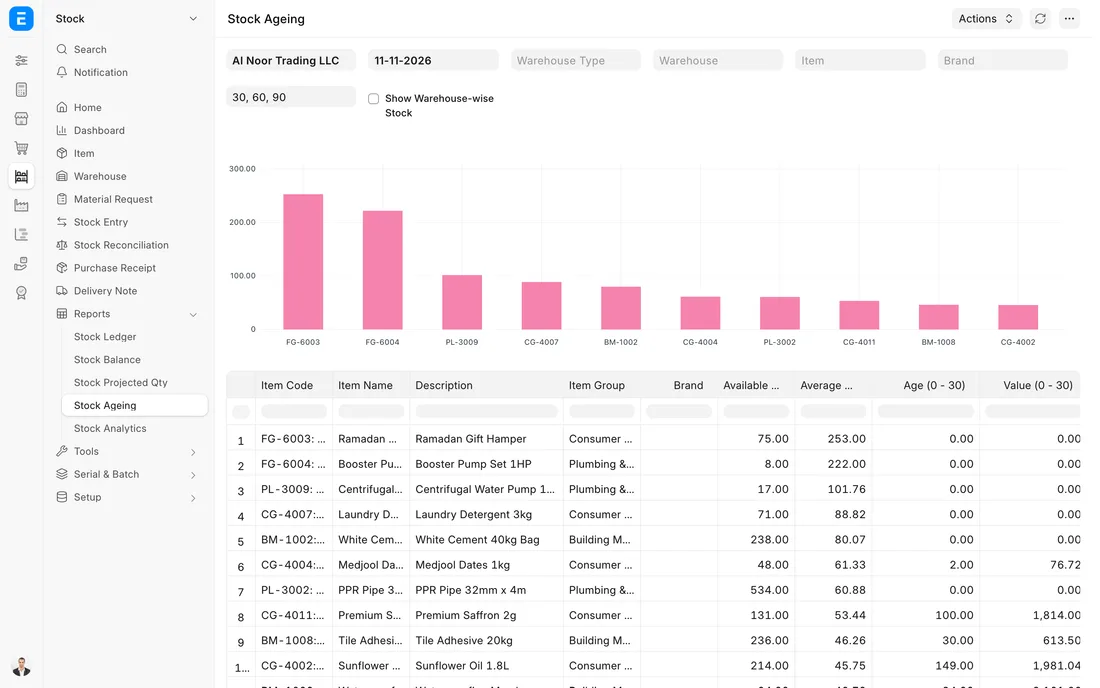
ERPNext 16 · Stock Ageing report
The Full map adds 10 more steps: the approvals, checks and branches between these.
A work order needs 200 kg of resin. The store issues exactly that to the floor, production books in 1,900 finished parts and 6 kg of scrap, and all three stores are right the same afternoon.
What changes in a manufacturing company. The same process, the steps this industry really uses.
-
Three stores, three meanings
Raw materials, work in progress and finished goods are separate warehouses, so the storekeeper and the accountant both see how much value is waiting at each stage.
-
Materials leave the store against a work order
The store issues what the work order's bill of materials calls for. Extra material needs another transfer, which makes over-use visible.
-
Finished goods arrive with a cost
When production books in the goods, their value is the materials consumed plus the cost of the operations, not a figure from a price list.
-
Scrap is stock too
Offcuts and rejects go into a scrap warehouse with a quantity, so they can be sold, reused or written off in the open.
Where this map leads
Processes feed each other. Follow the work into the next map.
Free tool
Build your company's map
Pick your industry and the processes you run. Get one printable document with every map and step, ready to show your team or your ERP partner.
- Inventory management
- Order to cash
- Purchase to pay
- Plan to produce
- Hire to retire
Questions about inventory management
Ask us anything elseHow do we track work in progress stock in ERPNext?
What happens to material that was issued to a job but not used?
Can ERPNext consume raw materials automatically when goods are finished?
See this process run on your own data
A 45-minute ERPNext demo that follows this map with an example from your business.