
Process map · Construction
Inventory management in a construction company
A contractor's stock does not sit in one warehouse. It is bought centrally, sent to sites, used on projects and, with luck, partly returned. The risk is material that is paid for and then lost between the store and the job. This map follows materials through a central store and site stores, with every issue charged to its project.
The full map is free
16 steps, 2 decisions, 3 roads into other maps. Sign in once to open every approval and branch, larger ERPNext screens and a printable sheet.
Select a step to see who does it, the document and the ERPNext screen.
Step by step
-
Materials are received against the Purchase Order at the central store, or straight at the site when the supplier delivers there. The site storekeeper enters the receipt into the site's own warehouse, from a phone if need be, with a photo of the supplier's delivery note attached.
- Who does it
- Storekeeper
- Document that comes out
- Purchase Receipt
ERPNext then does this by itself
- Stock goes up in the central or the site warehouse
- The Purchase Order shows what is still to come
- The office sees the receipt as soon as it is submitted
Without an ERP
A truck unloads at the site and the paper stays in the foreman's pickup. The office pays the supplier's invoice with no proof of how many loads arrived.
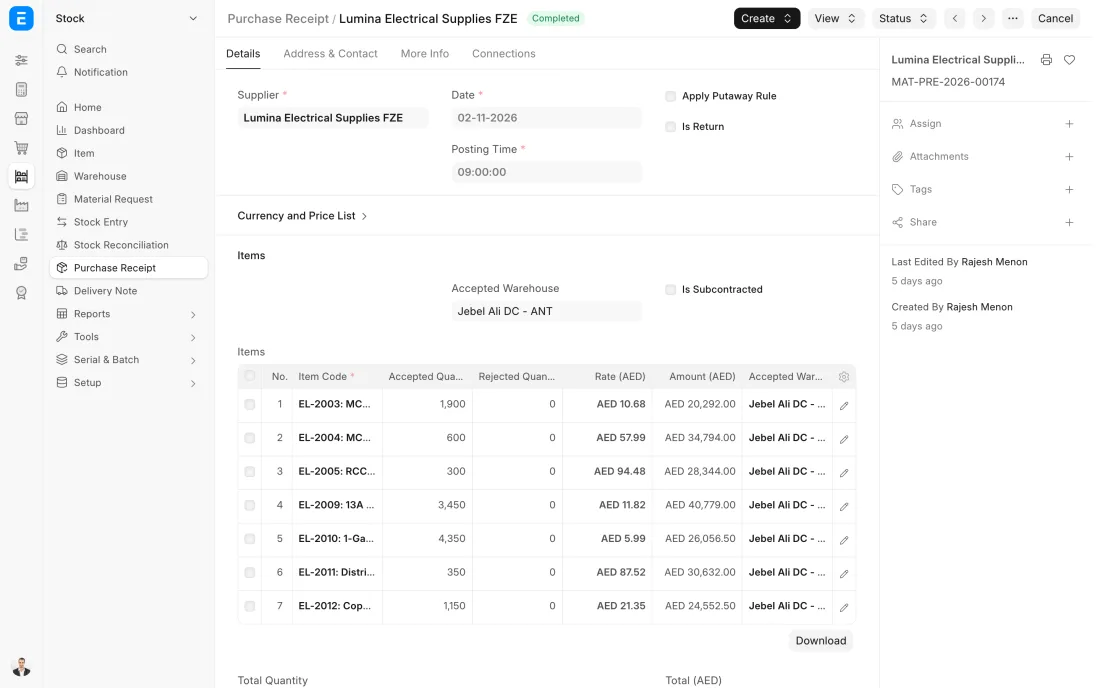
ERPNext 16 · Purchase Receipt -
The central store sends materials to a site on a Stock Entry of type Material Transfer, usually against the site's Material Request. The goods are still stock, now in the site's warehouse, and the site storekeeper signs the driver's copy.
- Who does it
- Storekeeper
- Document that comes out
- Stock Entry (Material Transfer)
ERPNext then does this by itself
- Central stock goes down and site stock goes up
- The site's request shows how much has been supplied
- The value stays in stock until the material is used
Without an ERP
Material is loaded on whichever pickup is going that way. The central store's sheet shows it gone, the site has no record of it arriving, and it is charged to no project.
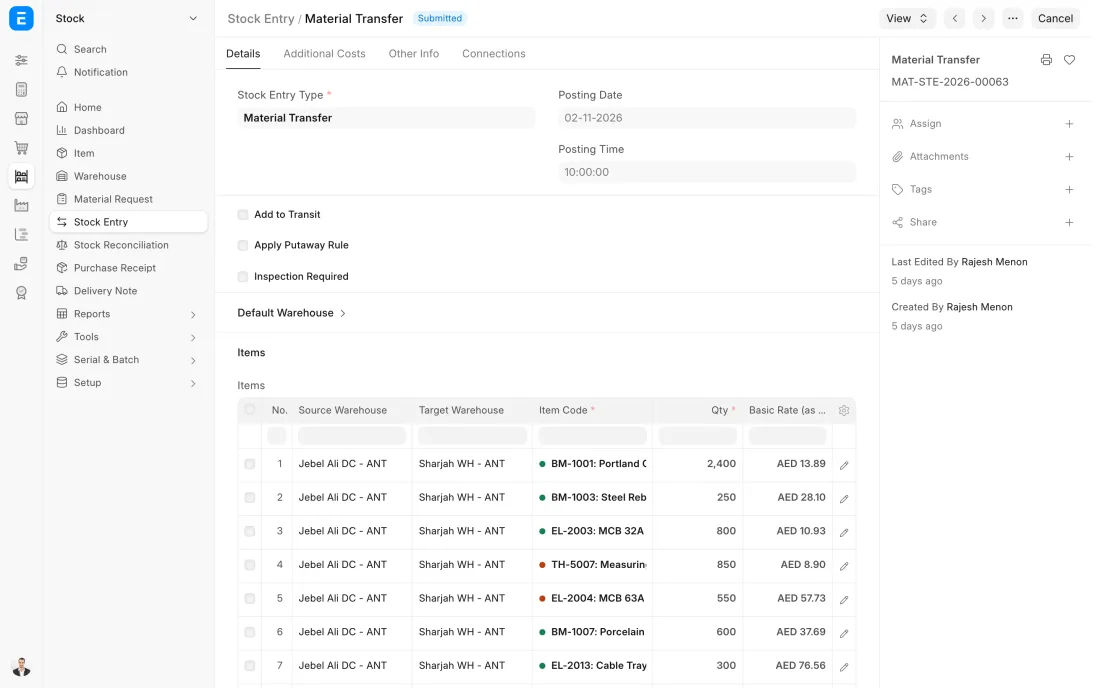
ERPNext 16 · Stock Entry (Material Transfer) -
When material is used, the site issues it from the site store on a Stock Entry of type Material Issue with the project named. From that moment it is a cost of the project and no longer stock.
- Who does it
- Site storekeeper
- Document that comes out
- Stock Entry (Material Issue)
ERPNext then does this by itself
- Site stock goes down
- The cost is posted against the project
- The project shows the material cost consumed so far
Without an ERP
Everything sent to a site is treated as used. Nobody knows what is still lying there, the project's cost is overstated, and the same material is ordered again for the next job.
-
Site stores are counted more often than the central store, because they are open, busy and temporary: at each stage hand-over and always before a project closes. The count is entered in a Stock Reconciliation for the site's warehouse.
- Who does it
- Storekeeper and count team
- Document that comes out
- Stock Reconciliation
ERPNext then does this by itself
- The current system quantity and value are fetched for each item
- The difference is worked out line by line
- Nothing changes in stock until the reconciliation is submitted
Without an ERP
Nobody counts a site until the job is finished. By then the leftover has walked, and the loss is buried in the project's cost where no one will look for it.
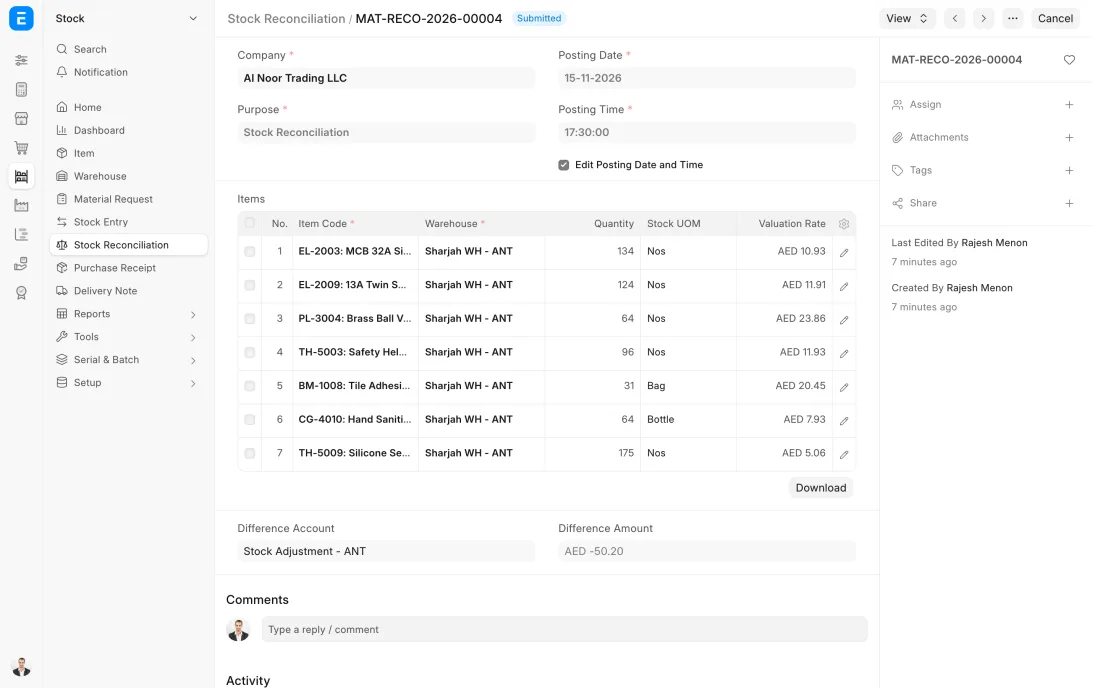
ERPNext 16 · Stock Reconciliation -
Once a month the Stock Ageing report shows how long each item has been sitting, by age band and value. Slow movers are discounted, moved to a branch that sells them or returned to the supplier, and the reorder levels of items that no longer sell are lowered or removed.
- Who does it
- Store manager and accountant
- Document that comes out
- Stock Ageing report
ERPNext then does this by itself
- Age is worked out from the date each quantity was received
- Quantity and value are shown for each age band
Without an ERP
Dead stock is found when the warehouse is full. Cash sat on the back racks for years, and the reorder sheet kept buying more of the same items.
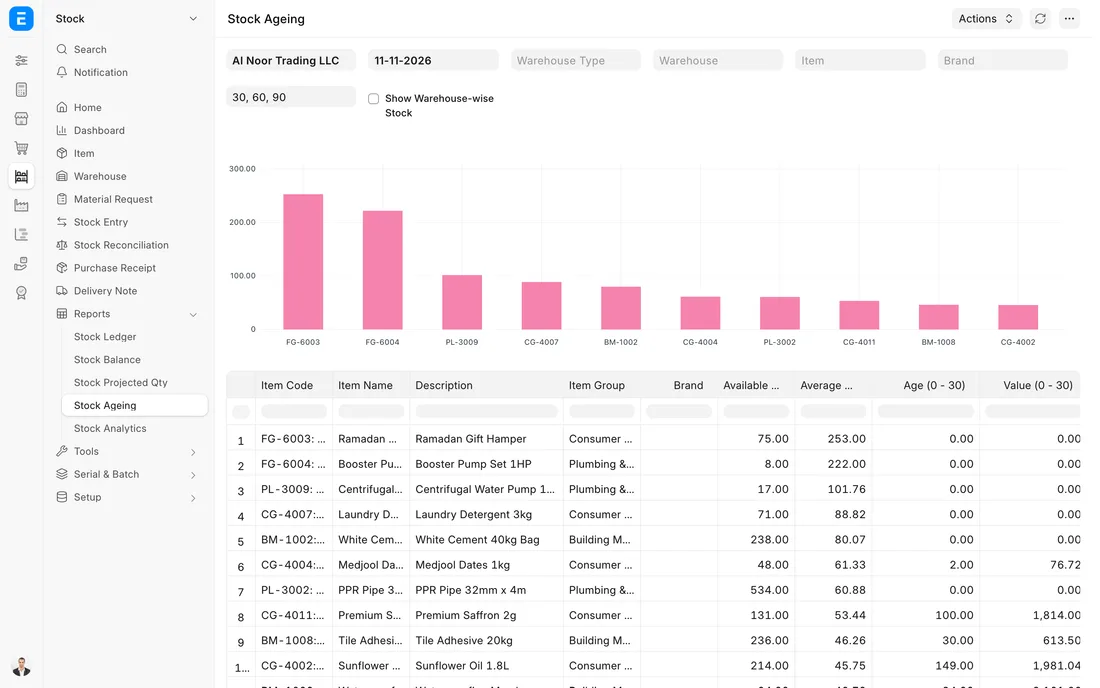
ERPNext 16 · Stock Ageing report
The Full map adds 11 more steps: the approvals, checks and branches between these.
The central store sends 500 bags of cement to a villa site. The site issues 420 to the project over three weeks, the cost lands on that project, and the 80 left over go back before hand-over.
What changes in a construction company. The same process, the steps this industry really uses.
-
Every site is a store
Each project site has its own warehouse in ERPNext. What has been sent to the site but not yet used is still stock with a value, not an expense.
-
Issues are charged to a project
Material becomes a project cost only when the site issues it, with the project named on the document. The project's cost builds up from what was really used.
-
Leftovers come back
Unused material is transferred back to the central store, or on to the next site, before a project closes, so it is not bought twice.
-
Tools are signed out, not given away
Drills, grinders and survey tools are tracked by serial number to the site that holds them, and are expected back.
Where this map leads
Processes feed each other. Follow the work into the next map.
Free tool
Build your company's map
Pick your industry and the processes you run. Get one printable document with every map and step, ready to show your team or your ERP partner.
- Inventory management
- Purchase to pay
- Project to bill
- Hire to retire
- Month-end close
Questions about inventory management
Ask us anything elseHow do we track materials sent to construction sites?
How does material cost reach the project in ERPNext?
Can site staff record stock from a phone?
See this process run on your own data
A 45-minute ERPNext demo that follows this map with an example from your business.