
Process map · Healthcare
Hire to retire in a clinic or hospital
A hospital or clinic cannot let someone treat patients on an expired licence, and it never closes. Hire to retire in healthcare adds two things to the general map: the professional licence of every clinician, with its expiry date, and a roster that covers every hour of the week, with on-call and overtime paid correctly. This map follows clinical staff.
The full map is free
16 steps, 1 decision, 1 road into another map. Sign in once to open every approval and branch, larger ERPNext screens and a printable sheet.
Select a step to see who does it, the document and the ERPNext screen.
Step by step
-
The chosen applicant gets a Job Offer with the designation, salary and terms, printed on your letterhead from a template. The offer is marked accepted or rejected when the candidate answers.
- Who does it
- HR officer
- Document that comes out
- Job Offer
ERPNext then does this by itself
- The offer letter is filled in from the applicant and the offer terms
- An accepted offer carries into onboarding and the employee record
- Offers still waiting for an answer are listed
Without an ERP
The offer letter is last year's file with the name changed. The old salary is still in paragraph three, and the candidate signs it.
-
The Employee Onboarding template for clinical staff lists what must be done before the first shift: contract, licence registration, health check, system access and department induction. The Employee record is created with the joining date and department, and a Salary Structure Assignment gives them their pay.
- Who does it
- HR officer
- Document that comes out
- Employee Onboarding, Employee
ERPNext then does this by itself
- Each activity becomes a task for HR, IT or the head of department
- Onboarding shows as complete only when every task is done
- The salary structure assigned to the employee is what payroll uses
Without an ERP
A new nurse starts on the ward before her system login is ready. She borrows a colleague's password for a week, and every note she writes is under the wrong name.
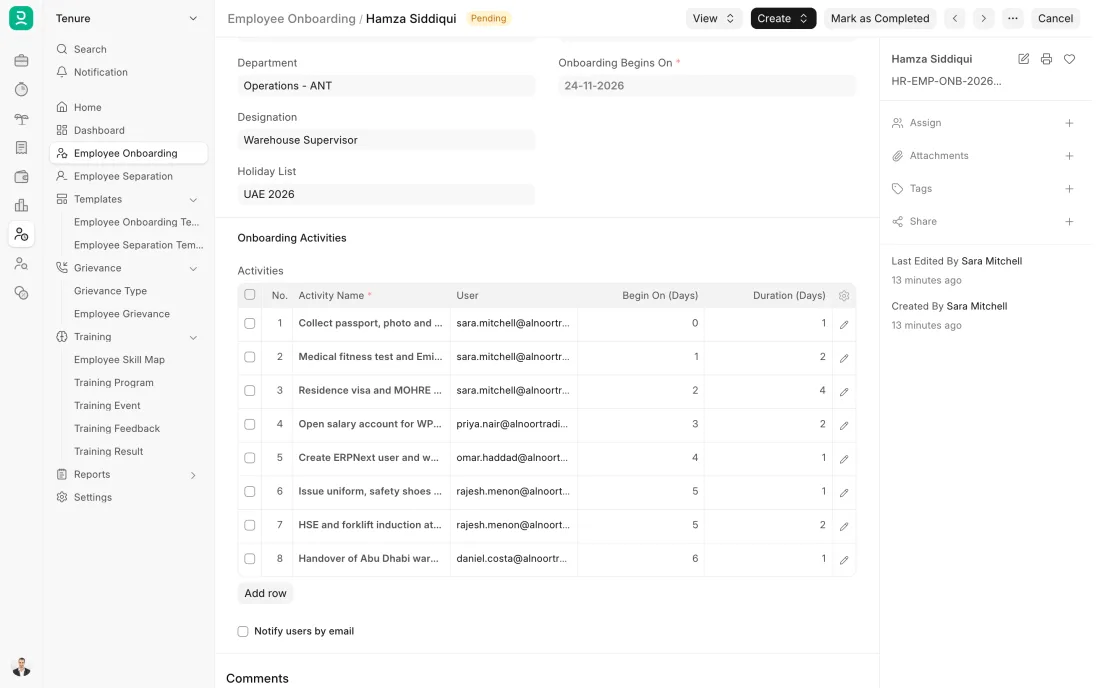
ERPNext 16 · Employee Onboarding -
Staff check in and out on a device at the entrance or on the Frappe HR mobile app. Each check-in is matched to the shift on the roster, so a night shift that ends the next morning counts as one working day, and the hours worked are known for every shift.
- Who does it
- Employee
- Document that comes out
- Employee Checkin, Attendance
ERPNext then does this by itself
- Check-ins become present, half day or absent by the shift's rules
- Late arrivals and early exits are flagged against the shift times
- Hours worked are worked out from the check-in and check-out times
Without an ERP
Ward attendance is a signing sheet at the nurses' station. Nights and double shifts are added up by hand at month end, and nobody agrees on the total.
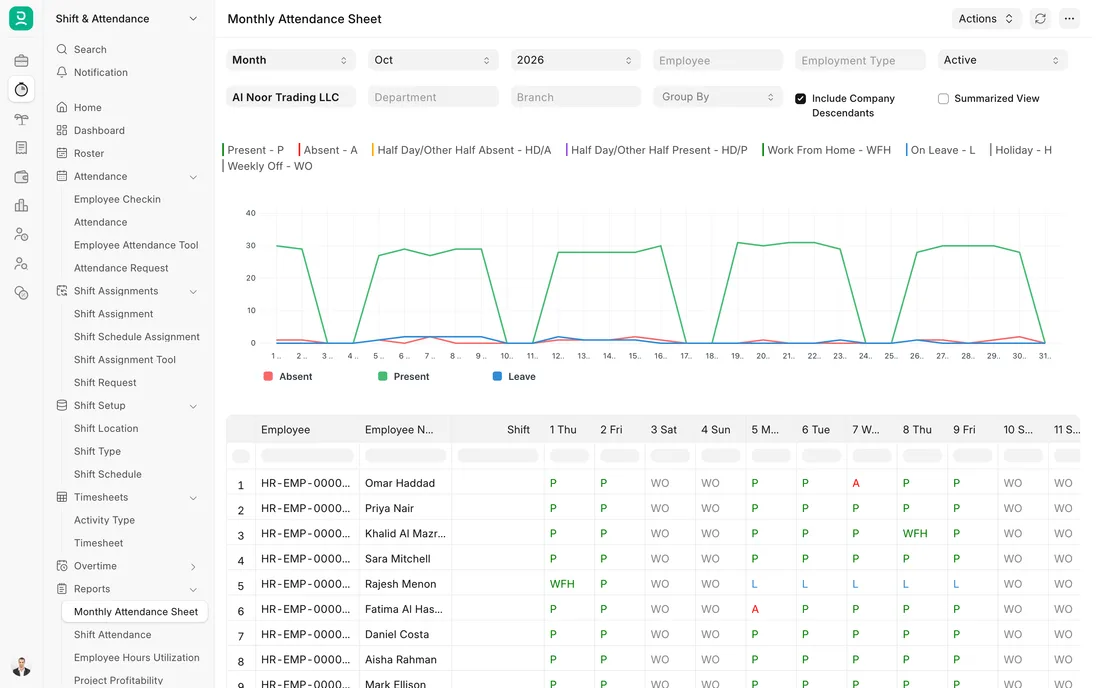
ERPNext 16 · Monthly attendance sheet -
One Payroll Entry for the month creates a Salary Slip for every employee from their salary structure, with payment days from attendance. Night shift and on-call allowances and approved overtime come in as extra earnings, entered as Additional Salary or worked out by rules that can be set up. Payroll can be run by department.
- Who does it
- Payroll officer
- Document that comes out
- Payroll Entry, Salary Slip
ERPNext then does this by itself
- Unpaid leave and absences reduce the pay
- Allowances and overtime show as separate lines on the slip
- An accrual entry posts the salary cost to the accounts
Without an ERP
On-call days are collected from each department on paper in the last week. One list is late, so a whole department's on-call pay slips to next month.
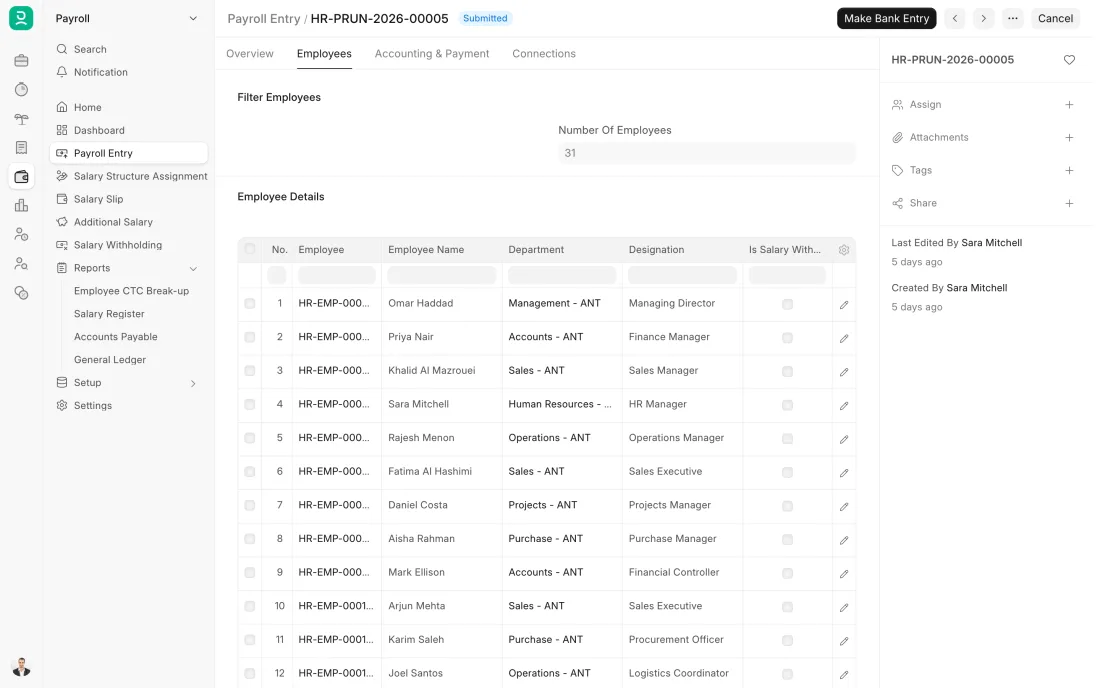
ERPNext 16 · Payroll Entry -
A Full and Final Statement gathers what the company owes, such as the last salary, leave not taken and end of service gratuity, and what the employee owes, such as an advance. Gratuity is worked out on a Gratuity document from the length of service, the salary and the rule you have set up. Gratuity rules depend on the contract and the place of work, so have the rule checked first.
- Who does it
- HR officer
- Document that comes out
- Full and Final Statement, Gratuity
ERPNext then does this by itself
- Company assets still held by the employee are listed
- Gratuity is worked out from the length of service and the rule
- Paying the settlement posts it to the accounts
Without an ERP
The final settlement is worked out by hand from three files. The gratuity is disputed, the advance is forgotten, and the employee waits weeks for money they are owed.
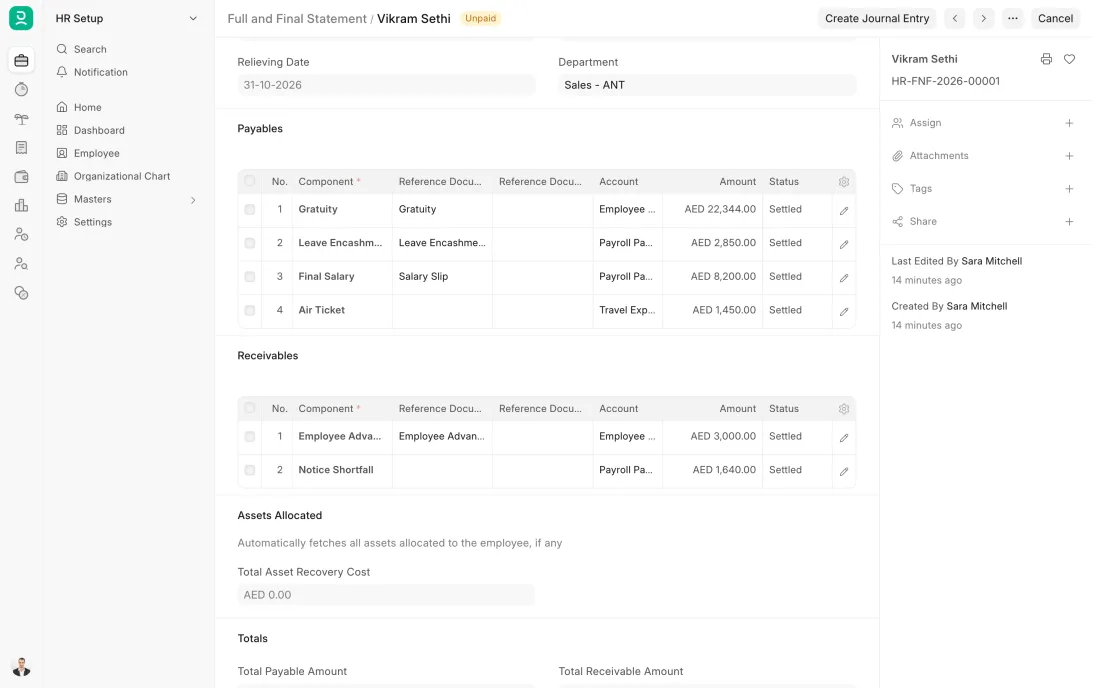
ERPNext 16 · Full and Final Statement
The Full map adds 11 more steps: the approvals, checks and branches between these.
A clinic hires a staff nurse. Her licence number and its expiry date go on her record before her first shift, the roster puts her on nights in her second week, and the two on-call days she covered show as an allowance on her payslip.
What changes in a clinic or hospital. The same process, the steps this industry really uses.
-
Credentials are part of hiring
Qualifications, experience letters and the licence copy are attached to the applicant and seen before any offer is made.
-
The licence is on the record, with a date
The licence number, the authority that issued it and its expiry date can be set up as fields on the employee record, with a reminder well before renewal.
-
The roster covers every hour
Day, evening and night shifts are assigned per person and date, so each department can see its cover for the week.
-
On-call and night work reach the payslip
On-call days, night shifts and overtime are paid as their own earnings from approved records, not from a handwritten list.
Where this map leads
Processes feed each other. Follow the work into the next map.
Free tool
Build your company's map
Pick your industry and the processes you run. Get one printable document with every map and step, ready to show your team or your ERP partner.
- Hire to retire
- Purchase to pay
- Patient to payment
- Inventory management
- VAT return
Questions about hire to retire
Ask us anything elseCan ERPNext track medical licence expiry dates?
Can ERPNext roster nurses and doctors around the clock?
How are on-call and night shift allowances paid in ERPNext?
See this process run on your own data
A 45-minute ERPNext demo that follows this map with an example from your business.