
Process map · Any company
Project to bill, step by step
Project to bill is how a company that sells work by the job gets from a signed quotation to the last invoice: engineering, consulting, fit-out, IT, maintenance. It usually hurts in two places: hours and costs that never reach the invoice, and a profit figure nobody knows until months after the job ends. In ERPNext every timesheet, purchase and expense carries the project, so the cost of the job and what has been billed sit on one screen.
The full map is free
14 steps, 2 decisions, 1 road into another map. Sign in once to open every approval and branch, larger ERPNext screens and a printable sheet.
Select a step to see who does it, the document and the ERPNext screen.
Step by step
-
The quotation becomes a Sales Order with one click. It holds the contract value, the lines to be billed and the payment terms. An advance from the customer is recorded against it.
- Who does it
- Salesperson
- Document that comes out
- Sales Order
ERPNext then does this by itself
- Items, prices and terms carry over from the quotation
- The order shows how much is billed so far
- An advance is kept against the order until it is invoiced
Without an ERP
Work starts on a phone call. There is no order to bill against, so the first invoice waits while sales and accounts argue about what was agreed.
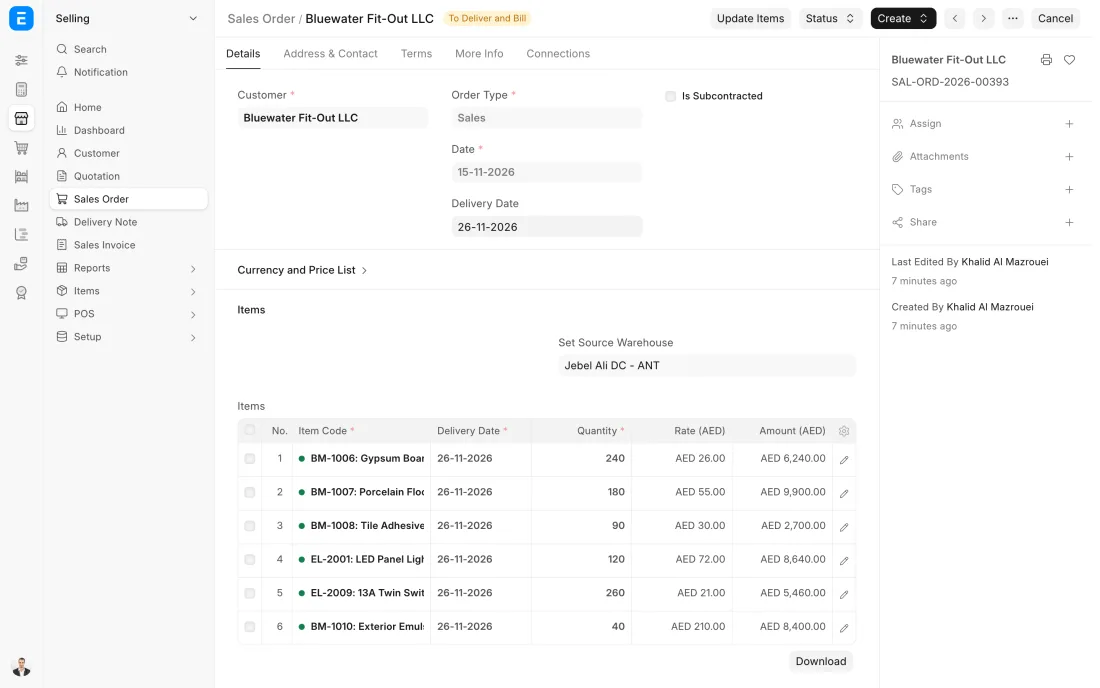
ERPNext 16 · Sales Order -
A Project is created from the Sales Order, using a Project Template for this kind of job. The template brings its usual tasks, so the plan does not start from an empty page. Start date, end date and estimated cost are set.
- Who does it
- Project manager
- Document that comes out
- Project
ERPNext then does this by itself
- Tasks are created from the template
- The project is linked to the customer and the Sales Order
- Costs and billing start to add up on the project
Without an ERP
Every project manager keeps their own tracker in their own layout. Management cannot see all running jobs in one place without asking each of them for an update.
-
Each person records their hours on a Timesheet against the project and task, with the type of work. Hours are marked billable or not. The timesheet counts once it is submitted, and an approval step can be set up.
- Who does it
- Team member
- Document that comes out
- Timesheet
ERPNext then does this by itself
- Hours are costed at the rate set for that person and activity
- Billable hours are valued at the billing rate
- The project's cost goes up as timesheets are submitted
Without an ERP
Hours are collected at month end from memory and chat messages. Billable time is forgotten, and the job that looked profitable was in fact carried by unpaid evenings.
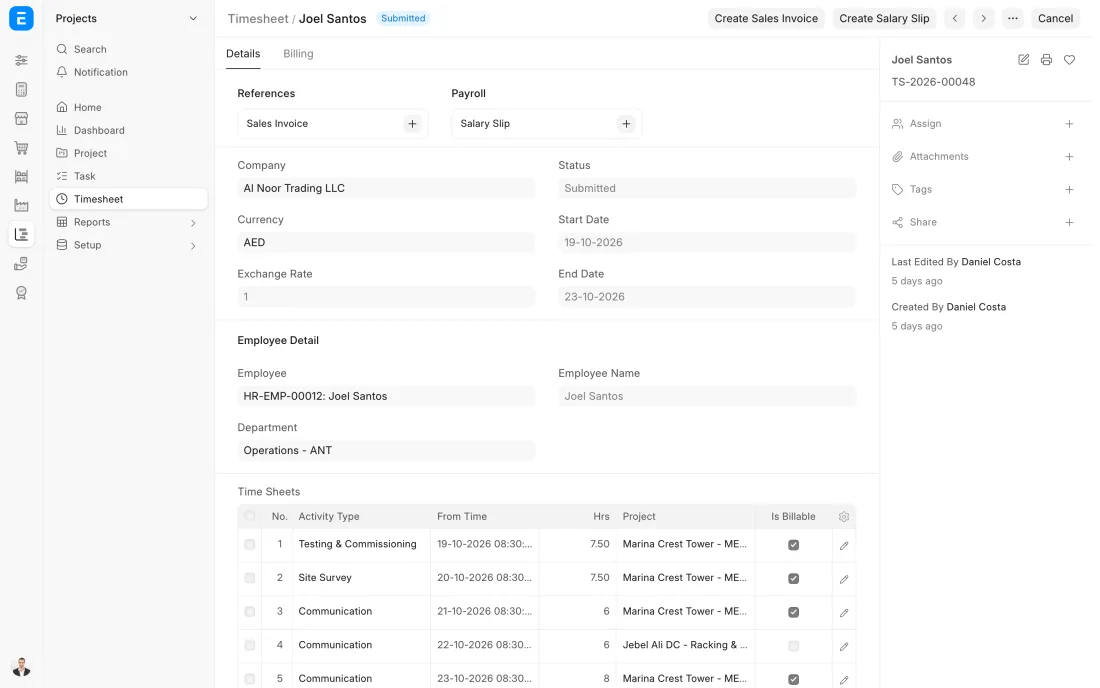
ERPNext 16 · Timesheet -
The Sales Invoice is raised against the project. For a milestone it is made from the Sales Order line. For time and materials it pulls in the submitted billable timesheets, and costs to recharge are added as lines.
- Who does it
- Accountant
- Document that comes out
- Sales Invoice
ERPNext then does this by itself
- Billed timesheets are marked so no hour is invoiced twice
- The project's billed amount goes up
- Ledger entries for sales, VAT and receivables are posted
Without an ERP
The invoice is built from a spreadsheet of hours. Some hours are billed twice, some never, and the customer disputes the whole invoice over one line.
-
The customer's payment is recorded on a Payment Entry against the invoices it covers. An advance taken at the start is set against the invoice, so the customer is asked only for the balance.
- Who does it
- Accountant
- Document that comes out
- Payment Entry
ERPNext then does this by itself
- The invoice is marked paid or part paid
- Advances are deducted from what is owed
- Bank and receivable ledgers are posted
Without an ERP
Nobody links the advance to the final invoice. The customer is billed in full, complains, and the corrected invoice takes two more weeks.
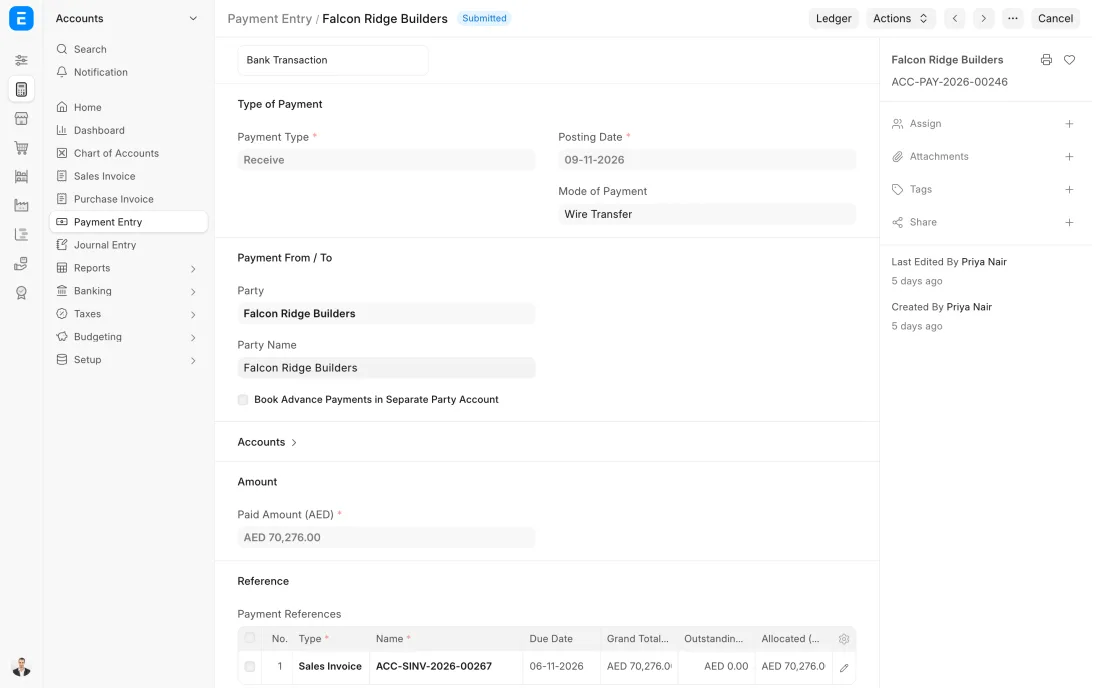
ERPNext 16 · Payment Entry (Receive) -
Before the project is closed, its costs are set beside what was billed: time, purchases, materials from stock and expense claims. The margin is on the project record. The project is then marked completed.
- Who does it
- Project manager
- Document that comes out
- Completed Project
ERPNext then does this by itself
- Time, purchase, material and expense costs are totalled on the project
- Billed amount and gross margin are worked out
- A completed project leaves the list of open jobs
Without an ERP
Profit per job is worked out once a year, if at all. The company keeps quoting the same kind of job at the same price without knowing that it loses money each time.
The Full map adds 8 more steps: the approvals, checks and branches between these.
An IT company wins a network upgrade for an office. The order becomes a project with tasks from a template, engineers log their hours each day, the switches are bought against the project, and the invoice for the first milestone goes out the day the customer signs it off.
Where this map leads
Processes feed each other. Follow the work into the next map.
Free tool
Build your company's map
Pick your industry and the processes you run. Get one printable document with every map and step, ready to show your team or your ERP partner.
- Project to bill
- Order to cash
- Purchase to pay
- Plan to produce
- Patient to payment
Questions about project to bill
Ask us anything elseWhat is the project to bill process?
Can ERPNext create invoices from timesheets?
How do I see whether a project made money in ERPNext?
Can fixed price and time and materials projects run in the same system?
Which ERPNext documents make up project to bill?
See this process run on your own data
A 45-minute ERPNext demo that follows this map with an example from your business.