
Process map · Any company
VAT return, step by step
A VAT return is only as good as the invoices behind it. In the UAE most businesses file every quarter with the Federal Tax Authority, and the stress comes from building the figures at the last minute out of spreadsheets. In ERPNext the tax is recorded on each invoice as it is made, so the return is a report to check, not a project. This map describes the work, not the tax rules: your own tax agent confirms how each kind of transaction is treated.
The full map is free
15 steps, 2 decisions, 2 roads into other maps. Sign in once to open every approval and branch, larger ERPNext screens and a printable sheet.
Select a step to see who does it, the document and the ERPNext screen.
Step by step
-
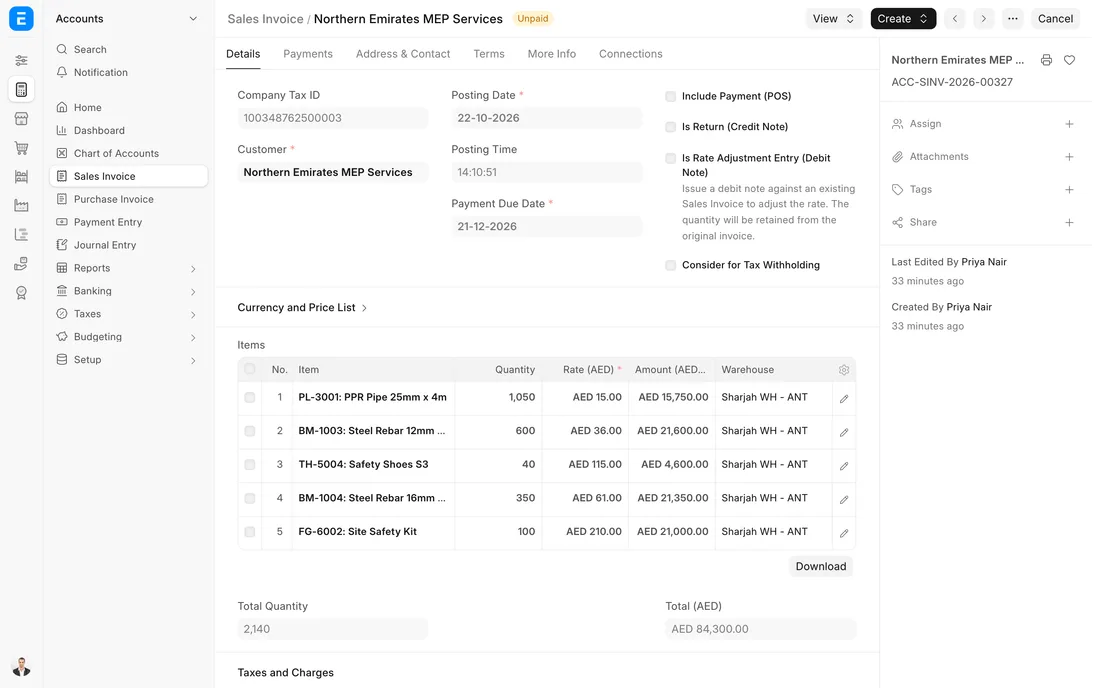
Each sales invoice takes its tax from the template: 5% on standard-rated lines, nothing on lines marked zero rated or exempt. The emirate of the sale is recorded on the invoice, because the UAE VAT 201 report adds up standard-rated sales emirate by emirate.
- Who does it
- Invoicing clerk
- Document that comes out
- Sales Invoice
ERPNext then does this by itself
- Tax is worked out line by line and posted to the output tax account
- The invoice prints as a tax invoice with both TRNs
- The emirate is kept on the invoice for the return
Without an ERP
Invoices are made in a word processor. One goes out with no TRN, another with VAT added to a zero-rated sale, and the customer's accountant sends both back.
ERPNext 16 · Sales Invoice (UAE VAT) -
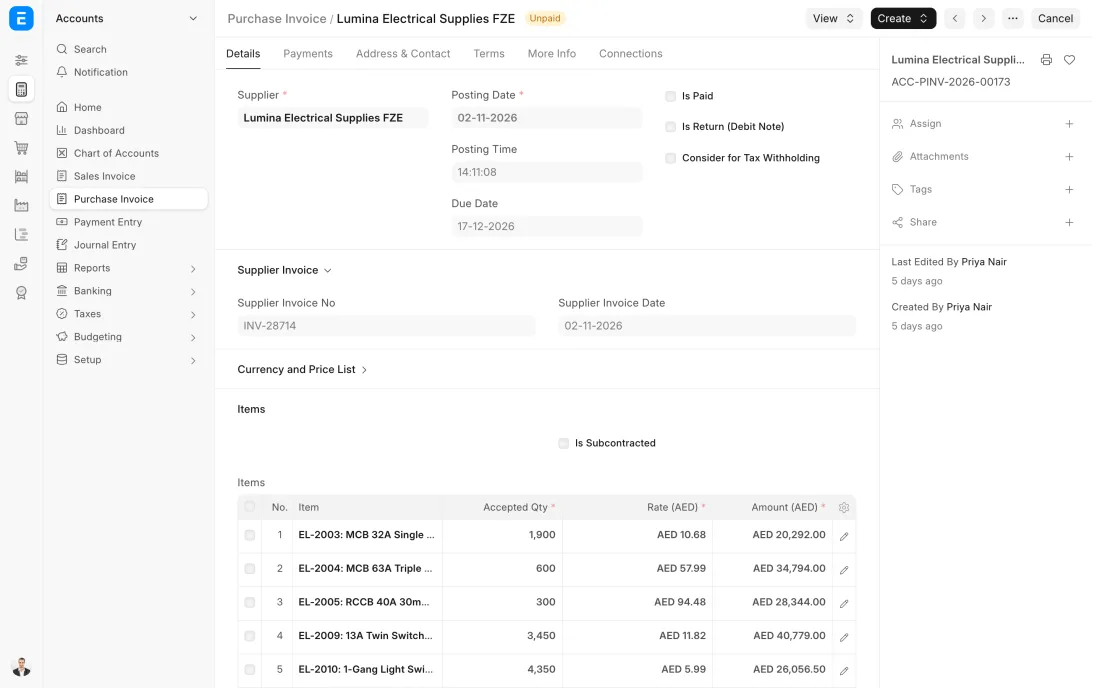
Each supplier's tax invoice is entered with the supplier's own invoice number, their TRN and the VAT they charged. A scan of the original is attached. The VAT goes to the input tax account. The clerk also enters the VAT that can be recovered in the Recoverable Standard Rated Expenses field, because the UAE VAT 201 report reads input tax from there.
- Who does it
- Accounts payable clerk
- Document that comes out
- Purchase Invoice
ERPNext then does this by itself
- Input tax is posted to its own account, apart from the cost
- A repeated supplier invoice number can be set up to be refused
- The UAE VAT 201 report counts only purchase invoices with the recoverable amount filled in
Without an ERP
Supplier invoices are entered as one total. The VAT inside them is never separated, so tax the company could have recovered is paid as a cost.
ERPNext 16 · Purchase Invoice -
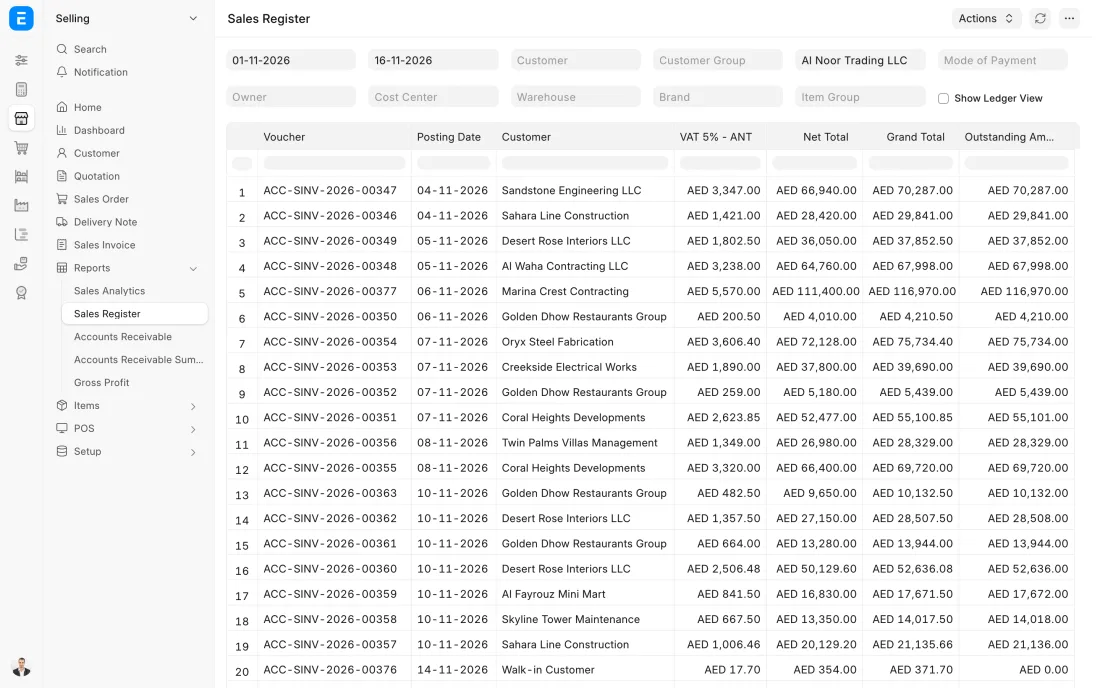
When the tax period ends, the Sales Register and the Purchase Register are run for its dates. They list every invoice with its net amount and tax in separate columns. The accountant looks for missing TRNs, lines with no tax where tax was expected, tax on the wrong account, purchase invoices with the recoverable amount left at nil and invoices dated in the wrong period.
- Who does it
- Accountant
- Document that comes out
- Sales Register and Purchase Register
ERPNext then does this by itself
- Each tax account has its own column, so an odd rate stands out
- Every line opens the invoice behind it
Without an ERP
The return is built from a spreadsheet of totals. Nobody looks at single invoices, so a wrong tax code repeats every quarter until an auditor finds it.
ERPNext 16 · Sales Register report -
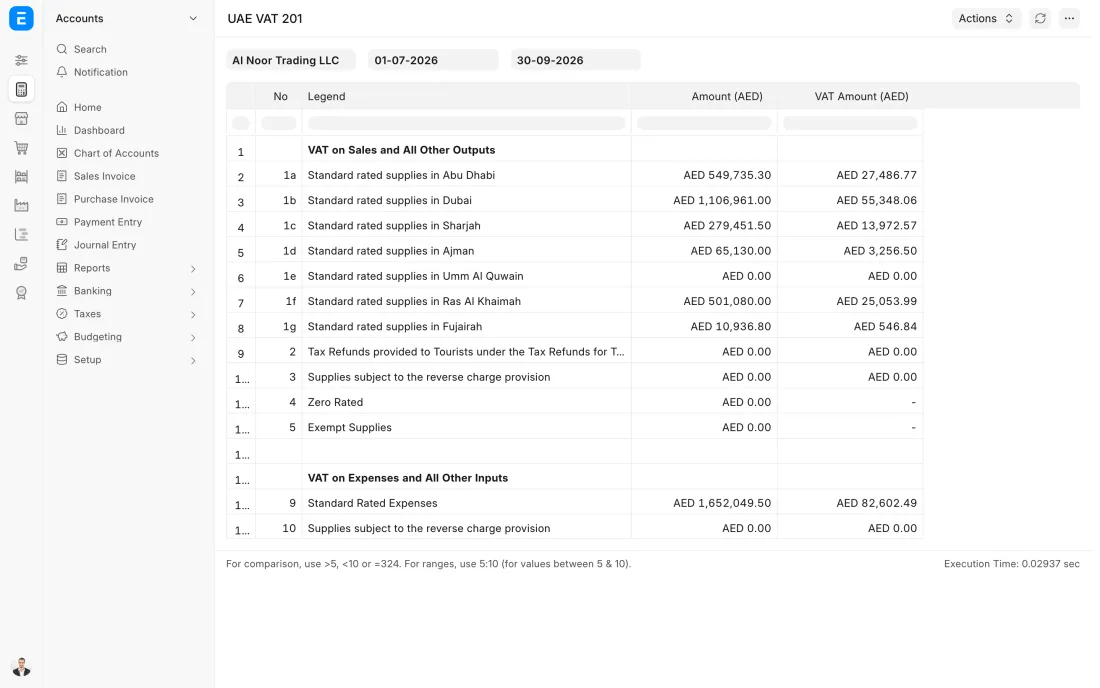
The UAE VAT 201 report is run for the tax period. It gives the main lines of the return: standard-rated sales for each emirate, zero-rated and exempt sales, reverse charge, and standard-rated expenses with the tax that can be recovered.
- Who does it
- Accountant
- Document that comes out
- UAE VAT 201 report
ERPNext then does this by itself
- Sales are grouped by the emirate saved on each invoice
- Zero-rated and exempt lines go to their own boxes
- Only submitted invoices inside the period are counted
Without an ERP
Splitting a quarter's sales by emirate means sorting hundreds of invoices by hand on the last evening before the deadline.
ERPNext 16 · UAE VAT 201 report -
The return is filed on the Federal Tax Authority's online portal, by the company or by its tax agent. This step is outside ERPNext: the figures from the UAE VAT 201 report are entered on the portal and checked once more before submitting. Most businesses file each quarter, and the return is due 28 days after the period ends.
- Who does it
- Finance manager or tax agent
- Document that comes out
- Filed VAT return
ERPNext then does this by itself
- The report can be exported or printed as the working paper for the filing
- Closing the period in ERPNext stops later changes to the invoices behind the return
Without an ERP
The figures are finished on the last day. One typing mistake on the portal means a correction afterwards, and there is no working paper showing where the numbers came from.
-
A Journal Entry moves the period's output tax and input tax into one VAT payable balance, which equals the amount on the return. The payment to the Authority is then recorded from the bank against that balance. When input tax is higher than output tax, the balance is in your favour, and your tax agent confirms how it is claimed.
- Who does it
- Accountant
- Document that comes out
- Journal Entry
ERPNext then does this by itself
- The VAT accounts start the next period from nil
- The payable clears when the bank payment is recorded
Without an ERP
The payment to the Authority is booked as an expense. The VAT accounts keep growing year after year, and nobody can tell what is really owed.
The Full map adds 9 more steps: the approvals, checks and branches between these.
The quarter ends on 31 March. The accountant reviews the registers in the first week of April, corrects two invoices, runs the UAE VAT 201 report and agrees it with the ledger. The return is filed well inside the 28 days allowed.
Where this map leads
Processes feed each other. Follow the work into the next map.
Free tool
Build your company's map
Pick your industry and the processes you run. Get one printable document with every map and step, ready to show your team or your ERP partner.
- VAT return
- Order to cash
- Purchase to pay
- Plan to produce
- Project to bill
Questions about vAT return
Ask us anything elseHow do I prepare a UAE VAT return in ERPNext?
Does ERPNext file the VAT return with the Federal Tax Authority?
How often is a VAT return filed in the UAE?
What does a UAE tax invoice from ERPNext show?
How do I correct a VAT mistake on an invoice that was already issued?
See this process run on your own data
A 45-minute ERPNext demo that follows this map with an example from your business.